Monitoring
HWiNFO
by moeilijk
Overview
# HWiNFO for Stream Deck
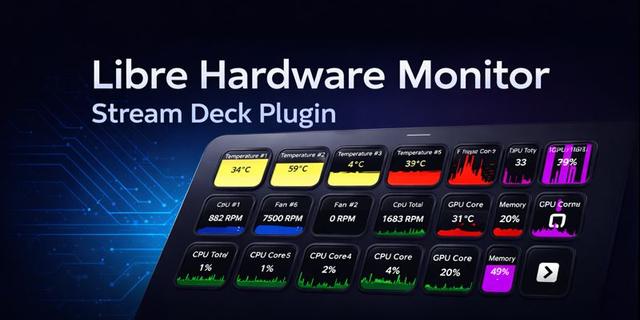
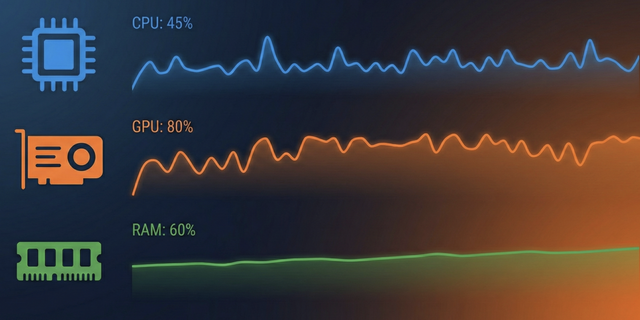
Turn any key into a live hardware dashboard. This plugin reads directly from HWiNFO64 shared memory, so your CPU/GPU temperatures, fan speeds, clocks, load, and power draw stay on your desk with no cloud accounts and no telemetry.
## More than a single sensor tile
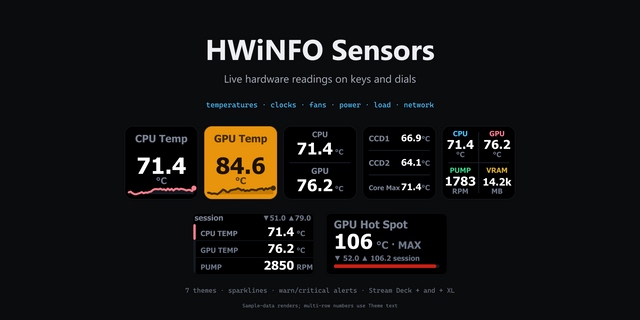
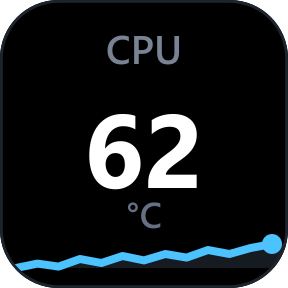
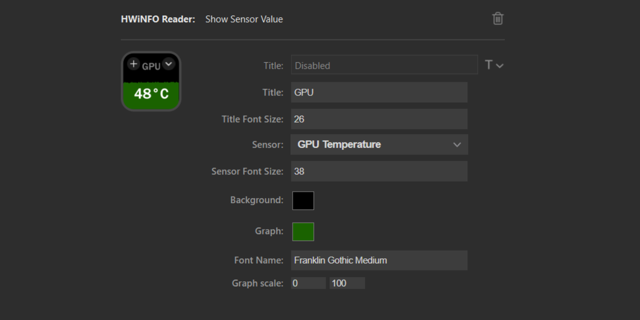
- Show any HWiNFO sensor/reading pair with the live value and a rolling mini-graph.
- Build Composite Dashboard tiles to display up to 4 readings on one key with overlaid graphs.
- Create Derived Metric tiles to combine 2-8 readings using sum, average, max, min, delta, or percent formulas.
- Put a list of readings on a Stream Deck+ dial with the Dial Carousel and rotate to cycle through them.
## Thresholds and alerts
- Set warning and alert colors per tile, or define global thresholds by sensor type.
- Fine-tune with hysteresis, dwell time, cooldown, snooze, and sticky alarms.
## Fully customizable
- Choose colors, fonts, number formats, unit normalization, and smoothing to match your layout.
- Use search, category filters, and favorites to find readings faster.
- Set the polling rate globally and override the update interval per tile.
## Lean local setup
- The monitoring bridge is a small bundled binary that reads HWiNFO shared memory.
- Everything runs on your own machine.
- No extra accounts, no external service dependency, no unnecessary bloat.
## Setup snapshot
1. Install HWiNFO64, run it in Sensors-only mode, and enable Shared Memory Support.
2. Add the HWiNFO action to a Stream Deck key and choose the sensor/reading you want.
3. Build bigger dashboards with Composite Dashboard and Derived Metric tiles.
4. On a Stream Deck+, add the Dial Carousel to cycle readings on the touch strip.
Complete install and configuration walkthrough:
https://github.com/moeilijk/hwinfo-streamdeck#readme
This plugin is not affiliated with HWiNFO64; see https://www.hwinfo.com
## What's new in 3.1.1
### Clearer action names
Composite Dashboard, Derived Metric, Dial Carousel and Settings no longer repeat the plugin name. Existing tiles are unaffected; only the labels in the actions list change.
## What's new in 3.1.0
### Remote machine sensors
Machines connected in HWiNFO's Remote Center appear as extra sensor sources, with their readings on keys and dials.
### Non-Latin names and units
Sensor names, labels and units display correctly on non-Latin Windows locales.
## What's new in 3.0.0
Version 3 is a full rebuild on a new engine. Tiles from the older HWiNFO plugin are not carried over.
### Composite Dashboard
2 to 4 readings on one key, each slot with its own graph, colors, scale and thresholds.
### Derived Metric
Combine 2 to 8 readings with sum, average, min, max, delta or percentage, saved as presets.
### Dial Carousel
A scrollable list of readings on a Stream Deck+ dial, with an overview mode and Bulk Add.
### Thresholds and alerts
Per tile or in a global library by sensor type, with colors, alert text, hysteresis, dwell, cooldown, sticky alarms and snooze.
### Sensor picker
Search, category filters and favorites shared across tiles.
### Appearance
Graph, text or both, in your own colors, fonts, scale and number format, with smoothing and per-tile update intervals.
### Settings
Polling rate, the global threshold library and live connection status.
Version 3.1.1
Jul 31, 2026
Details
Type
Monitoring
Utilities
OS
Windows
Compatibility
Stream Deck 6.9 or later
Size
20.02 MB
Version
3.1.1
Language
English
Support
Profiles
No
Dial support
Yes
Additional links
You might also like