Business
iCal
Overview
Live Calendar Countdowns on Stream Deck
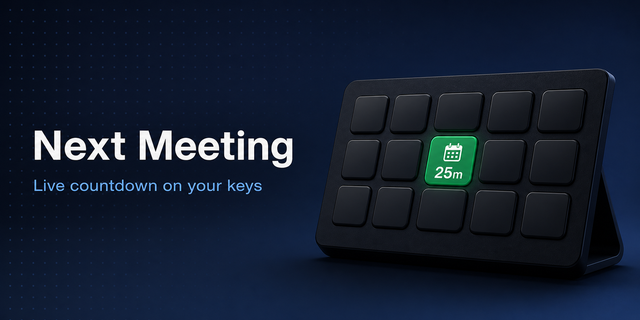
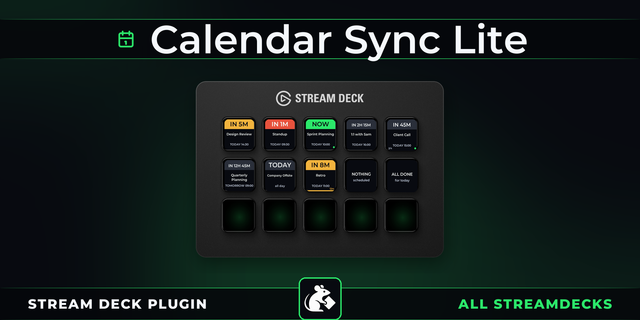
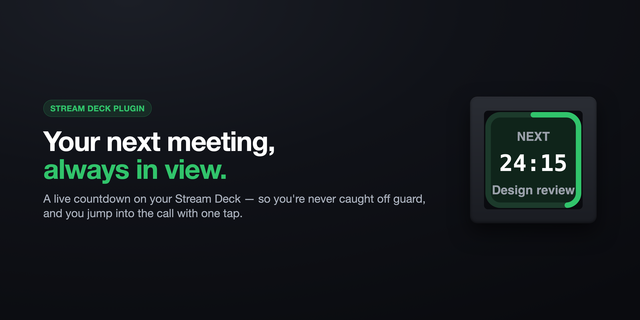
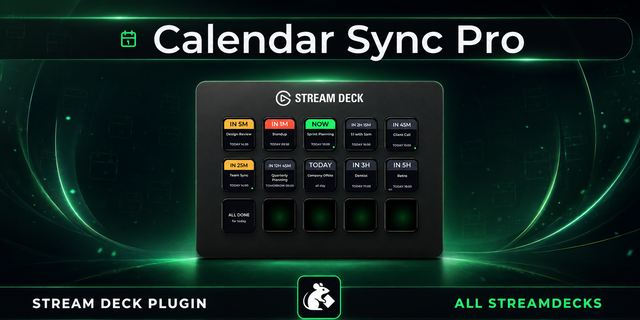
Never miss a meeting again. iCal puts your calendar right on your Stream Deck keys with live countdowns, color-coded warnings, and smart auto-switching between meeting modes.
Paste any iCal URL — Google Calendar, Outlook, Apple Calendar, or any standard iCal feed — and your upcoming meetings appear instantly on your Stream Deck.
Three Powerful Actions
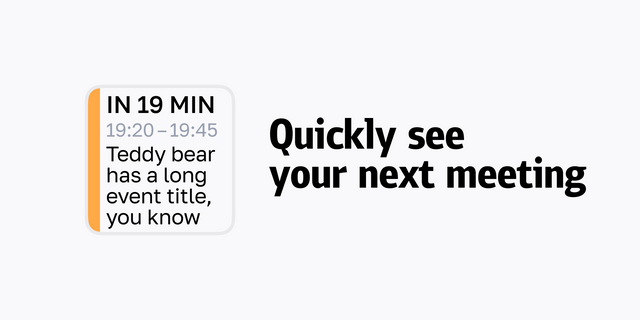
Smart Calendar ⭐ — The all-in-one action most users need. Automatically shows your next meeting countdown, then switches to "time remaining" when a meeting starts. One key, zero hassle.
Next Meeting — A dedicated countdown to your next event. Tap the key to see the meeting title in a scrolling marquee. Double-tap to force a calendar refresh.
Time Left — Shows how much time remains in your current meeting. Supports concurrent meetings — tap to cycle between overlapping events.
Visual Warnings Keep You on Track
Your keys change color as meetings approach:
Green — All clear, meeting is far away
Orange — Meeting approaching (default: 5 minutes, configurable)
Red — Meeting imminent (default: 30 seconds, configurable)
Flash — Optional visual flash alert when a meeting starts
You'll never accidentally run over or join late again.
Multiple Calendars, One Stream Deck
Set up named calendars — Work, Personal, Family — and assign different calendars to different buttons. Each key shows events from its own calendar. Share a single URL across multiple buttons without duplicating configuration.
Full Recurring Event Support
Daily standups, weekly team syncs, monthly reviews — iCal handles them all. Full RRULE expansion with EXDATE exception support means your recurring events appear correctly, every time.
Works With Every Major Calendar
Google Calendar — Including Google Workspace
Microsoft Outlook — Outlook.com and Office 365
Apple Calendar — iCloud calendar sharing
Any iCal URL — Any RFC 5545 compatible feed
Automatic timezone handling converts between Windows and IANA timezones seamlessly.
Privacy First
Your calendar URL is stored locally on your computer. No data is sent to any third-party server — the plugin fetches directly from your calendar provider.
Requirements
Stream Deck software 6.4 or later
Windows 10+ or macOS 10.15+
An iCal calendar URL (Google, Outlook, Apple, or any iCal feed)
Getting Started
Install the plugin from the Stream Deck Store
Drag Smart Calendar onto a key
Click Settings in the Property Inspector
Click Add Calendar → paste your iCal URL → give it a name → Save
Select your calendar from the dropdown on the key
Your countdown appears immediately — you're ready to go!
Fixes
webcal:// URLs now supported — paste subscription links directly; webcal/webcals are normalized to https automatically (#43).
Recurring events fixed — weekly and DST-boundary recurrences now expand correctly in the event's own timezone (#39, #30).
No more high CPU after sleep — an orphan-timer reconciliation sweep reclaims stranded per-button timers left after wake-from-sleep (#29).
Clearer invalid-URL feedback — malformed calendar URLs now surface an actionable "Please Setup" state instead of failing silently.
Privacy & logging hardening — home-directory paths are redacted from logs and log injection (CWE-117) is neutralized.
Version 2.4.5
Jul 14, 2026
Details
Type
Business
OS
Mac
Windows
Compatibility
Stream Deck 6.9 or later
Size
422.62 KB
Version
2.4.5
Language
English
Support
Profiles
No
Dial support
No
Additional links
You might also like