Development
Jellyfin Monitor and Control
by Design4web
Overview
Complete server monitoring and management at your fingertips
🌟 Key Features
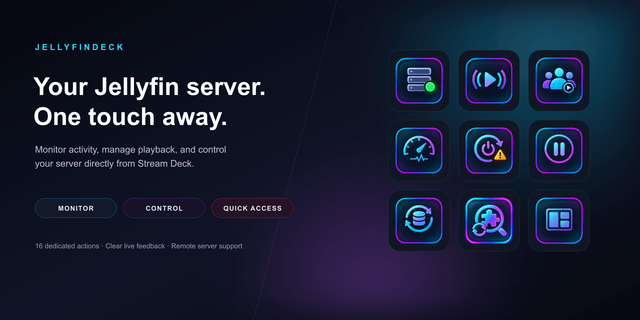
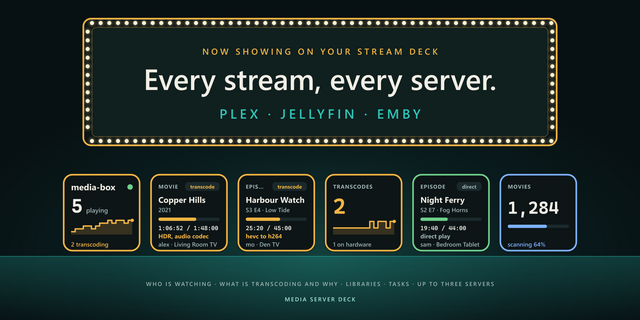
🔗 Server Connection Connect to one or multiple Jellyfin servers with configurable refresh intervals (5-300s). Auto-detects server name and monitors status 24/7 with UP ✅ / DOWN ❌ indicators. Each server = independent key with its own settings.
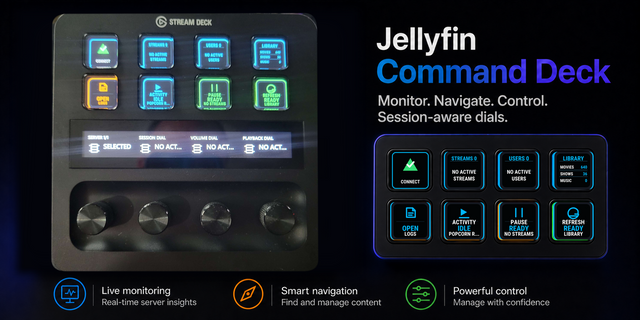
📊 Real-time Monitoring
📈 Active streams count
🎥 Transcoding sessions (HW/SW/direct play)
👤 Active users + what they're watching
📚 Library statistics (movies, series, music)
🏓 Server ping / response time
🆕 New Jellyfin version alerts
🎛️ Server Management One-click actions:
🔄 Restart server (double-press confirm)
⏸️ Pause all playback
🗂️ Library refresh scan
📃 Open logs page
🖥️ Open dashboard
🏠 Open home page
⚡ Smart Features
🔄 Auto-recovery from connection failures (5s)
🎨 Color-coded status (🟢 UP / 🔴 DOWN)
🖼️ Logo display key for clean aestheticsMonitor and control your Jellyfin server from Stream Deck. Track real-time status, active streams, users, and health. Manage server with restart, pause all playback, library refresh, and quick access to logs.
v1.2.0 - 🎉 Jellyfin 12 support
Jellyfin compatibility — This version of the plugin adds support for Jellyfin 12. Older Jellyfin versions remain fully functional, so you can upgrade the plugin without needing to upgrade your Jellyfin server.
Version 1.2
Oct 14, 2026
Details
Type
Development
Monitoring
Productivity
Streaming
Utilities
Video
OS
Mac
Windows
Compatibility
Stream Deck 6.9 or later
Size
4.25 MB
Version
1.2
Language
English
Support
Neo Infobar support
No
Dial support
No
Profiles
Yes
You might also like