Lighting
Just Monitor Control
Overview
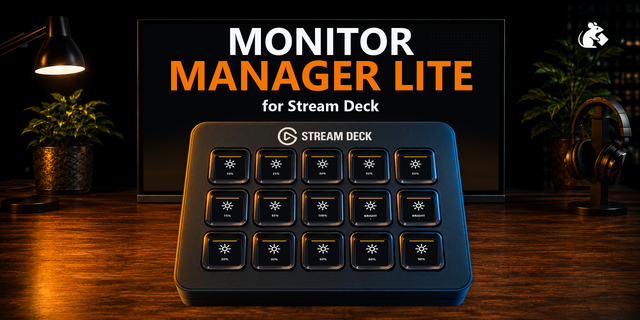
No more fumbling with monitor buttons or digging through Windows display settings for a simple tweak. Adjust brightness, switch inputs, change refresh rates, and control your displays directly from Stream Deck — without breaking your workflow.
Key Features:
Brightness — Set exact levels, step brightness up or down, or toggle between saved presets across multiple monitors simultaneously.
Input Switch — Instantly switch to a specific video port or toggle between two inputs (e.g., DisplayPort and HDMI).
Refresh Rate — Apply any refresh rate supported by Windows, including exact decimal modes like 59.94 Hz.
HDR — Toggle HDR on or off for individual monitors or all connected displays at once.
Sleep & Wake — Put selected monitors or your entire desktop to sleep, then wake them back up.
Raw VCP — Send custom VESA VCP codes to access monitor controls that don't have a dedicated action.
Identify Displays — Briefly show display numbers on screen to instantly match monitor names in the list with your physical desk setup.
Contrast — Make the picture punchier or softer while the brightness level stays the same. Flip between two saved looks on one monitor or several at once.
Monitor Volume — Raise, lower, or mute the speakers built into the monitor. One press silences them, and the Windows volume slider stays where it is.
Contrast: set a level, step it, or switch between two saved levels on several monitors at once.
Monitor Volume: set, step, or mute the monitor's own speakers. This is not the Windows volume.
Dials: rotate to adjust brightness, contrast, and volume. Press or touch to set, toggle, or mute.
Version 1.1.5
Oct 13, 2026
Details
Type
Lighting
Monitoring
Productivity
Utilities
OS
Windows
Compatibility
Stream Deck 6.9 or later
Size
2.91 MB
Version
1.1.5
Language
Chinese
English
French
German
Japanese
Korean
Spanish
Support
Neo Infobar support
No
Profiles
No
Dial support
Yes
Additional links
You might also like