Audio
Labify
by Qaem
Overview
Labify — Streamlabs Desktop Control for the CORSAIR XENEON EDGE
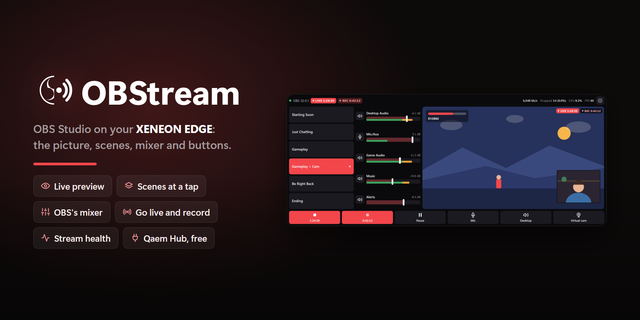
Run your stream from the touchscreen next to your keyboard. Labify puts Streamlabs Desktop on your XENEON EDGE: your scenes at a tap, the audio mixer, buttons for going live, recording and the replay buffer, your stream's health at a glance, and a live preview of your stream.
No alt-tabbing, no covering your game, no Stream Deck required. Labify talks to Streamlabs Desktop through its own remote-control API.
Key Features:
Live Preview
Your Stream's Picture: Edge to edge, from a Streamlabs projector window, at the frame rate you pick. It pauses when nobody is looking. Needs Qaem Hub.
Scenes At A Tap
Big Scene Buttons: Every scene as a button. In studio mode, tap once to line a scene up and again to take it live.
Buttons For Everything
Go Live And Record: Start and stop streaming or recording, the replay buffer and saving a replay.
And The Rest: Scenes, studio mode and transitions, mute, volume, and showing or hiding a source. Add, remove, reorder and recolour them.
Safe By Design: Going live, ending a stream and starting or stopping a recording need a hold or a second tap, so a stray touch never ends your stream.
The Mixer
Mixer: The sources Streamlabs' own mixer shows, with mute buttons and volume faders on Streamlabs' own curve.
Stream Health
Status: Live and recording timers, bitrate with its last minute, dropped frames, CPU and frame rate, turning amber and red as problems grow.
One Widget, Several Jobs
Widget Types: Add Labify more than once and give each copy a job in iCUE's widget settings: Everything, Preview, Scenes, Buttons, Mixer or Status.
Shared Connection: Copies share one connection. Each copy keeps its own settings, colours and text size, in iCUE's settings or on the touchscreen.
Clear States: Streamlabs closed or not installed, third party connections off, a wrong token or Qaem Hub not running: each one shows the fix.
Qaem Hub (Free Companion App, Recommended)
No Setup: With Qaem Hub, QaemDev's free companion app for Windows (qaemdev.com/products/qaem-hub), Labify connects to Streamlabs with no token to copy and nothing to turn on in Streamlabs. Qaem Hub can also open Streamlabs for you, and it adds the live preview.
Without It: Turn on third party connections in Streamlabs and paste its API token once.
Just This Module: Rather not install Qaem Hub? Get the Streamlabs Desktop Module, a small app with only this module inside: qaemdev.com/downloads/streamlabs-module-setup.exe. Qaem Hub takes it over, settings kept, if you install it later.
Looks After Itself: Qaem Hub runs quietly in the tray, starts with Windows and keeps itself up to date.
Requirements
Streamlabs Desktop on Windows.
CORSAIR iCUE 5.49 or newer with a XENEON EDGE. On iCUE 5.51 and newer, Labify may reach Qaem Hub and Streamlabs on this PC; for Streamlabs on another PC or a changed port, allow it in iCUE Settings, Widget Access.
Privacy
Labify talks only to Qaem Hub and Streamlabs on your own PC, or to the address you enter. Nothing is sent anywhere else, and it never reads your stream key.
Streamlabs and Streamlabs Desktop are trademarks of their owner. Labify is an independent product, not affiliated with or endorsed by Streamlabs.
SOME STEPS ARE REQUIRED FOR THE SETUP
SETUP GUIDE: https://qaemdev.com/guides/qaem-hub-setup
First release. Streamlabs Desktop on your XENEON EDGE: scenes at a tap, the audio mixer, buttons for going live, recording and the replay buffer, stream health and a live preview, in six widget types. With Qaem Hub, the free companion app, there is nothing to set up.
Version 1
Oct 1, 2026
Details
Type
Audio
Gaming
Streaming
Utilities
Video
Device
XENEON EDGE
OS
Windows
Size
77.81 KB
Version
1
Language
English
Support
Dashboard Sizes
Extra large
Large
Medium
Small
Recommended Orientation
Horizontal
Vertical
Interactive
Yes
Additional links
You might also like