Productivity
Language Switcher
by Type1
Overview
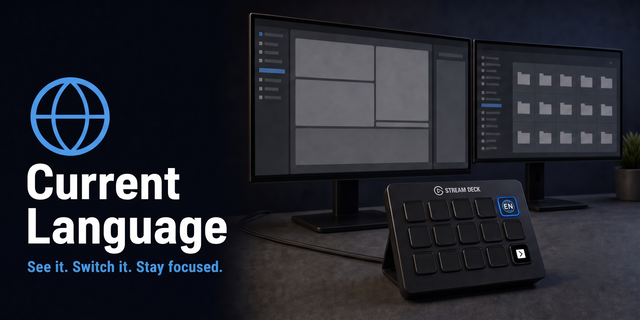
Language Switcher for macOS — shows your current input language on the Stream Deck key and cycles to the next one with a single press.
Unlike other solutions, this plugin does not simulate key presses. It talks directly to the macOS input source API, so no Accessibility permission is required and switching is instant and reliable.
FEATURES
• Live indicator — the key displays the current input language and updates automatically, no matter how you switch (Stream Deck, menu bar, or keyboard shortcut).
• One-press cycling — tap the key to move to the next input source in your list.
• No Accessibility permission needed — uses the native macOS TIS API instead of simulating keyboard events.
• Universal — works with any languages configured in your Mac. No hardcoded language pairs.
• No background processes — runs only inside the Stream Deck app.
HOW TO USE
1. Add the Language Switcher action to any key on your Stream Deck.
2. The key will show your current language (e.g. "U.S.", "Russian", "French").
3. Press it to switch to the next input source in your list.
4. The title updates automatically to reflect the new language.
REQUIREMENTS
• macOS 13 (Ventura) or later.
• Stream Deck 7.1 or later.
• At least two input sources configured in System Settings → Keyboard → Input Sources.
NOTES
• The order of input sources follows the list in System Settings → Keyboard → Input Sources.
• Works on both Apple Silicon and Intel Macs.
1.0.0.0 — Initial release.
• Live language indicator on the Stream Deck key.
• One-press cycling between input sources on macOS.
• No Accessibility permission required — uses native macOS APIs.
• Universal binary — works on both Apple Silicon and Intel Macs.
Version 1
Oct 1, 2026
Details
Type
Productivity
Utilities
OS
Mac
Compatibility
Stream Deck 6.9 or later
Size
254.13 KB
Version
1
Language
English
Support
Profiles
No
Dial support
No
Neo Infobar support
No
You might also like