Monitoring
Lay-Z-Spa
by tbprojects
Overview
See how warm the water is without reaching for your phone, and switch the heater on from the same key.
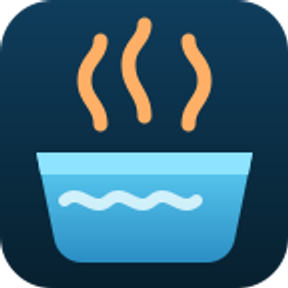
The key shows the current water temperature, on a background that tells you what the heater is doing at a glance:
Orange — heating
Green — target temperature reached
Slate — heater off
Dark — spa switched off, or offline
Red border — the spa is reporting a fault
A short press flips to the second view: target temperature, heater, filter pump and bubbles. If the spa is reporting a fault, that view shows the error code instead — the other values say nothing useful in that state.
A long press turns the heater on or off. The key updates immediately and confirms against the spa a few seconds later, once the change has actually landed.
State is refreshed every three minutes.
Setting it up
Enter the e-mail and password of the Bestway Connect account your spa is registered under, pick your region, and choose the spa from the list. That is the whole setup.
Your password is used once and then deleted. It is exchanged for a session token, and only that token is stored. Sessions last around six months; when one ends, the key asks for the password again. Nothing is sent anywhere except Bestway's own servers.
What you need
A Wi-Fi enabled Lay-Z-Spa set up in the Bestway Connect app, version 1.2 or newer
The e-mail and password of that account
Stream Deck 6.9 or newer
Which spas this works with
This plugin talks to the backend Bestway moved its V02 / UltraFit devices to in the app update of late July 2026 — the one behind the current Bestway Connect app.
It does not work with older spas that use the Bestway Smart Hub app, or with the generation before this one. Those use entirely different protocols. If your spa is managed from the Bestway Connect app and the app is on version 1.2 or newer, you are on the right one.
Verified on an UltraFit Airjet in the European region. Other models on the same backend are expected to work; the temperature, heater, pump and bubbles fields are shared across them.
Not affiliated with, endorsed by, or supported by Bestway. "Bestway" and "Lay-Z-Spa" are trademarks of their respective owners.
Resubmission of 1.0.0 with the icon issues from review fixed.
• Action and category icons are now monochrome #FFFFFF on a transparent
background, at 20/40 px and 28/56 px respectively.
• Plugin icon regenerated at the required 256/512 px.
• The key image is a separate asset, so the action-list icon is no longer
reused as the coloured key artwork.
Version 1.0.1
Aug 27, 2026
Details
Type
Monitoring
OS
Mac
Windows
Compatibility
Stream Deck 6.9 or later
Size
134.05 KB
Version
1.0.1
Language
English
Support
Profiles
No
Dial support
No
You might also like