Development
LightBurn Hotkeys
Overview
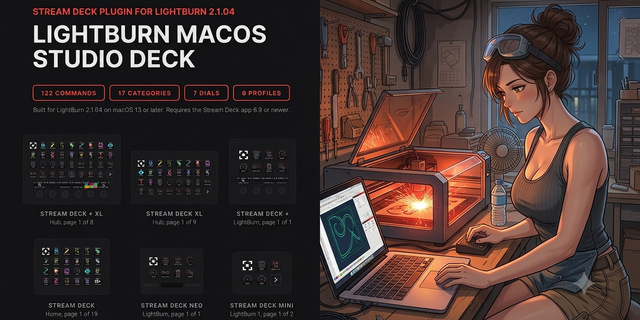
LightBurn Hotkeys turns your Stream Deck into a control surface for LightBurn. 131 commands sit on real keys across 17 categories, six dials work the Stream Deck + touch strip, and six bundled profiles cover every deck the plugin can address: File, Edit, Drawing, Node Editing, Modify, Images, View, Align, Nudge, Machine Control, and more.
EASY LINK, BUILT IN
The Easy Link module is built in, nothing else to install. Hold the key about a second while LightBurn is in front and the deck binds it to this plugin's profile. That profile switches in whenever LightBurn takes focus, and your previous one returns when you leave. No setup pages, no paths, no window titles to type. A short press does nothing, so a stray tap never relinks.
SIX DIALS
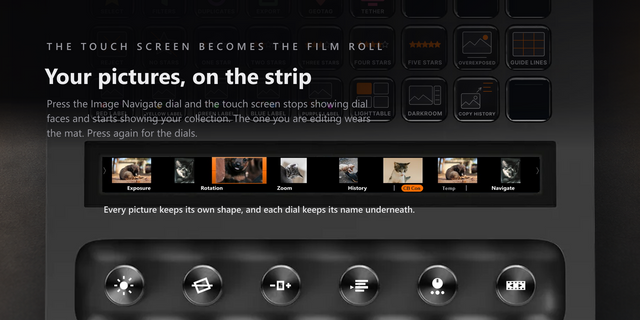
Six dials work the design canvas. Machine motion is never mapped to a dial.
- Layer Color: turn to browse LightBurn's 32 layer swatches, eight to a page, with your current layer marked. Press to set it: with shapes selected it moves them there, with nothing selected it arms the layer for what you draw next. Hold to cycle that layer's mode, Line to Fill to Offset Fill. The hold clicks the Cuts / Layers panel, so it pulls LightBurn to the front.
- Zoom: turn to zoom the view in and out. Press for Zoom to Page, tap the strip for Wireframe. The view only, nothing moves.
- Nudge X and Nudge Y: turn to nudge the selected shapes. The strip prints the live X or Y straight from LightBurn, with your own move increment in your document units.
- Rotate: turn to rotate the selection, one step per click. Press to cycle the step: 90, 45, 15 and 1.5 degrees.
- Cut Settings: turn to change speed or power on the layer you clicked in the Cuts / Layers panel. Press to swap the two. The strip reads the live value back out of LightBurn.
The Stream Deck + carries four of the six, swapping Rotate or Cut Settings into the third seat where they belong. The Stream Deck + XL carries all six at once.
PROFILES FOR SIX DECKS
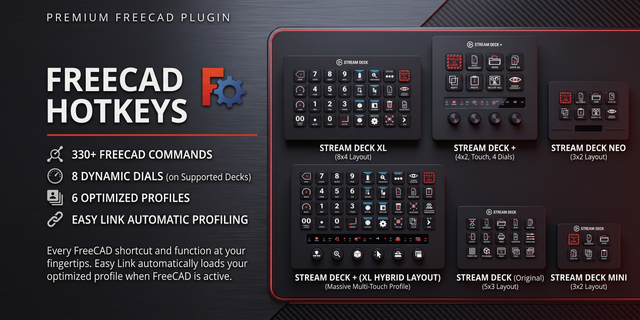
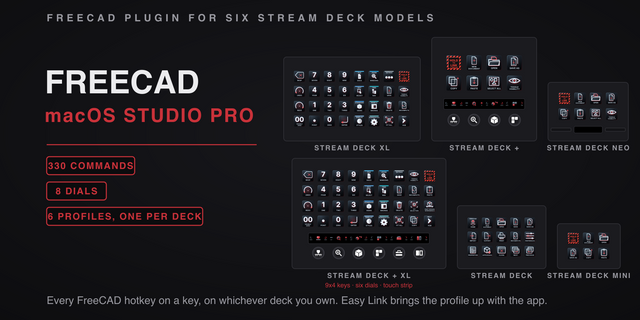
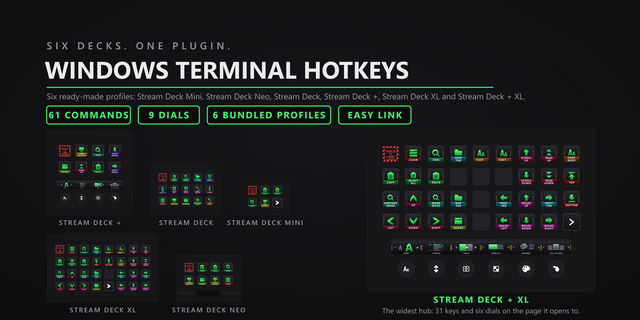
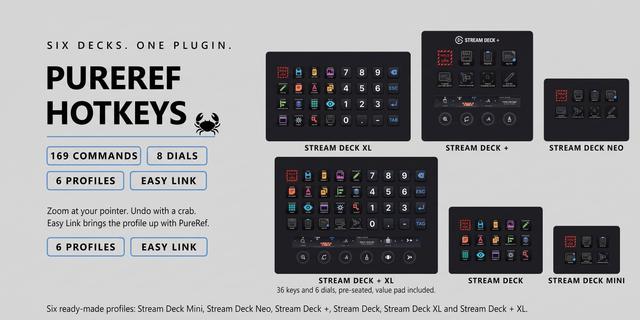
Profiles ship for the Stream Deck, Stream Deck +, Stream Deck + XL, Stream Deck XL, Stream Deck Mini and Stream Deck Neo. Every one carries all 131 commands, nothing curated away. The 15-key Stream Deck and both big decks open on a hub of color-coded category keys: tap one, land on that category's page with every command pre-wired, tap Home to come back.
HOW THE KEYS WORK
Drop a category action onto any key and pick the command from a grid of its key art. The key wears that command's artwork, so your deck reads at a glance. The shortcut lands in LightBurn like a physical keyboard. Drag modifiers are true hold keys: the modifier stays down while you hold the key.
KEYS THAT KNOW WHAT LIGHTBURN IS DOING
The plugin reads LightBurn's own window while you work, so a key tells you the truth before you press it.
- Selection-only keys dim when nothing is selected.
- Machine Control and Print & Cut keys dim while LightBurn reports no machine.
- The Undo and Redo keys name what LightBurn will undo or redo next, and Redo greys out when there is nothing to redo.
- The drawing tool you actually have active wears an accent ring.
- The LightBurn Status key shows your machine connection, or the document and its unsaved-changes flag.
- A foreground guard stops keys firing when LightBurn is not the active window.
LightBurn has to be running for any of it, and the readouts blank when it is not. Dial presses that click LightBurn's panels pull it to the front.
SOUNDS AND CUSTOM HOTKEYS
Every key can play a sound the moment you press it. Pick one per key, or leave it silent. Our free Sound Sampler adds your own recordings to the picker. Changed a binding in LightBurn? Capture any combination in the Custom Hotkey field and the key sends that.
REQUIREMENTS
Windows 10 or later, the Stream Deck desktop app 6.9 or newer, and LightBurn. Built and tested against LightBurn Pro 2.1.04. Keystrokes go to the focused window.
LightBurn Hotkeys 3.0.1.0. Still 131 commands, six dials and six bundled profiles.
Pick by face: a command key's settings now show its commands as a grid of their key art, so you choose by what the key will show.
Fixed: a custom hotkey captured with an arrow key or a numpad operator (+, -, *, / or .) never fired. Capture now stores those keys so they send; capture any such hotkey set before this update again.
Easy Link: the linked key now shows the app's icon above its name when one can be read, and its settings show each link's face. A failed link plays a shorter chime. Easy Link is now a key action only and can no longer sit on a dial; if you put it on one, move it to a key.
Linking several decks at once could leave all but one on its old profile, because the Stream Deck app installs one new profile at a time. Each extra deck's profile now follows about 12 seconds after the last.
Fixed: a profile switch the Stream Deck app refused from the Open Category or Back key could stop the plugin; it is now caught and logged. The Open Category settings now name Home and the decks it works on.
Fixed: a key pressed while the keystroke helper restarted could fail with the alert mark. The shared Pathfinder input engine that sends keystrokes to LightBurn is refreshed, and helper processes now start in your temp folder, so they cannot hold the plugin's folder open during a later update.
Requires Windows 10+, Stream Deck app 6.9+, and LightBurn Pro 2.1.04.
Version 3.0.1
Oct 13, 2026
Details
Type
Development
Productivity
Utilities
OS
Windows
Compatibility
Stream Deck 6.9 or later
Size
3.21 MB
Version
3.0.1
Language
English
Support
Neo Infobar support
No
Profiles
Yes
Dial support
Yes
Additional links
You might also like