Productivity
Lightroom Dials
Overview
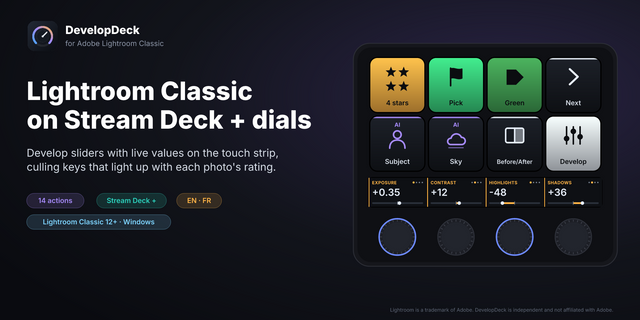
Turn your Stream Deck + dials into physical sliders for Adobe Lightroom Classic. Twelve dial actions control Exposure, Contrast, Highlights, Shadows, and more, giving you tactile, real-time control over your photo edits without touching the mouse.
How it works
Each dial connects to a specific Develop panel slider in Lightroom Classic. Turning a dial nudges that value up or down in real time, exactly as if you dragged the on-screen slider. Pressing a dial resets that parameter back to its default. The connection runs locally between Stream Deck and Lightroom, so there's no cloud service, no account, and no internet dependency, just your Stream Deck talking directly to your computer's copy of Lightroom.
Twelve parameters are split across three swipeable dial pages, so you always have quick access to the full set:
Page 1: Exposure, Contrast, Highlights, Shadows
Page 2: Whites, Blacks, Clarity, Dehaze
Page 3: Temperature, Tint, Vibrance, Saturation
What's included
The Stream Deck plugin itself, with all twelve dial actions ready to assign
A free, open source Lightroom bridge plugin (built by Erik Bongers, MIT licensed) that lets Stream Deck communicate with Lightroom
An automated setup assistant that installs the bridge plugin and verifies the connection for you, so you're not digging through folders manually
A written guide covering manual setup, in case you'd rather do it yourself or something needs troubleshooting
Setup
Because Adobe doesn't allow Lightroom plugins to install themselves, there's one manual step: adding the included bridge plugin through Lightroom's Plug-in Manager. The setup assistant included in your download walks you through this with exact file paths, and most people are up and running in under a minute.
Compatibility
Requires Stream Deck + (this plugin uses the dial hardware specifically, it will not work on standard keypad-only Stream Decks)
Requires Adobe Lightroom Classic
Windows only
Who this is for
If you shoot and edit regularly in Lightroom Classic, whether that's senior portraits, weddings, real estate, or any high-volume editing workflow, this plugin cuts down on repetitive slider dragging and keeps your hands on physical controls instead of hunting for tiny on-screen targets.
Lightroom Develop Dials v1.1
12 dial actions covering the full Develop panel
Turn to adjust, press to reset to default
Three pre-built swipe pages, no manual key setup needed
Includes setup assistant for the one-time Lightroom bridge installation
Built on Erik Bongers' open-source Lightroom bridge (MIT licensed)
Version 1.1
Jul 8, 2026
Details
Type
Productivity
OS
Windows
Compatibility
Stream Deck 6.9 or later
Size
136.12 KB
Version
1.1
Language
English
Support
Profiles
No
Dial support
Yes
You might also like