Monitoring
LimitBeacon
Overview
LimitBeacon is a local Codex usage monitor and ChatGPT usage tracker for Stream Deck. Keep current rate limits, daily token history, credits, spend status, and activity statistics visible while you work. Refresh from a key or dial without leaving your editor or terminal.
## See the limits that matter
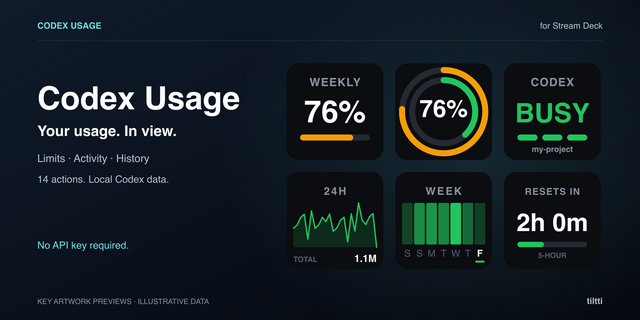
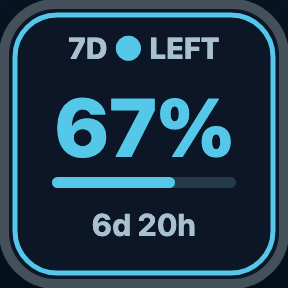
The Codex Limits key action shows remaining or used capacity, every available rate-limit window, and the next reset. Choose a compact horizontal bar or circular gauge, display reset time as a countdown or local date and time, and configure warning and critical thresholds independently for each key.
Press any LimitBeacon key for an immediate refresh. Multiple keys can show different views while sharing one efficient local connection.
## Four focused dials
Stream Deck + users can add only the views they need:
- Limit Browser — browse available rate-limit windows, switch between LEFT and USED, choose a ring or horizontal bar, and see the reset countdown. Rotate to browse, touch to toggle the value, and press to refresh.
- Daily Tokens — review daily token totals with a seven-day chart and localized dates. Rotate through days, touch to switch to summary cards for seven-day total, daily average, and peak usage, then press to refresh.
- Credits & Spend — browse read-only credit balance, spend remaining, reset credits, and limit-reached status when Codex provides them. Warning and critical borders appear only when attention is needed.
- Activity Stats — browse lifetime tokens, peak daily usage, current and longest streaks, and the longest running turn when available.
Every multi-page dial includes clear page indicators and smooth directional transitions. Fast dial rotation is handled cleanly instead of stacking animations.
## Accurate and efficient
LimitBeacon reads usage through the official local Codex App Server. One persistent provider process, shared scheduler, cache, and single-flight refresh serve every visible key and dial.
- Automatic background updates
- Immediate refresh from keys and dials
- Last successful values remain visible as stale after a temporary failure
- Warning and critical states use clear alert colors
- Missing optional values are omitted rather than estimated
- Built-in General, Advanced, and Help tabs
- Independent settings for each key and dial
## Setup
1. Install the official Codex CLI and sign in.
2. Install LimitBeacon and add Codex Limits or any dial action to Stream Deck.
3. Choose the views that match how you work.
LimitBeacon connects automatically when Codex is available. An advanced executable-path setting is provided for non-standard installations, and the built-in Help tab covers setup and troubleshooting.
## Requirements
- Stream Deck 7.1 or later
- macOS 13 or later, or Windows 10 or later
- Official Codex CLI installed and signed in
- A supported ChatGPT plan with Codex access
- Stream Deck + for dial actions
## Privacy
LimitBeacon has no analytics, advertising, telemetry, crash-reporting service, or developer-operated server. It never reads authentication files, browser cookies, refresh tokens, Keychain entries, or credential-manager data, and it does not call private ChatGPT endpoints.
LimitBeacon is free and open source under the MIT License. It is an independent community project by Milan Jelicanin and is not affiliated with OpenAI or Elgato.
LimitBeacon 1.3.0
New: Stream Deck Neo Infobar
Keep your Codex quota in view below your keys. The new Neo Limits action shows your selected limit group's remaining percentage, usage window and reset countdown.
Choose the window you want to see
Select First available, Primary window or Secondary window for each key and the Neo Infobar.
Each key shows one window with one circular gauge or horizontal bar. Add another key to keep a second window visible.
Existing keys default to First available. Explicitly selected windows stay unavailable when missing, instead of switching to another quota.
Clearer status and improved reliability
Explicit Codex usage restrictions now show Usage blocked, even when a percentage still looks available.
Cached quota and token data are cleared when Codex reports an account identity change.
Cached readings are marked stale, and missing data stays unavailable.
Updated to Elgato SDK 3 with improved settings initialization and Neo Infobar lifecycle handling.
Requires Stream Deck 7.6 or later. The Neo Infobar is display-only; use Refresh now or Test connection in its settings for a manual refresh. Available groups, windows and metrics depend on your Codex account.
Version 1.3
Oct 21, 2026
Details
Type
Monitoring
OS
Mac
Windows
Compatibility
Stream Deck 7.6 or later
Size
192.92 KB
Version
1.3
Language
English
Support
Profiles
No
Dial support
Yes
Neo Infobar support
Yes
Additional links
You might also like