Development
Linear Shortcut Profile
by Adx.cool
Overview
The complete Linear keyboard shortcut pack for Stream Deck — including the full G·O·M mnemonic chord system that Linear power-users love.
72 shortcuts across 8 categories cover issue management (New Issue, Change Status, Assign, Edit), the entire Navigation mnemonic system as 21 one-tap chord buttons (G+I Inbox, G+M My Issues, O+P Project, M+B Blocked, …), Filtering, View switching, and the Editor primitives.
Smart Profile pre-bound to Linear on both macOS and Windows — the deck auto-activates the moment Linear takes focus, no manual setup.
Features: • 72 Linear shortcuts across 8 categories — Issues, Navigation, Editor, Workflow, Relations, Filtering, View, Help • 21 one-tap chord buttons replicating Linear's native G·O·M mnemonic system — G+I jumps to Inbox, O+P opens a Project, M+B marks Blocked, no second-letter memorization needed • Issue management on the front row — New Issue, Command Menu, Change Status, Change Priority, Assign — all priority-10 hotkeys • Smart Profile auto-switch — deck flips to this profile the moment Linear takes focus on macOS or Windows, no manual binding • One-tap Help → opens linear.app/docs in your browser, no hotkey required • Three icon themes (Dark · Plain · Brand) shipped for Stream Deck Neo, Classic / MK.2, XL, and +XL
Install: double-click any .streamDeckProfile to import. The App binding is pre-filled to Linear — auto-activates on focus. If it didn't pre-fill, set it manually under Stream Deck → Preferences → Profiles → App.
1.0 — Initial release (May 2026).
The complete Linear shortcut pack with three native Stream Deck features baked in from launch:
• Smart Profile auto-switch — AppIdentifier pre-filled on both macOS and Windows. Deck flips to this profile the moment Linear takes focus, no manual binding required.
• 21 chord buttons reproducing Linear's native G·O·M mnemonic system — G+I goes to Inbox, G+M to My Issues, G+B to Backlog, O+P opens a Project, O+C opens a Cycle, M+B marks Blocked, and 15 more. The Stream Deck fires both letters in sequence via Elgato's Multi Action plugin, so you press one button instead of two.
• Help → Open Docs — one-tap button that opens linear.app/docs in your browser via Stream Deck's native 'website' action.
72 shortcuts across 8 categories: Issues (17, priority-10 for New Issue / Change Status / Assign / Edit), Navigation (24 incl. all G-chords), Editor (13), Workflow (8), Relations (3), Filtering (3), View (3), Help (1).
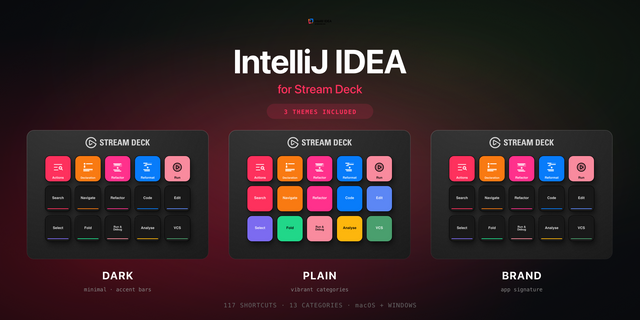
Mac + Windows keymaps. Ships in three icon themes (Dark, Plain, Brand) for Stream Deck Neo, Classic / MK.2, XL, and +XL.
Version 1
Jun 5, 2026
Details
Type
Development
Productivity
Device
Stream Deck MK
Stream Deck Neo
Stream Deck XL
OS
macOS
Windows
Compatibility
Stream Deck 6.4 or later
Size
7.36 MB
Version
1
Support
Icons
Yes
Additional links
You might also like