Monitoring
Live CFB Scores
Overview
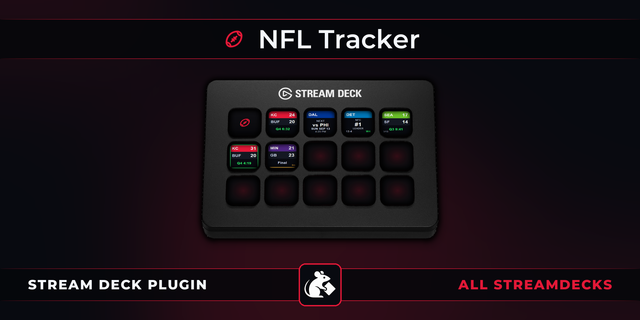
Shows live college football scores on your Stream Deck.
Two actions:
- Live CFB Scores — each key tracks one FBS team: current score, quarter, clock, and possession at a glance.
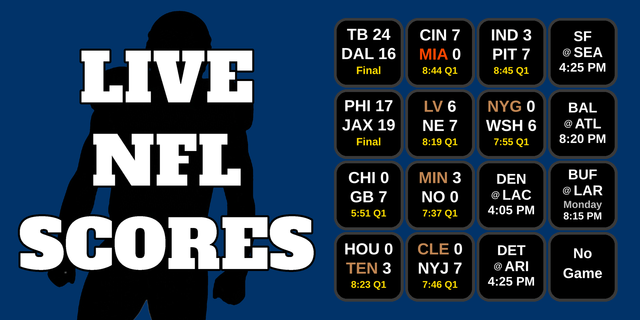
- Live CFB Scoreboard — fill keys with this week's games, one per key: the Top 25, any FBS conference, or all of FBS, in kickoff order or by ranking. Each board remembers its own choice, so you can have an SEC page, a Big Ten page and a Top 25 page, and give each board its own background color. More games than keys? The last key shows "+N more". More keys than games? The extras show "No Game". Tip for smaller Stream Decks (Mini, Neo, a 15-key MK.2): turn on "Send completed games to the end of the list" so live and upcoming games keep their keys and finished games move to the +N more key.
Setup
1. Drag the Live CFB Scores action onto any key
2. In the settings panel on the right, search for your team or browse by conference
3. (Optional) Turn on a custom key background color and opacity so keys for different teams are easy to tell apart
4. Choose what happens when you press the key:
ESPN Gamecast (default) — opens the game's live Gamecast page (the box score once the game is final)
Custom Link — opens any URL you enter, such as your regional sports network's live-game page
5. Want the whole week? Drag Live CFB Scoreboard onto as many keys as you like and pick the Top 25, a conference, or All FBS. The dropdown shows the most keys each one can need.
6. That's it. The key will load your team's current or upcoming game within a few seconds and refresh every 30 seconds from there — 15 seconds during the two-minute timeout of the 2nd or 4th quarter.
Note: If Custom Link is selected but the game hasn't started yet, pressing the key opens Gamecast instead. After the final whistle, the key keeps opening your custom link for 30 minutes to cover post-game coverage, then automatically switches to ESPN's box score. Pressing the key with no game scheduled opens your team's schedule on ESPN, including bye weeks.
How It Works
The plugin polls ESPN's public college football scoreboard API once every 30 seconds per key — 15 seconds during the two-minute timeout of the 2nd or 4th quarter, so a fast-moving late-game sequence isn't missed between refreshes. No API key or account is required. The plugin is fully self-contained — it uses only Node.js built-in modules and requires no external dependencies. Team names, abbreviations, and colors are pulled live from ESPN rather than a bundled list, so the key and the settings panel's team picker (covering all 136 FBS teams across 11 conferences) always match what ESPN itself is showing. Because FBS teams play roughly once a week, the plugin always shows the most relevant game for your team: live beats upcoming beats last week's final. A final score holds steady through the following Monday at 3:00 AM ET instead of flipping to the next matchup as soon as it's scheduled, and BYE WEEK shows for the whole off week, Monday to Monday.
Disclaimer
This plugin is not affiliated with, endorsed by, or sponsored by the NCAA, ESPN, or any conference or institution. All data is sourced from ESPN's public scoreboard API and is subject to ESPN's terms of use. This plugin is intended for individual, personal, non-commercial use only.
v1.1.4.0
Fixed: removing a key from a Scoreboard now updates the remaining keys right away instead of up to 30 seconds later. For example, delete one of three keys on a three-game board and the last key switches to “+N more” immediately
Version 1.1.4
Nov 5, 2026
You might also like