Monitoring
Live MLB Scores
Overview
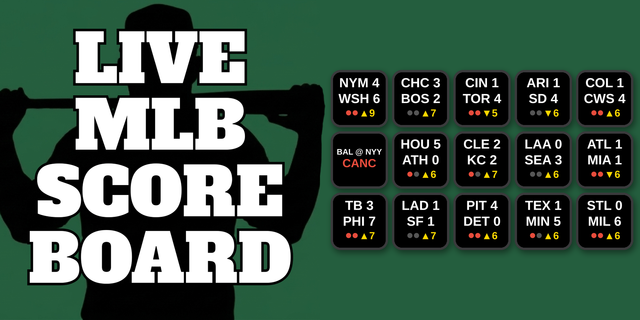
Shows live MLB scores on your Stream Deck.
Each key tracks one team — see the current score, inning, and game status at a glance.
Setup
1. Drag the Live MLB Scores action onto any key
2. In the settings panel on the right, search for your team or pick it from the dropdown
3. (Optional) Turn on a custom key background color and opacity so keys for different teams are easy to tell apart
4. Choose what happens when you press the key:
MLB Gameday (free) — opens the game's live Gameday page
MLB.tv (subscription) — opens the game's MLB.tv broadcast
Custom Link — opens any URL you enter, such as your regional sports network's live-game page
5. That's it. The key will load your team's game within a few seconds and refresh every 30 seconds from there.
Note: If MLB.tv or Custom Link is selected but the game hasn't started yet (more than 60 minutes away), pressing the key opens Gameday instead. After the final out, the key keeps opening MLB.tv/your custom link for 30 minutes to cover post-game coverage, then automatically switches to Gameday.
How It Works
The plugin polls MLB's free public Stats API once every 30 seconds per key. No API key or account is required. The plugin is fully self-contained — it uses only Node.js built-in modules and requires no external dependencies. The schedule holds on the current day's games until 2 AM local time, so late-running games stay on the key until they finish. On an off day, the key shows your team's next scheduled matchup instead of a dead end, and during the All-Star break a team with no game shows the All-Star Game itself (AL in red, NL in blue).
Disclaimer
This plugin is not affiliated with, endorsed by, or sponsored by Major League Baseball or MLB Advanced Media, L.P. All data is sourced from the MLB Stats API and is subject to MLBAM's terms of use. This plugin is intended for individual, personal, non-commercial use only.
v1.0.33.0
Fixed: "today" is now read in Eastern time, which is how MLB dates its schedule. Outside the US the keys could ask for tomorrow's slate while tonight's games were still on. The day now changes at 5:00 AM Eastern (2:00 AM Pacific), so late games and their finals stay on the keys overnight everywhere
Far fewer requests: all your keys now share one request for the day's schedule instead of every key asking for its own team
If MLB's data stops responding for a moment, keys keep showing the last scores with a small amber dot instead of "Err" (after 10 minutes without an update they show "Err")
Now runs on Node.js 24 and needs Stream Deck 7.1 or later (Elgato is retiring Node.js 20)
Version 1.0.33
Oct 27, 2026
You might also like