Monitoring
Live NHL Scores
Overview
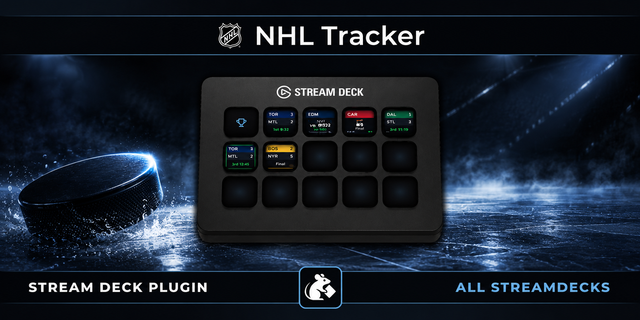
Shows live hockey scores directly on your Stream Deck — NHL, AHL, and ECHL. When either team scores, the key plays a goal-lamp animation.
Two actions:
- Live NHL Scores — each key tracks one team and updates automatically every 30 seconds.
- Live NHL Scoreboard — fill keys with today's games for the NHL, AHL or ECHL, one game per key, in start-time order, with the goal lamp on every goal. Each board remembers its own league, so an NHL page and an AHL page work, and each board can have its own background color. More games than keys? The last key shows "+N more". More keys than games? The extras show "No Game". No games today? It shows the next game day's schedule. Tip for smaller Stream Decks (Mini, Neo, a 15-key MK.2): turn on "Send completed games to the end of the list" so live and upcoming games keep their keys and finished games move to the +N more key.
Setup
1. Drag the Live NHL Scores action onto any key
2. In the settings panel on the right, either type your team's name or city into the search box (results also surface its AHL/ECHL affiliates), or choose a league, optionally a division, then your team from the dropdown
3. (Optional) Turn on a custom key background color and opacity so keys for different teams are easy to tell apart
4. (Optional) The goal lamp — a few seconds of red goal light on the scoring team's color whenever either team scores, followed by a short card with the team and type of goal (e.g. WSH / PPG +1; AHL/ECHL show GOAL +1) — is on by default. Uncheck Goal Lamp in settings if you'd rather have a quick solid flash in the scoring team's color
5. Choose what happens when you press the key:
NHL.com Gamecenter (default) — opens the game's Gamecenter page (or the AHL/ECHL official game report, for those leagues)
Custom Link — opens any URL you enter, such as your regional sports network's live-game page
6. Want the whole night? Drag Live NHL Scoreboard onto as many keys as you like (16 fits any NHL night) and pick the league.
7. That's it. The key will load your team's game within a few seconds and refresh every 30 seconds from there.
Note: If Custom Link is selected but the game hasn't started yet, pressing the key opens Gamecenter instead — and it switches back to Gamecenter 30 minutes after the final. On an off day, the key shows your team's next scheduled matchup instead of a dead end; in the offseason, pressing an NHL team's key opens its schedule on NHL.com.
How It Works
NHL scores come from the NHL's free public API. AHL and ECHL scores come from the HockeyTech/LeagueStat feed that also powers theahl.com and echl.com. Both are polled once every 30 seconds per key. No API key or account is required for either. The plugin is fully self-contained — it uses only Node.js built-in modules and requires no external dependencies. Team lists refresh live from each league's own API, so expansion teams and realignments show up automatically without an update.
Disclaimer
This plugin is not affiliated with, endorsed by, or sponsored by the National Hockey League, American Hockey League, ECHL, or any of their member clubs. NHL data is sourced from the NHL's public API; AHL and ECHL data is sourced from the HockeyTech/LeagueStat feed used by theahl.com and echl.com. This plugin is intended for individual, personal, non-commercial use only.
v1.1.1.0
Pregame keys are easier to read: the teams stack on two lines (away team on top, "@ home" below, with a small "@") and the day and time get their own lines. On game day the day line goes away and the start time is shown larger. Same on team keys and Scoreboard keys
Games a week or more out show the date on the day line ("Sat 10/24"), with the time underneath
Off-day keys show your team's next game the same way: the "Next Game" label is gone, and the day line reads the weekday ("Thursday"), or the date when it's a week or more away
The Scoreboard's next-game-day keys (no games today) use the same layout
Long G League names (RCITY, VALLEY) shrink just enough to fit
Version 1.2.1
Oct 19, 2026
Details
Type
Monitoring
Utilities
OS
Mac
Windows
Compatibility
Stream Deck 6.9 or later
Size
134.82 KB
Version
1.2.1
Language
English
Support
Neo Infobar support
No
Profiles
No
Dial support
No
Additional links
You might also like