-app-icon-optimized-4e9f57dd-4113-4bc3-bbbd-1695cc596d0c.png)
Audio
LLM Voice Chat AI (Any Model)
Overview
Your Personal AI Assistant, One Button Press Away
Transform your Stream Deck into a powerful voice-activated AI assistant. Simply press and hold any button, speak your question, and watch as AI-generated responses stream directly onto your Stream Deck display in real-time. No alt-tabbing, no typing, no friction - just instant access to the world's most advanced AI models at your fingertips.
Why You Need This Plugin
In a world where AI can answer almost any question, the biggest barrier isn't capability - it's accessibility. Opening a browser, navigating to ChatGPT, typing your question, and waiting for a response breaks your creative flow. LLM Voice Chat AI eliminates that friction entirely.
Whether you're a content creator needing quick facts during a livestream, a developer debugging code, a professional preparing for meetings, or simply someone who wants instant answers without leaving their current task - this plugin puts AI assistance exactly where it belongs: within arm's reach.
Works With ANY AI Model
Unlike plugins locked to a single provider, LLM Voice Chat AI gives you complete freedom to choose your AI:
Cloud Providers (Fast & Powerful):
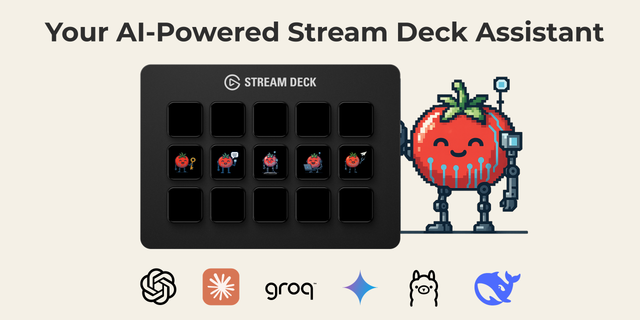
-Groq - Blazing-fast inference with free tier available. Our recommended starting point.
-OpenAI ChatGPT - GPT-4o and the latest OpenAI models
-Anthropic Claude - Claude Sonnet, Opus, and Haiku for nuanced, thoughtful responses
-Google Gemini - Access Gemini 2.0 Flash and Pro models
Local AI (Private & Free):
-Ollama - Run Llama, Mistral, and thousands of open-source models on your own hardware
-LM Studio - User-friendly local AI with a beautiful interface
-Custom Endpoints - Connect to any OpenAI-compatible API
This flexibility means you're never locked in. Start with Groq's free tier, upgrade to GPT-4o for complex tasks, or switch to local models when you need complete privacy. Your API keys are stored locally and never leave your machine.
Intelligent Voice Recognition
Your voice is captured with precision using industry-leading speech-to-text technology:
-Groq Whisper - Lightning-fast transcription powered by Groq's accelerated inference
-OpenAI Whisper - The gold standard in speech recognition
-Windows Native STT - Works offline with zero API costs (Windows only)
-macOS Dictation - Native Apple speech recognition (macOS only)
The plugin intelligently shares API keys between compatible services. Use Groq for both voice recognition AND AI responses with a single free API key - no double billing, no configuration headaches.
See Your Responses in Real-Time
Watch AI responses stream directly onto your Stream Deck button or dial. The custom rendering engine displays text beautifully on the tiny display with:
-Smooth auto-scrolling for longer responses
-Full emoji support for expressive AI responses
-Multiple font options including Cascadia Code and system fonts
-Adjustable text size and colors to match your setup
-Dial rotation support for manual scrolling through long responses
Visual feedback keeps you informed at every stage: a microphone icon when ready, a red recording indicator while speaking, thinking animations during processing, and streaming text as the AI responds.
Designed for Streamers & Content Creators:
Live on camera and need a quick fact? Ask your Stream Deck. Playing a game and curious about lore? Tap and ask. Reviewing chat and need to translate a message? One button press.
-Minimal visual footprint - responses display on your deck, not your stream
-Quick interactions - optimized prompts encourage concise AI responses
-No keyboard required - pure voice interaction
-Multiple instances - different buttons can have different AI configurations
Stop switching windows. Stop typing questions. Start talking to AI the way it was meant to be - naturally, instantly, and without breaking your flow.
Removed Mac OS support until it can be fully tested.
Increased Property Inspectors minimum font size to 12 point font.
Version 0.9.2
Dec 4, 2025
Details
Type
Audio
Development
Engagement
Productivity
Utilities
OS
Windows
Compatibility
Stream Deck 6.9 or later
Size
51.74 MB
Version
0.9.2
Language
English
Support
Profiles
No
Dial support
Yes
You might also like