Lighting
LumiDeck
by BenLab
Overview
LumiDeck — local LED lamps for Stream Deck
Control your smart LED lamps from your Stream Deck — locally, cloud-free, instantly (~45 ms per command).
⚠️ Early alpha (v0.1). This is a very young release, published to show the concept and get it in your hands. It's functional and tested on real WLED hardware, but it will be qualified and polished in more detail for the next version. Your feedback shapes what comes next.
No cloud account, no internet dependency, no lag. One key press = one immediate change, thanks to direct local connections to your lamps.
WLED
WLED is the open-source firmware that runs on cheap ESP32/ESP8266 LED controllers and pre-flashed bulbs. It speaks a plain local HTTP API — no cloud, no pairing, no keys. In our tests it answers in ~45 ms end-to-end, every time (51 commands verified physically, zero drops).
Reference bulb tested: Athom 12 W RGBCW E27 pre-flashed with WLED (ESP32-C3, ~€13) — RGB + dedicated white channel + tunable warm↔cool white. It's what everything is measured on. Any WLED lamp/strip on your network works (just its IP).
ℹ️ The Tuya / Smart Life protocol is included (interoperability), but it could not be validated on hardware deemed reactive and stable for network exchanges — we recommend WLED.
Features
Keys: color (8 high-contrast stage colors, Kelly palette), brightness (6 presets or a precise value), warm↔cool white, ON/OFF.
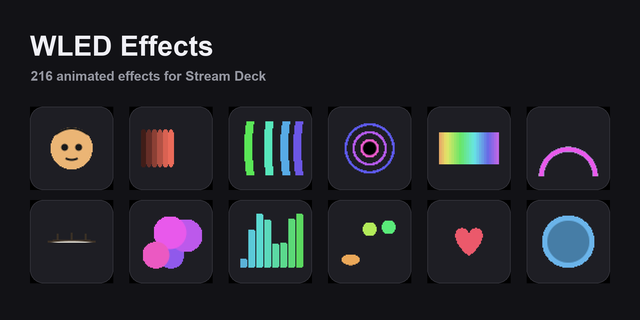
WLED effects & palettes by name: rainbow, aurora, twinkle and any WLED effect or palette, straight from a key — launched vivid, not washed out.
Solid: one tap stops a running effect and keeps the current color.
Beat sync (built for the stage): the lamps flash on the beat, driven by a MIDI clock, an Ableton Link session, or a tap-tempo key. The key shows an active state; on a Stream Deck +, a dial nudges the tempo live (and can drive the whole Link session).
Scenes, snapshots, fades, blackout/restore: capture a look and recall it instantly; black out the stage and bring it back.
Presets, playlists, nightlight: recall WLED presets by name, run playlists, set an auto-off timer.
Dials (Stream Deck +): rotate = color, brightness, white temperature, effect, palette, or effect speed/intensity — press is configurable (toggle ON/OFF, cycle function, or jump to a chosen value).
Short + long press: one key, two actions.
Per-lamp targeting: each key/dial drives one lamp, a group, or all of them (default). Name your lamps (L1, L2, Stage left…) in the built-in config.
Multi-network: built for musicians and live shows — your lamps work at home AND on your stage router; the plugin re-locates a lamp that changed network or address.
Live status keys & visual feedback: each key can show a lamp's real state; ⚠ flags an unreachable lamp.
No installation
Self-contained macOS build (Apple Silicon + Intel). Nothing to install — no Python, no dependencies, no terminal. Drag the plugin in and go.
Requirements
macOS 10.15+, Stream Deck app 6.9+
WLED path: any WLED lamp/strip/controller on your local network (just its IP).
Tuya path: your lamps' local keys (one-time setup, illustrated guide included).
Privacy & legal
100% local — nothing leaves your network. This plugin is independent software, not affiliated with Elgato, WLED, or Tuya Inc. "Tuya" and "Smart Life" are trademarks of their owners, cited only to describe compatibility. Tuya local control relies on the open-source tinytuya library (MIT); local keys are obtained by each user for THEIR OWN devices via Tuya's official developer API. The plugin ships no proprietary code, no keys, and circumvents no protection.
Built by a keyboard player to drive his stage lamps at gigs — no internet, no lag, no surprises.
Early alpha (v0.1) - a young release, out to show the concept and get it in your hands. Functional and tested on real WLED hardware; it will be qualified and polished in more detail for the next version.
Tell me what you think! This alpha lives or dies by your feedback - what works, what breaks, what you'd love next. Open an issue: github.com/openlamp/lumideck/issues
Instant, 100% local control of WLED smart lamps from Stream Deck (~45 ms per press, no cloud).
WLED
- Colours, brightness, warm/cool white
- Effects & palettes by name, a Solid key
- Scenes, snapshots, fades, blackout/restore
- Presets, playlists, nightlight, lamp groups, live-status keys
Beat sync (for the stage) - lamps flash on the beat via MIDI clock, Ableton Link, or a tap-tempo key; a Stream Deck + dial nudges the tempo live.
Stream Deck + dials - rotate for colour, brightness, white, effect, palette or effect speed; configurable press; short/long-press keys.
Self-contained macOS build (Apple Silicon + Intel) - nothing to install.
Version 0.1
Jul 16, 2026
Details
Type
Lighting
OS
Mac
Compatibility
Stream Deck 6.9 or later
Size
19.84 MB
Version
0.1
Language
Chinese
English
French
German
Japanese
Korean
Spanish
Support
Profiles
Yes
Dial support
Yes
You might also like