Utilities
Mac Control Pro
by Kuberstar
Overview
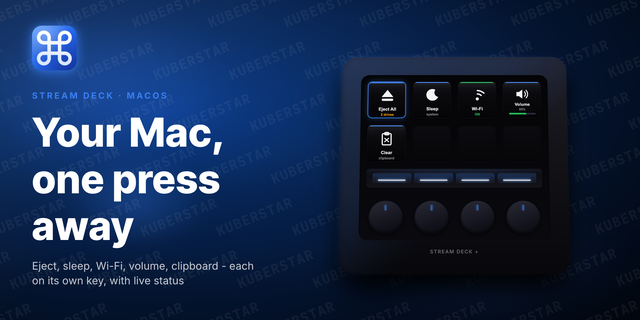
One-press control of your Mac, right from Stream Deck - the complete set.
Eject drives, sleep, keep the Mac awake, toggle Wi-Fi, and set the volume, plus every Pro action: flip Dark Mode, lock the screen, empty the Trash, turn the display off, grab a screenshot, mute the mic, tidy your windows, and read the screen with Vision. Every toggle shows live status on the key.
Included actions:
Essentials: Eject All, Sleep, Keep Awake, Wi-Fi, Volume, Clear Clipboard - permission-free
Live-state toggles: Desktop Icons, Hidden Files, Dock Auto-hide, Stage Manager, Dark Mode
One-press: Lock Screen, Empty Trash, Display Off, Screenshot (area / window / full to clipboard or Desktop), Mic Mute
Window management: Hide All Windows, Minimize All Windows, Minimize All But Front, Minimize App But Front, Isolate Window
Vision: Pick Color to hex, Capture Text (OCR), Scan QR Code, Scan QR from Clipboard - copied to the clipboard, links opened
Some Pro actions ask for a one-time macOS permission (Automation, Accessibility, or Screen Recording); the plugin opens the right Settings pane for you.
Requirements: macOS 10.15 or later, Stream Deck 6.9 or later.
Changed
Tightened the Lite/Pro split. Lite now ships the five permission-free essentials: Eject All, Sleep, Wi-Fi, Volume, and Clear Clipboard. Keep Awake, Desktop Icons, Hidden Files, Dock Auto-hide, and Stage Manager moved to Pro.
Added
Initial release. Lite tier: Eject All, Sleep, Wi-Fi, Volume, Clear Clipboard.
Pro tier adds Keep Awake; live-state toggles for Desktop Icons, Hidden Files, Dock Auto-hide, Stage Manager, and Dark Mode; Lock Screen, Empty Trash, Display Off, Screenshot (area / window / full screen → clipboard or Desktop), and Mic Mute; window management (Hide All Windows, Minimize All Windows, Minimize All But Front, Minimize App But Front, Isolate Window); and Vision - Pick Color to hex, Capture Text (OCR), Scan QR Code, and Scan QR from Clipboard.
Live status on toggle and eject keys; permission-gated Pro actions open the matching System Settings pane on first use.
Version 1
Jul 8, 2026
Details
Type
Utilities
OS
Mac
Compatibility
Stream Deck 6.9 or later
Size
238.01 KB
Version
1
Language
English
Support
Profiles
No
Dial support
Yes
You might also like