Monitoring
Mac Sensors
by slawrensen
Overview
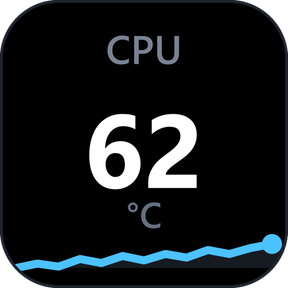
Read available temperatures, fan speeds, voltages, current, power and system activity on your Stream Deck. Put one to four readings on a key, add a sparkline, bar or ring, and choose colors and alert thresholds. Dials can show one reading or a compact list, with local session statistics and touch controls. Open a detail page from a key and return with Back. Available sensors depend on the Mac and macOS version. Mac Sensors reads hardware without changing settings or controlling fans; no administrator access or separate monitoring app is required.
Mac Sensors 1.0.1.0: Mac readings, within reach.
- New: See available temperatures, fan speeds, power, voltage and current, plus CPU, memory, storage and network counters, on keys and dials.
- New: Show one, two, three or four readings per key, or one reading with a sparkline, bar or ring.
- New: Press a key to cycle its current value, MIN, MAX and AVG from this session's reads.
- New: Open a detail page behind a key and return with a configurable Back tile.
- New: Turn a Stream Deck + dial through a saved reading set, with session statistics kept on this Mac.
- New: Choose one of seven themes, text and reading colors, and warning or critical thresholds whose colors take priority.
- New: One shared read updates every reading key and dial. Read every sets it from 250 ms to 5 s, 1 s by default; shorter intervals use more processor time.
- New: Saved selections stay saved while a sensor is absent, and status screens say why a reading is unavailable.
- New: Copy a support report from the settings panel when you need help. Nothing is uploaded.
Requires macOS 13.5 or later, Stream Deck 7.1 or later and Tahoma Bold. Readings vary by Mac.
Free, MIT licensed, no ads, no telemetry. Not affiliated with Apple or Elgato.
Version 1.0.1
Nov 9, 2026
Details
Type
Monitoring
OS
Mac
Compatibility
Stream Deck 7.1 or later
Size
311.26 KB
Version
1.0.1
Language
English
Support
Neo Infobar support
No
Profiles
Yes
Dial support
Yes
Additional links