Audio
MacMan
by Dloper
Overview
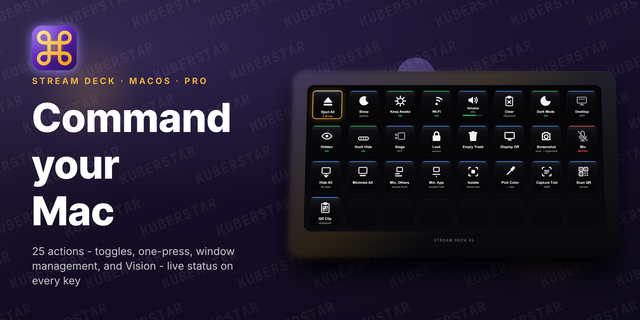
MacMan turns your Stream Deck into a powerful control and monitoring surface for macOS. It gives Mac users essential system controls, performance information, audio routing, and capture tools—without opening dozens of apps.
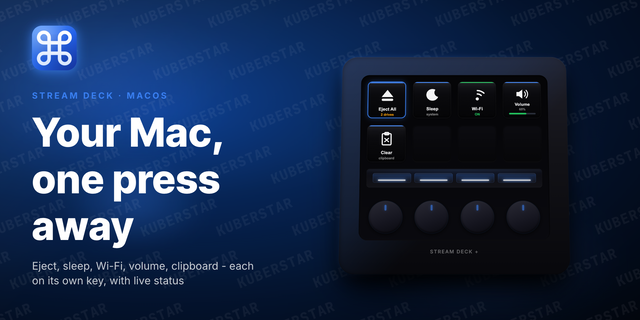
MacMan includes 30 actions: • System controls: Eject drives, sleep or lock the Mac, control Wi-Fi and volume, keep the system awake, mute the microphone, empty the Trash, and toggle Dark Mode, Stage Manager, Dock auto-hide, desktop icons, or hidden files. • Window tools: Hide or minimize windows, isolate the front app, show the desktop, turn off the display, and take screenshots. • Monitoring: View live CPU, memory, disk, network, and AppleSMC wattage on supported keys. App Tracking monitors CPU, RAM, disk, or network activity for a specific application. • Capture: Pick a screen color as HEX, extract text from any screen region, or scan QR codes and barcodes directly to your clipboard. • Audio and AirPlay: Switch input or output devices, route Apple Music or system audio to AirPlay targets, and create multi-room scenes.
Drag and drop actions directly to your Stream Deck. Settings save automatically, keys display live states, and all processing runs locally on your Mac for speed and privacy. Requirements: macOS 13 or later and Stream Deck 7.6 or later. Some actions require Accessibility, Screen Recording, System Audio Recording, or Automation permissions.
MacMan 2.0.1.0
What's new
- Find AirPlay devices now lists available receivers, including Apple Music destinations when macOS Sound has no whole-system AirPlay outputs. Music-only choices are clearly labelled and switch the action to Apple Music when selected.
- Whole-system AirPlay can connect through macOS Sound settings when a receiver is not yet available in CoreAudio. Settings opens in the background and is hidden afterward if MacMan opened it.
- A short press toggles the configured AirPlay route; holding the key for 1.2 seconds forces a disconnect. Connecting and Disconnecting animations show progress, with a red Could not connect state on failure.
- Improved Apple TV output detection, connection verification, and recovery when the bundled native helper loses executable permission.
Whole-system destinations must be available in macOS Sound settings and may require Accessibility permission. Apple Music receiver discovery may require Automation permission.
Version 2.0.1
Oct 1, 2026
You might also like