Productivity
Mail Bender
by MagikCliks
Overview
Mail Bender — your Outlook, on your Stream Deck through Microsoft Graph API.
67 Graph API Buttons that directly talks to your email through the Microsoft cloud!
30 Shortcut keys for convivence !
Stop digging through menus. Mail Bender turns your Stream Deck into a command surface for Microsoft Outlook: reply, archive, flag, snooze, accept meetings, set out-of-office, turn emails into tasks — 100 Outlook actions in all, and not one of them needs your mouse.
Under the hood it runs on the Microsoft Graph API — the same engine Outlook itself uses — so everything you fire syncs everywhere within seconds: Classic Outlook, New Outlook, the web, and your phone.
WHAT'S INSIDE
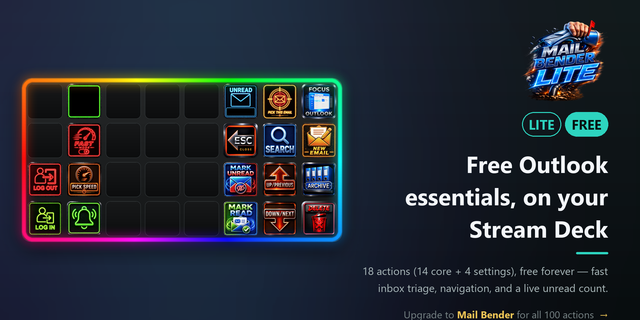
• 97 drag-and-drop actions across Mail, Calendar, Tasks, Compose, and Live Displays
• Triage at speed — step through your inbox key by key and fire Reply / Archive / Flag / Move / Review Later on the message in front of you
• Calendar in one tap — Accept, Decline, Tentative, Propose New Time, Reschedule, Join Teams, Auto-Reply on/off
• Microsoft To-Do — turn any email into a task, add it to My Day, complete it, switch lists
• Compose faster — new mail, templates, one-tap Quick Replies, Schedule Send, Save Draft
• Live Displays — unread count, inbox total, pending tasks, next meeting and review-later count, glanceable right on your keys
• Stream Deck + dials — spin to scroll your inbox, dial in a reschedule offset, or set a snooze duration
WORKS ON YOUR DECK
Built for the Stream Deck XL — a ready-made, 7-page starter profile is included and installs right alongside the plugin. But it's just a set of actions, so drop them onto any Stream Deck with buttons: the +, the 15-key, the Mini, even the Pedal.
UP AND RUNNING IN MINUTES
Install it, sign in once with your Microsoft account, and start triaging. Every single key has a built-in help panel inside the Stream Deck app — what it does, when to use it, and fixes for common quirks — so there's nothing to memorize.
ACCOUNTS & REQUIREMENTS
• Personal Microsoft accounts (outlook.com, hotmail.com, live.com) and Microsoft 365 work / school
• Windows 10 or 11
• Built for New Outlook for Windows (most seamless) — also works on Classic Outlook and Outlook on the web
PRIVATE BY DESIGN
No telemetry. No analytics. Sign-in is OAuth 2.0 — no passwords stored — and your sign-in tokens stay in a local file locked to your Windows user account and never leave your machine.
One-time purchase. No subscription. Free updates throughout v1.x.
Bend your inbox to your will. Outlook power deck via Microsoft Graph. Reply, archive, snooze, accept-meeting and 70+ more actions for the Stream Deck XL. Built for New Outlook; most actions also work in Classic Outlook and Outlook on the web.
Initial release
Mail Bender turns your Stream Deck into a command surface for Microsoft Outlook: 100 mouse-free actions across mail, calendar, tasks, compose, and live displays, all powered by the Microsoft Graph API so changes sync everywhere instantly.
In this first release:
- 97 Outlook actions you can drag onto any Stream Deck
- Fast inbox triage - reply, archive, flag, move, review later
- Calendar in one tap - accept, decline, propose a new time, reschedule, join Teams
- Turn any email into a Microsoft To-Do task
- Live displays - unread count, next meeting, pending tasks, glanceable on your keys
- A ready-made Stream Deck XL profile, installed with the plugin
- A built-in help panel on every key
Bend your inbox to your will.
Version 1
Jun 15, 2026
Details
Type
Productivity
OS
Windows
Compatibility
Stream Deck 6.9 or later
Size
82.29 MB
Version
1
Language
English
Support
Dial support
No
Profiles
Yes
Additional links
You might also like