Gaming
Marbles Tools
by Jackstmc
Overview
A plugin to be used with the streaming game on Twitch: Marbles on Stream.
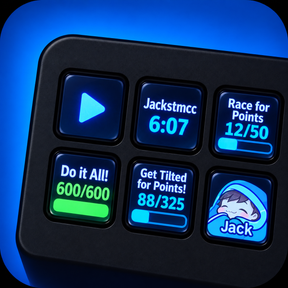
Play Marbles on Stream from your Stream Deck: send Twitch chat messages, see your streamer timers, monitor channels, follow competitive raid timers, and manage missions.
Twitch Messages:
Includes twitch message integration which can be used to drop your marble in people's streams, or send other messages.
Adds the streamer's profile picture and as the icon automatically, aswell as their username as a title. The icon can also be set as an emote. Saves for each streamer.
By default, your message on one button will sync across all your buttons as long as they are all using the same presets, you can create more presets.
Presets can be disabled to have a different message for a specific streamer, or optionally just have one button alone have a specific message.
(Same functionality as my other plugin: Twitch Creator Tools)
Shows a Green dot icon on your streamer's button to show if you are in the current Race/Royale/Tilt. Disappears at the end.
Double pressing a message button will send a Pluto to the streamer's chat, or Holding will send a Caffeine. You can change this under the Double/Triple press and Hold messages tab.
Custom Indicators:
Show a dot or image when a chosen chat message appears, or when you press a key. Set how long it stays visible. Useful for certain chat games that require a player to respond in twitch chat as an example.
Competitive Raids:
Does not currently follow each Competitive Raid streamers, but the button will make itself inactive until you switch it to the next host to avoid accidental plays.
Displays a timer for the remaining duration of the raid.
Timer turns red during the final 5 minutes.
Timers:
Displays your timers in Marbles on Stream.
Channel Monitor:
Shows whether a Twitch channel is LIVE or OFFLINE, with an optional viewer count. Press the key to open the stream.
Streamer Shoutouts:
Send a configurable shoutout on press or when a race ends.
Competitive Raid Timer:
A separate key displays the competitive raid countdown.
Missions:
Displays Pixel by Pixel missions and lets players claim completed rewards or assign eligible NFTs from Stream Deck keys.
Click a mission button to claim a mission, or start one with the next NFT in line.
If enabled, Rental NFTs can be used when you run out of NFTs.
Release 0.5.819
Added Competitive Raid following back using a browser extension to help it along. It will follow the comp raids if you have the comp raid page open on your pc.
The extension also allows you to select buttons within your twitch page to add the streamer to your stream deck that you are currently watching, rather than needing to type a name into stream deck at all.
There is a Connect Remote PC option to connect a pc that is on the same network, if you use stream deck on one pc and run your streams and comp raid page on another.
Fixes for TiltHub stats results acting differently to level results than other bots.
Version 0.5.820
Nov 11, 2026
Details
Type
Gaming
Monitoring
Social
Streaming
Utilities
OS
Mac
Windows
Compatibility
Stream Deck 7.1 or later
Size
2.61 MB
Version
0.5.820
Language
English
Support
Neo Infobar support
No
Profiles
No
Dial support
No
You might also like