Streaming
Meeting Controls for Stream Deck
by Kolaborate
Overview
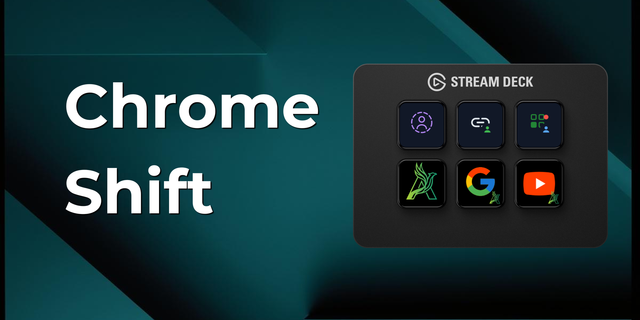
Take command of your video calls. Meeting Controls connects your Stream Deck directly to Google Meet, giving you tactile, instant control over your meetings without needing to bring the browser window to the front.
Unlike simple hotkey macros, this plugin features a Smart 2-Way Connection. If you mute your microphone or raise your hand in the browser, your Stream Deck icons update instantly to reflect the real status.
⚠️ IMPORTANT: REQUIRES CHROME EXTENSION This plugin relies on a companion Chrome Extension to communicate with Google Meet.
Find the chrome extension here: https://kolaborate.africa/meeting-controls
Key Features:
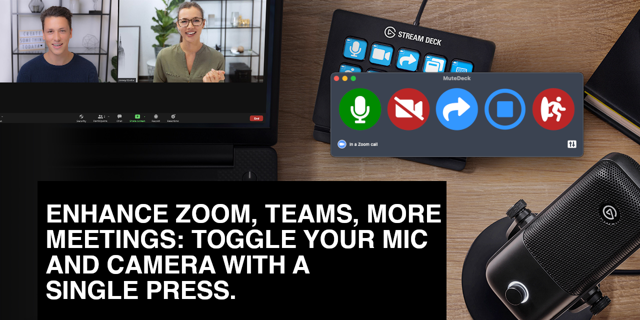
🎙️ Smart Mic Toggle: Instantly mute/unmute. The icon always shows your actual status, so you never speak while muted again.
📷 Camera Control: Cut your video feed instantly with visual confirmation.
✋ Raise Hand: Signal you have something to say without interrupting the speaker.
😎 Instant Reactions: Send emoji reactions (👍, 👏, 😂, ❤️, etc.) directly from a key press.
🚪 Leave Meeting: One-touch exit to end calls smoothly.
👤 Multi-Profile Support: Works seamlessly even if you run multiple Google Chrome profiles simultaneously.
Supported Actions:
Microphone (Mute/Unmute)
Camera (On/Off)
Hand (Raise/Lower)
Reaction (Configurable Emoji)
Leave Meeting
Installation Guide:
Install this plugin on your Stream Deck.
Download the "Meeting Controls for Stream Deck" extension from the Chrome Web Store.
Open Google Meet in your browser.
Grant the necessary permissions when prompted.
Control your meeting!
Note: This plugin is developed by Kolaborate and is not affiliated with Google.
What's new in this update:
- Fixed a connection issue where the Stream Deck buttons could get stuck disconnected (showing green but not responding) after the plugin restarted or updated. The plugin now detects and clears out old, stuck instances of itself automatically instead of leaving the connection broken.
- Improved the connection health check so the extension can tell the difference between the real plugin and anything else that might be using the same connection, closing a rare case where the status indicator could be misleading.
- Restored automatic fallback for flaky network conditions, so a dropped connection reconnects more reliably.
- Hardened the plugin's local communication to only accept connections from your own machine.
- Removed a leftover debug setting that wasn't needed in the released version.
- General stability improvements to how the plugin recovers after your computer wakes from sleep.
Version 1.0.0.13
Sep 10, 2026
Details
Type
Streaming
OS
Mac
Windows
Compatibility
Stream Deck 6.9 or later
Size
237.08 KB
Version
1.0.0.13
Language
Chinese
English
French
German
Japanese
Korean
Spanish
Support
Profiles
No
Dial support
No
Additional links
You might also like