Business
Microsoft Power BI Desktop Shortcut Profile + Icon
by Adx.cool
Overview
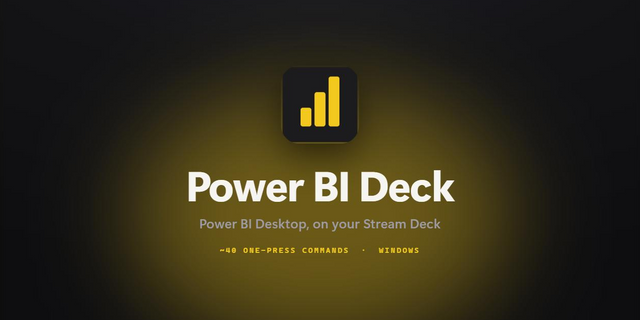
The complete Power BI Desktop keyboard shortcut pack for Stream Deck.
48 shortcuts across 7 categories — organized, scored by importance, and ready to install on Stream Deck Mini, Neo, Classic / MK.2, XL. Stop memorizing key combos. One tap, one action.
What's included:
• DAX (16): Expand or Collapse the DAX Formula Bar, Focus the DAX Formula Bar, Submit Formula, Show Suggestions, Comment / Uncomment Line, and 11 more • Visuals (9): Show Data (Table View of the Visual), Open Visual Menu, Enter a Visual, Exit a Layer or Visual, Clear Selection, and 4 more • Data (8): Expand Matrix, Collapse Matrix, Expand All Tables (Fields Pane), Collapse All Tables (Fields Pane), Open URL Link, and 3 more • Canvas (6): Zoom In, Zoom Out, Scroll Canvas Up, Scroll Canvas Down, Scroll Canvas Left, and 1 more • Layers (4): Activate Selection Pane, Move Object Up in Layering, Move Object Down in Layering, Hide / Show Object • Help (3): Power BI Desktop Documentation, Keyboard Shortcuts in Power BI Desktop, Power BI Community • Model View (2): Focus Relationship Line from Card, Back to Previously Focused Card
Features: • 48 Power BI Desktop keys in 7 folders — DAX (16), Visuals (9), Data (8), Canvas (6), Layers (4), Model View (2), Help (3) • Read off Microsoft's own Power BI Desktop shortcut page, keeping only the keys that act — not the focus-moving ones meant for screen readers • Show Data, the visual menu, enter and exit a visual, clear selection, tooltips and grouping • The selection pane and layering: bring forward, send back, hide/show • The DAX formula bar: expand, focus, submit, suggestions, comment, line moves, multi-select, bracket jump • Canvas zoom and scroll, matrix and fields-pane expand/collapse, model-view relationships • Smart Profile pre-bound to PBIDesktop.exe, plus Help keys for the docs, the shortcut page and the Power BI community
Install: double-click any .streamDeckProfile to import. The App binding is pre-filled to Power BI Desktop — auto-activates on focus. If it didn't pre-fill, set it manually under Stream Deck → Preferences → Profiles → App.
Also included: the 144-icon Power BI Desktop icon pack (48 icons in 3 finishes), as a .streamDeckIconPack you can install with a double-click. Every key in this profile, available to drop on any action you like.
Try it first: press the keys of this profile in your browser, no install — https://streamdeck.adx.cool/try/power-bi/
Learn more about Power BI Desktop: https://www.microsoft.com/power-platform/products/power-bi/desktop
v1.0 — 2026-09-25 — first release.
READ OFF MICROSOFT'S OWN POWER BI DESKTOP SHORTCUT PAGE. That page is written for keyboard accessibility and most of it moves focus; this profile keeps only the keys that do something.
Inside: • DAX (16) — formula bar, focus, submit, suggestions, comment, go to line, selection, line moves, bracket jump • Visuals (9) — show data, visual menu, enter/exit, clear selection, tooltip, group, context menu, next section • Data (8) — expand/collapse matrix and tables, open URL, table start/end, exit grid • Canvas (6) — zoom in/out, scroll • Layers (4) — selection pane, bring forward, send back, hide/show • Model View (2) — relationship navigation • Help (3)
Windows only, as Power BI Desktop is.
Version 1
Sep 28, 2026
Details
Type
Business
Finance
Productivity
Device
Stream Deck Mini
Stream Deck MK
Stream Deck Neo
Stream Deck XL
OS
Windows
Compatibility
Stream Deck 6.4 or later
Size
4.54 MB
Version
1
Language
English
Support
Icons
Yes
Additional links
You might also like