Business
Microsoft PowerToys Hotkeys
Overview
Short description
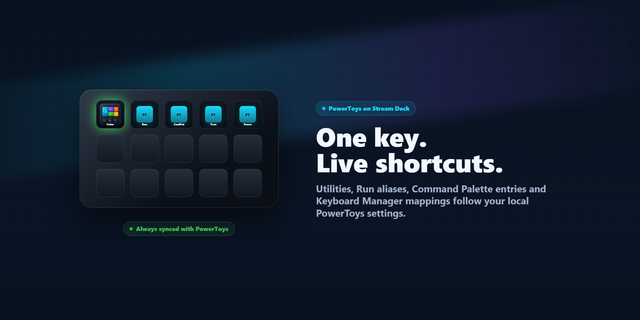
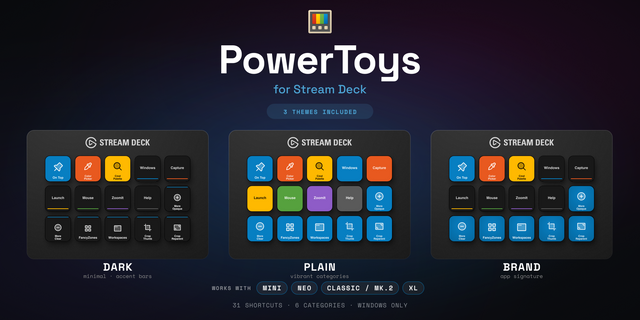
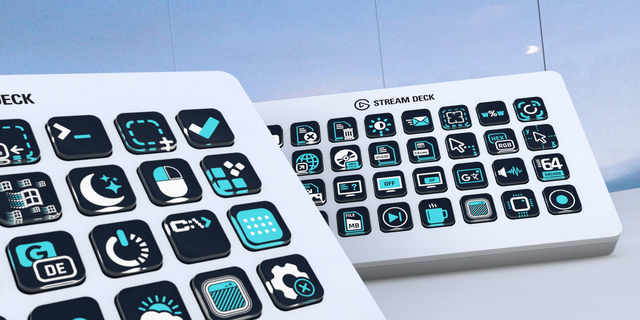
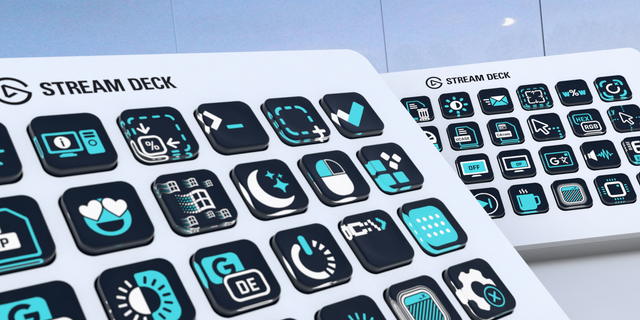
Launch your favorite Microsoft PowerToys tools straight from your Stream Deck — one ready-made profile per device, every key with its matching PowerToys icon.
What it does
A static Stream Deck profile that triggers PowerToys tools at the press of a key. No plugin, no keystroke injection, no background process — it uses only native Stream Deck actions: the Hotkey action for shortcut-based tools, the Open action for the editor tools. Ships as a single .streamDeckProfile file with embedded icons.
Included tools (27)
20 hotkey tools (send the keyboard shortcut): Color Picker, Text Extractor, Screen Ruler, Always on Top, Shortcut Guide, Find My Mouse, Mouse Highlighter, Mouse Jump, Mouse Crosshairs, Crop & Lock (Reparent/Thumbnail), LightSwitch, PowerDisplay, PowerToys Run, Peek, Advanced Paste, Paste as Plain, Mouse Without Borders (Toggle/Lock/Reconnect).
7 launcher tools (open the editor app): FancyZones, Workspaces, Hosts Editor, Environment Variables, Registry Preview, Keyboard Manager, PowerToys Settings.
Requirements
Microsoft PowerToys installed and running (Windows). Latest version recommended.
Standard per-user installation (%LOCALAPPDATA%\PowerToys) — this is the only way the launcher buttons (FancyZones, Workspaces, Hosts, Environment Variables, Registry Preview, Keyboard Manager, PowerToys Settings) can find their app.
The hotkey buttons trigger PowerToys' default keyboard shortcuts. For a button to work, (1) its corresponding module must be enabled in PowerToys, and (2) its shortcut must be at the default binding (custom shortcuts are not recognized).
Good to know
Disabled module → stray keystroke. If a button's module is turned off, the button will instead "type" the letter of its shortcut into the active window (e.g. Mouse Jump → "D", Find My Mouse → "F"). This is not a profile bug — just enable the module in PowerToys settings.
Find My Mouse responds to double-pressing Ctrl by default, not to the shortcut. To use the Stream Deck button, open PowerToys settings → Find My Mouse and set the activation method to "Shortcut".
Tip: If a button does nothing, check in PowerToys settings that the module is enabled and its shortcut is at the default.
Not affiliated with Microsoft
This is an independent, community-made Stream Deck profile. Microsoft, PowerToys, and the PowerToys logos are trademarks of Microsoft Corporation. Stream Deck and Elgato are trademarks of Corsair Memory, Inc. This profile is not endorsed by, affiliated with, or sponsored by Microsoft or Corsair/Elgato — the names are used only to describe the software it works with.
Profiles for:
Stream Deck +
Stream Deck + XL
Stream Deck XL
Version 1
Jun 17, 2026
Details
Type
Business
Development
Productivity
Utilities
Device
Stream Deck +
Stream Deck XL
Stream Deck + XL
OS
Windows
Compatibility
Stream Deck 7.1 or later
Size
929.48 KB
Version
1
Support
Dial support
Yes
AI Content
Yes
Icons
Yes
You might also like