Gaming
Minecraft Server Status
by Wydrukuj
Overview
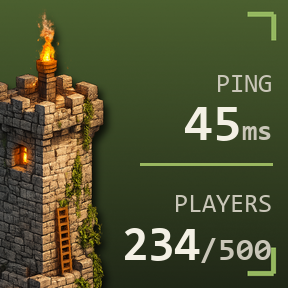
See your Minecraft server’s player count, ping, and online status directly on your Stream Deck. No account or API key required. Just enter the server address and you’re ready to go.
Minecraft Server Status connects directly to your server using the same server list ping system used by Minecraft itself. The key updates automatically and shows the current ping, player count, and whether the server is online, full, or offline.
Press the key at any time to refresh the status instantly instead of waiting for the next automatic update.
Note: Large networks using proxies such as BungeeCord or Velocity may report the maximum player count of a single backend server instead of the entire network. In that case, the key may appear as full even though players can still join. For most self-hosted and community servers, the displayed numbers should match the server correctly.
Initial release
Version 1
Jul 24, 2026
Details
Type
Gaming
OS
Windows
Compatibility
Stream Deck 6.9 or later
Size
169.93 KB
Version
1
Language
English
Support
Profiles
No
Dial support
No
You might also like