Audio
Monitor Control (Pro)
Overview
Pro Version Description:
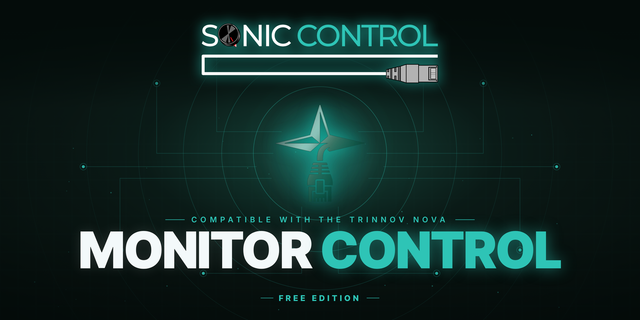
Monitor Control brings professional monitoring control to your Stream Deck, giving you instant tactile access to your Nova monitor controller.
Actions Included:
Volume Control: Master volume dial (Stream Deck +) with custom SVG display showing real time dB/dBc levels, mute and dim status. Includes up/down buttons and live volume meter.
Preset Recall: Instantly recall any of your Nova presets (1 through 11)
Input Source Select: Switch between inputs with visual active state feedback. Sum mode supported for multiple simultaneous inputs.
Input Active Hold: Talkback ready. Temporary active hold on any input with optional auto dim.
Speaker Select: Change speaker destinations and sets on the fly
Headphones: Toggle headphone output and adjust level with dedicated SVG dial (Stream Deck +). Automatic mute cascade when configured.
Monitoring Controls: Dim, Mute, and Bass Management toggles with instant visual feedback
Downmix Modes: Toggle Mono, Stereo, L/R Swap, and Diff modes with configurable folddown rules
Optimizer Bypass: Bypass Global, Acoustic, Level, or Delay optimization
Solo/Mute Outputs: Isolate or mute specific output channels (1 through 6)
Reference Levels: Recall calibrated listening levels in dB or dBc via buttons or dedicated SVG dials (Stream Deck +)
All four Stream Deck + dials feature custom SVG displays with color coded level bars and real time status indicators. LCD touchscreen tap support included on all dials.
Setup: Enter your Nova's IP address in the Property Inspector. Monitor Control connects via WebSocket and starts working immediately. All buttons sync their state from Nova on launch.
Compatibility: Works with all Stream Deck models (buttons) and Stream Deck + (buttons, dials, and LCD touchscreen).
Sonic Control LLC and Monitor Control are not affiliated with or endorsed by Trinnov
Monitor Control (Pro) — v1.1.0.0
Thanks to Trinnov's "Supernova" update, this release adds immersive-ready output control, clock source display, live metering, one-touch shutdown, and a major performance overhaul.
Solo & Mute Outputs — up to 12 channels. Expanded from 6 to 12 to fully support immersive formats up to 7.1.4. Solo or mute any output from Stream Deck.
Clock Source control with Dante. Select and cycle Internal, Coaxial S/PDIF, Optical, and now Dante — with a live source readout.
Accurate sample-rate display + lock indicator. Shows the Nova's actual locked rate on internal or external clock, with a padlock that turns red if sync is lost.
Output Meter (button + dial). Real-time metering with a live dB readout, selectable meter scale, and a horizontal Stream Deck+ dial layout.
Nova Power Off. Safe hold-to-shutdown — hold 3 seconds with an on-screen countdown. No accidental presses.
Major performance improvements. Greatly reduced network traffic for faster, smoother feedback across all buttons and dials.
Firmware 2.1.3 compatibility, including the latest metering behavior.
Version 1.1
Sep 9, 2026
Details
Type
Audio
OS
Mac
Windows
Compatibility
Stream Deck 6.9 or later
Size
7.18 MB
Version
1.1
Language
English
Support
Profiles
No
Dial support
Yes
Additional links
You might also like