Productivity
Monitor Input Switcher
Overview
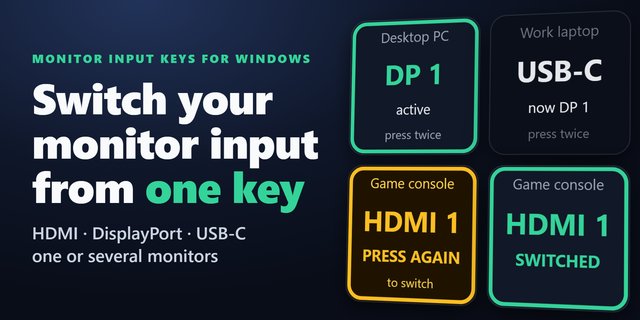
Share one monitor between multiple devices? Monitor Input Switcher lets you assign a monitor input to a Stream Deck key and switch to it with one press.
Choose a compatible external monitor, select an input such as HDMI 1 or DisplayPort 1, and use Test Input to verify the selected input during setup. No scripts, cloud account, or extra monitor-control software are required.
Features: • Switch to a selected monitor input with one Stream Deck key • Select the monitor and input source per key • Test Input during setup • HDMI and DisplayPort labels when reported by the monitor • Settings save automatically per key
Requirements: • Windows 10 or later • Stream Deck 7.1 or later • External monitor with DDC/CI enabled • VCP 0x60 input-switching support
Compatibility varies by monitor manufacturer, model, and connection. USB-C, docks, adapters, and inactive inputs may behave differently depending on the hardware.
Version 0.1.1.1
Refreshed the Stream Deck key icon with a modern neon-cyan design.
Improved icon clarity and visual consistency.
Preserved existing input switching functionality, settings, and dynamic input labels.
This is a visual update with no intended changes to functionality.
Version 0.1.1.1
Oct 14, 2026
Details
Type
Productivity
OS
Windows
Compatibility
Stream Deck 7.1 or later
Size
123.81 KB
Version
0.1.1.1
Language
English
Support
Profiles
No
Dial support
No
Neo Infobar support
No
You might also like