Utilities
Monitor Manager Pro
by PackRat 🐀
Overview
Monitor Manager Pro is a Windows monitor manager and display manager built around one goal: control your whole monitor setup from Stream Deck.
What’s Inside:
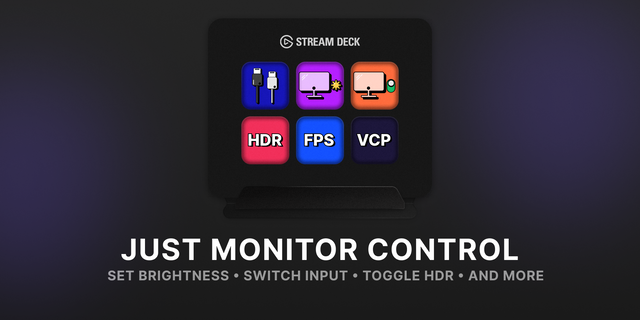
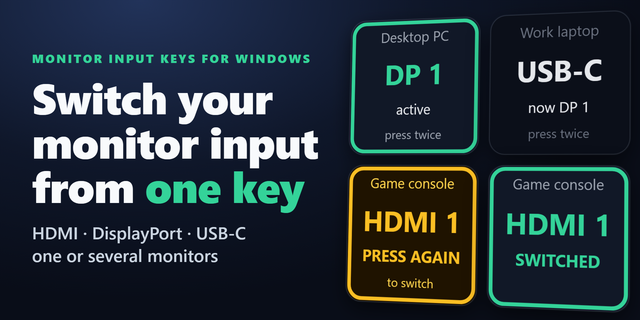
Unlimited supported monitors, monitor brightness, contrast, monitor volume, monitor power, HDMI / DisplayPort / USB-C input switching where the monitor advertises those inputs through DDC/CI, refresh rate / Hz, resolution, Windows HDR, display topology, primary display, orientation, live display status, and saved Monitor Profiles.
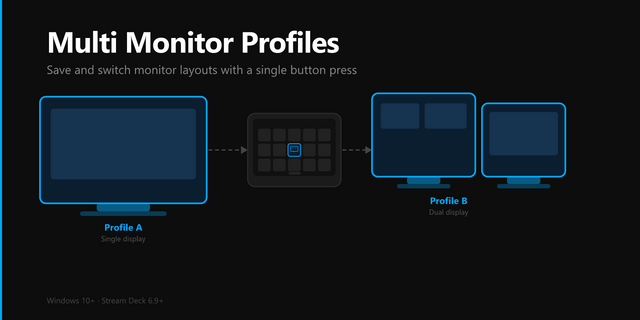
MONITOR PROFILES are the centerpiece. Save your current supported setup as PC, CONSOLE, WORK LAPTOP, NIGHT, or any name you want, then restore it with one Stream Deck key. A profile can combine display input, Extend / Duplicate / PC Screen Only / Second Screen Only, resolution, refresh rate, HDR, brightness, contrast, volume, primary display and other supported state. Profile apply reports COMPLETE, PARTIAL or FAILED and uses best-effort rollback if a real write fails mid-transaction.
Monitor hardware is not standardized in practice. Pro queries DDC/CI capabilities and reports SUPPORTED, NOT SUPPORTED or UNKNOWN. It does not send arbitrary VCP writes. Input selection only offers values the selected monitor advertises. Windows display modes are checked against the selected screen, and Windows itself test-validates mode changes before they are committed.
Stream Deck+ gets native dials for brightness, contrast and monitor volume. Discrete choices such as HDMI input selection stay on keys where they are clearer and safer.
Bundled profiles are included for Standard / MK.2, XL, Stream Deck+, and Virtual Stream Deck with MONITORS, PROFILES, DISPLAY MODES, and BRIGHTNESS control surfaces.
Windows 10 or newer. DDC/CI features depend on monitor firmware, OSD settings, cable path, docks, KVMs and adapters. Exact Windows HDR detection/control requires Windows 11 24H2+; older Windows is reported as UNKNOWN instead of treating generic Advanced Color as HDR. Display modes depend on Windows, GPU and driver support.
Part of the PackRat ecosystem.
• Choose Windows SDR content brightness while HDR is on, separately from monitor backlight.
• Turn the Stream Deck+ dial to adjust SDR brightness, with rapid turns keeping each step.
• Set SDR brightness with a preset key, then press again to restore the previous level.
• Keep inspector edits and monitor refresh replies tied to the selected key.
Version 1.1
Oct 19, 2026
Details
Type
Utilities
OS
Windows
Compatibility
Stream Deck 7 or later
Size
101.94 KB
Version
1.1
Language
English
Support
Neo Infobar support
No
Profiles
Yes
Dial support
Yes
You might also like


-thumbnail-optimized-69590aa2-3603-4ac7-9f90-3970ffbb245e.png)
-app-icon-optimized-c0c332d2-9cdf-4130-bb54-72bfccdae96e.png)