Monitoring
Mood Loop
Overview
About — Mood Loop(Free)
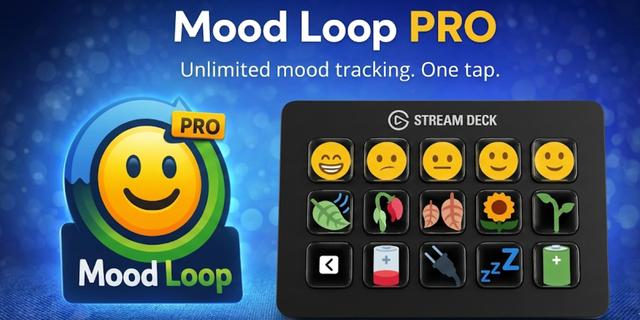
Mood Loop is a one-button mood tracking plugin for Stream Deck, designed to help you stay aware of how your day actually feels — without interrupting your workflow.
With a single tap, you can log your current mood and see it reflected instantly on your Stream Deck LCD. Over time, Mood Loop builds a clear, visual timeline of your emotional patterns throughout the day.
No journaling. No pop-ups. No overthinking. Just tap, record, and keep going.
Why Mood Loop?Most mood tracking tools require you to stop what you’re doing. Mood Loop does the opposite. By living directly on your Stream Deck, Mood Loop makes emotional awareness a background habit, not a task. This helps you notice patterns — energy dips, stress peaks, focus windows — without turning self-tracking into work.
It’s not therapy. It’s not analysis. It’s simple awareness.
"What's New in v1.1.0" (Concise)
What’s New:
✨ New Animation Engine: Introducing Slot Machine, Roulette, and Pop animation styles for the Random Mood action.
🔢 New "Number" Theme: You can now track your mood numerically (0-9) with custom-designed high-contrast icons.
🎨 UI Modernization: All settings windows have been redesigned for a sleeker, more professional look and feel.
⏱️ Custom Animation Timing: Set your own randomization duration and reset-to-default speed.
🎰 New Iconography: A dedicated slot-machine icon for the Random Mood action to distinguish it on your keypad.
🛠️ Optimized Performance: Improved SVG rendering logic for smoother transitions across all models.
Key Features
🟡 One-Button Mood TrackingLog your mood instantly with a single button Cycle through 5 mood levels with short presses Auto-save when there’s no input for a few seconds
⏱ Time-Based Daily TrackingTrack your mood up to 10 times per day (Free) See how your mood changes by time Pro version supports unlimited daily entries
🎨 7 Expressive Emoji ThemesChoose the style that fits you: Faces Gestures Animals Plants Weather Minimal icons Abstract moods All themes use Unicode-standard emojis for consistent display across platforms.
📊 Weekly InsightsView a simple weekly mood summary Spot trends without charts overload Designed for reflection, not judgment
📋 Easy Export & SharingCopy your mood history as CSVCopy formatted summaries as MarkdownPerfect for personal notes, journals, or reviews
🌏 Language Support🇺🇸 English🇰🇷 Korean (한국어)🇯🇵 Japanese (日本語)
Free vs ProFree
Up to 10 mood entries per day All 7 themes Weekly report Clipboard export
ProUnlimited mood entries Cloud backup & restore Designed for long-term tracking and heavy use
Who Is It For?Creators and streamers who want a subtle mood indicator Developers and professionals working long desk hours Anyone curious about their emotional rhythm during the day Users who want awareness, not another app to manage
PhilosophyMood Loop is built around one idea: Awareness works best when it’s effortless.That’s why everything happens with a single button — right where you already work.
Emoji LicenseThis app uses Unicode-standard emoji characters. Some emoji graphics are based on Twemoji, originally created by Twitter, Inc., and are licensed under the Creative Commons Attribution 4.0 International (CC BY 4.0) license. Twemoji graphics © Twitter, Inc. License: https://creativecommons.org/licenses/by/4.0/
Feedback & Support If there's a feature you'd like to see, please feel free to describe it in detail — I'd be happy to add it for you. You can reach me at loxo5432@gmail.com.
"What's New in v1.1.0" (Concise)
What’s New:
✨ New Animation Engine: Introducing Slot Machine, Roulette, and Pop animation styles for the Random Mood action.
🔢 New "Number" Theme: You can now track your mood numerically (0-9) with custom-designed high-contrast icons.
🎨 UI Modernization: All settings windows have been redesigned for a sleeker, more professional look and feel.
⏱️ Custom Animation Timing: Set your own randomization duration and reset-to-default speed.
🎰 New Iconography: A dedicated slot-machine icon for the Random Mood action to distinguish it on your keypad.
🛠️ Optimized Performance: Improved SVG rendering logic for smoother transitions across all models.
Version 1.1
Apr 14, 2026
Details
Type
Monitoring
OS
Mac
Windows
Compatibility
Stream Deck 6.9 or later
Size
1.6 MB
Version
1.1
Language
English
Support
Profiles
No
Dial support
No
You might also like