Monitoring
Mouse Battery
by TechLounge
Overview
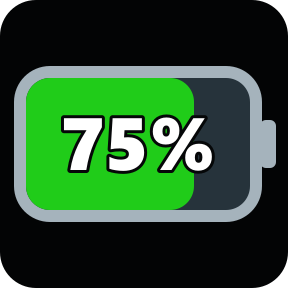
Mouse Battery shows your supported gaming mouse’s battery percentage and charging status directly on a Stream Deck key. It includes a clear percentage display, a battery fill that changes with charge level, and a charging symbol when charging is reported.
Hardware-tested: Finalmouse Starlight X and WLMouse Beast X Pro, using wired USB and wireless receivers.
Experimental wireless receiver support: selected Attack Shark X11, R1, X3, X6, X11 Pro and X11 SE; Pulsar X2/Xlite and 8K Gen.2; VXE R1 series; Hitscan Hyperlight; and Incott G24 Pro. These additions are not hardware-tested in this plugin. Compatibility depends on receiver ID and firmware. Wired percentages are not supported for these additions.
Install the plugin and drag the Mouse Battery action onto a key. Finalmouse and WLMouse refresh automatically, with USB connection checks and faster Finalmouse wake-recovery retries. Experimental receivers update when battery events arrive; readings expire after 60 seconds without an event.
Green indicates above 50%, yellow 21–50%, and red 20% or below. One mouse is displayed at a time, prioritising Finalmouse, then WLMouse.
Requires Windows 10/11 and Stream Deck 7.1+. Includes a native battery reader; no Python installation or internet connection is required.
Developed with AI assistance, user-directed design and physical testing of the two tested models.
Adds experimental wireless receiver support for selected Attack Shark, Pulsar, VXE R1, Hitscan Hyperlight and Incott G24 Pro models. Uses lightweight native event-driven reads. Preserves Finalmouse and WLMouse support and faster Finalmouse sleep recovery. Additional models are not physically verified; wired battery percentages are not supported for these additions.
Version 1.2.1
Oct 14, 2026
Details
Type
Monitoring
OS
Windows
Compatibility
Stream Deck 7.1 or later
Size
168.46 KB
Version
1.2.1
Language
English
Support
Profiles
No
Dial support
No
Neo Infobar support
No