Smart Home
MQTT Deck
Overview
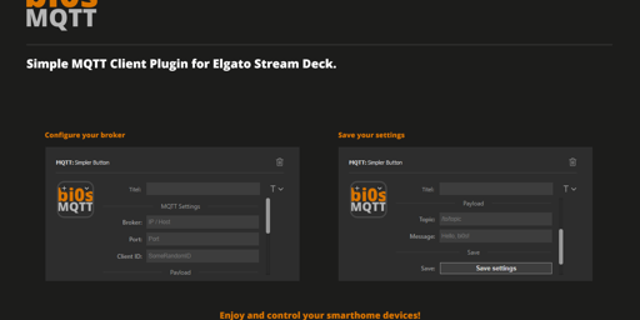
MQTT Deck connects your keys to any MQTT broker and turns topics into live, readable status displays.
WHY IT EXISTS Most home setups run plain MQTT on port 1883 — Mosquitto, Home Assistant, Zigbee2MQTT. Plenty of MQTT keys out there only speak WebSocket, only publish, or choke on real JSON payloads. MQTT Deck is built for how home MQTT actually works.
WHAT YOU GET
MQTT Display — subscribe to a topic, pick a JSON field, map values to faces and labels
MQTT Publish — send a payload when you press a key
Native MQTT and MQTTS, plus WebSocket / WSS when you need them
One shared connection for all keys, with a unique client ID per install (no "duplicate client" flapping)
Presets for Zigbee contact sensors, lights, locks, and motion — or fully custom rules
Numeric rules: less than, greater than, ranges (soil moisture < 30 → "Water Now")
JSON explorer — refresh the last message and click a field to set the path
A designed face pack for home automation: doors, garage, plants, locks, battery, and more
Automatic low-battery badge when the payload includes a battery percentage
GETTING STARTED
Add MQTT Display to a key
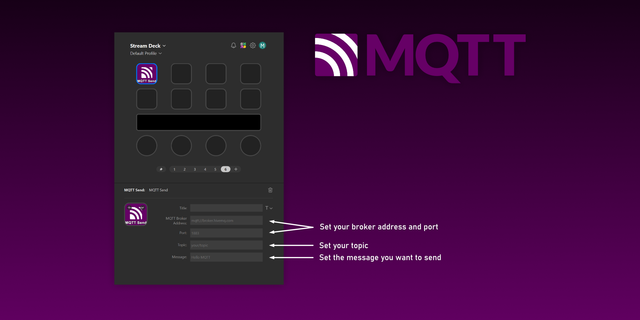
Under "Applies to All Buttons," enter your broker host and port (usually 1883) and hit Connect
Set Topic (example: zigbee2mqtt/My Device)
Set Path (example: contact or soil_moisture) — or use the JSON explorer after a message arrives
Pick a preset or write custom rules
Works with Zigbee2MQTT, Home Assistant MQTT, Mosquitto, EMQX, and similar brokers on your LAN or VPN. Everything runs locally — your broker, your data, no cloud account.
Enhanced log rotation to prevent excessive growth.
Version 1.1.1
Sep 24, 2026
Details
Type
Smart Home
OS
Mac
Windows
Compatibility
Stream Deck 6.9 or later
Size
279.77 KB
Version
1.1.1
Language
English
Support
Neo Infobar support
No
Profiles
No
Dial support
No
You might also like