Audio
Music Pro
by FlowKits
Overview
🎵 Music Pro: your music player, live on the Xeneon Edge, with touch controls!
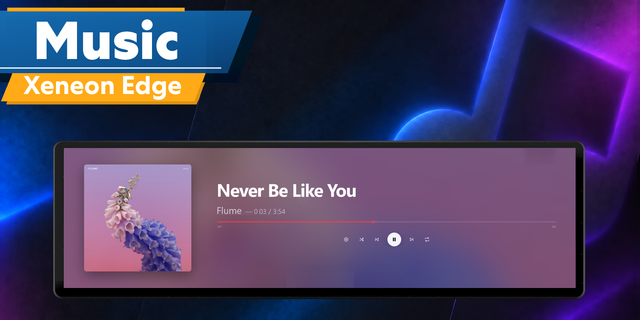
Your Edge is sitting under your monitor with the perfect canvas for what you're playing. Music Pro fills it 🎶
--
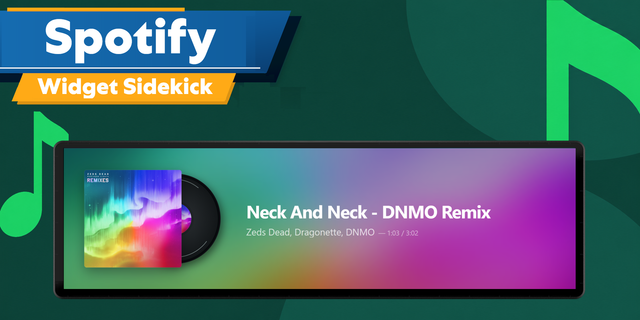
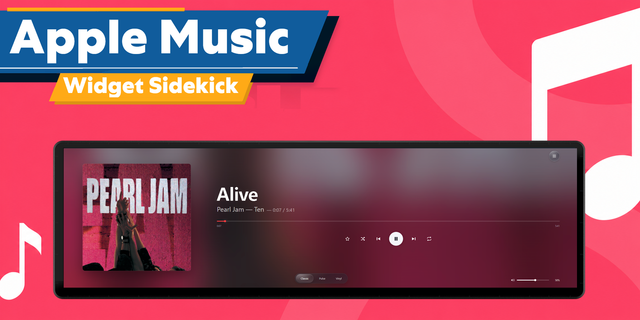
✅ Works with Spotify, Apple Music, iTunes, Tidal, Deezer, SoundCloud, YouTube Music, and anything that shows up in Windows' own media popup.
✅ Every album repaints the whole panel: artwork, colors, and controls take their look from what you play.
✅ A real control surface, not a display: drag the progress bar to seek, tap the artwork to pause, swipe it to skip.
--
🎨 Your Music Sets the Look
Play a track and the panel rebuilds itself around it. The album art becomes a soft color field across the whole widget, the progress bar and controls pick up an accent pulled from the sleeve, and high-resolution artwork loads in automatically. A fiery orange record gives you a fiery orange panel. Put on something moody and the panel follows.
--
👆 Touch Controls That Feel Right
Grab the progress bar and the scrubber grows under your finger, with a time bubble as you drag. Tap the cover to play or pause. Swipe it to skip tracks. Shuffle and repeat show their real state, and if your player doesn't support a control, the button tells you instead of doing nothing.
--
🖥️ Built for Every Slot
All eight Edge slot sizes, portrait and landscape, each with its own layout rather than a stretched version of one design. When nothing is playing, the panel shows a soft collage built from albums you've actually listened to, plus a one-tap button to reopen your music app.
--
🔌 One Small Companion App (Required)
The companion app is required to be installed on your PC (setup guide explains why), but in short, this companion app reads what Windows is playing and sends your taps/input back to your music player. Download it once from our setup guide, and it quietly starts with Windows from then on. No window left open, nothing to configure.
Setup guide: getflowkits.com/setup-companion/music-pro
--
🎧 Works With Your Player
Spotify, YouTube, and anything that appears in Windows' own media popup (the one your keyboard's play key brings up). If Windows can see it, Music Pro shows it and controls it. A few players never report to Windows at all, and those stay invisible to any widget.
--
⚙️ Make It Yours
Eight bundled fonts, from clean Inter to poster-bold Bebas Neue. Accent color pulled from the artwork or pinned to one you choose. Backgrounds: album art at your chosen blur, your own image, a solid color, or a gradient. Subtle motion you can slow down or switch off.
--
🚀 Quick Install
Add Music Pro to a slot on your Edge in iCUE.
The panel walks you to the companion download (one click from the widget options).
Extract, run once, press play. Done.
--
💻 Requirements
Windows 10 or 11
iCUE 5.47 or newer with a Corsair Xeneon Edge
The free FlowKits companion app (link above)
Questions or ideas? We read everything: getflowkits.com/contact
Music Pro 1.1.2 update
Long artist credits now show every name. A song with three or four artists shrinks to fit or moves onto a second line, instead of cutting off the last name(s).
Deezer and Tidal songs now show their album name instead of ID.
A custom Background Image with Blur at 0 now fills the whole panel. Before, it was zoomed in so far that most of the picture was cut off.
Animated GIF backgrounds keep playing. They always show sharp, since blurring one froze it on the first frame.
If Music Pro can't reach the companion app, the screen now tells you how to fix it when iCUE is the one blocking it: Settings > Software Settings > Widget Access.
Version 1.1.2
Oct 15, 2026
Details
Type
Audio
Music
Device
XENEON EDGE
OS
Windows
Size
606.77 KB
Version
1.1.2
Language
English
Support
Dashboard Sizes
Extra large
Large
Medium
Small
Recommended Orientation
Horizontal
Vertical
Interactive
Yes
Additional links
You might also like