Business
Netlify Deploy Tracker
by Adx.cool
Overview
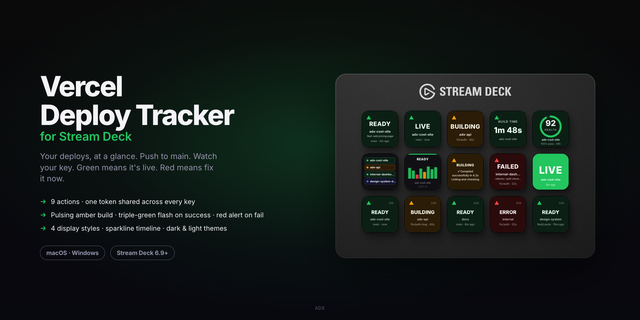
Live Netlify deploy status on your Stream Deck. The most common Netlify workflow, on one key — without tab-switching or inbox roulette.
7 actions, one token. Paste your Netlify personal access token once and every key comes alive.
What's included:
• Last Deploy — state of the most recent deploy for a chosen site, with branch + time ago • Production Status — live state of the site's published deploy, always visible • Deploy Duration — build time against a typical target, detects regressions • Site Overview — cycle through up to 4 sites with their current state (agencies' favourite) • Deploy Feed — scrolling ticker of the 10 most recent deploys across every configured site • Build Log Tail — live build-log line while a deploy is in flight • Error Summary — the error message from the last failed deploy, pinned until you ship again
Features:
• Triple teal flash the moment a build transitions from building → ready • 10 Netlify deploy states bucketed into 4 visual groups (ready / building / queued / error) • Adaptive polling: 5s during a build, 30s when idle — never misses the transition • Dark and Light themes, mix and match per key • Built-in mock mode — test with fixtures before connecting your real account (token prefix "mock") • Single token shared across all 7 actions via global settings • Respects Netlify's 500 req/min rate limit with caching and 429 backoff
Setup (under 2 minutes):
Open app.netlify.com → User Settings → Applications → Personal access tokens
Click "New access token", name it "Stream Deck", no expiration
Paste the token in any Netlify Deploy Tracker action's Property Inspector
Pick the site (or sites) you want each key to watch
No OAuth. No webhook server. Just a token and every site you publish shows up on your deck.
• Deploys in Netlify's "processed" step now show as building (amber, 5 s refresh) instead of a grey PROCESSED key that slowed to 30 s mid-deploy. • Accounts with more than 100 sites: every site now appears in the site pickers and in Deploy Feed. • A revoked or expired token now shows "Auth" on Site Overview and Deploy Feed, instead of "No sites" or "No deploys". • Teams with SAML SSO, which refuse personal tokens, now show "Auth" too, and the Property Inspector says why. • When Netlify rate-limits, the plugin now waits until the limit resets and the key says "Rate limit". • Setup no longer says to create a token without expiry: Netlify tokens expire, and a password reset revokes them. • Requires Stream Deck 7.1 or later.
Version 1.1
Oct 23, 2026
Details
Type
Business
Finance
Monitoring
OS
Mac
Windows
Compatibility
Stream Deck 7.1 or later
Size
243.88 KB
Version
1.1
Language
English
Support
Profiles
No
Dial support
No
Neo Infobar support
No
You might also like