Audio
Node:Cue
by Node:Cue
Overview
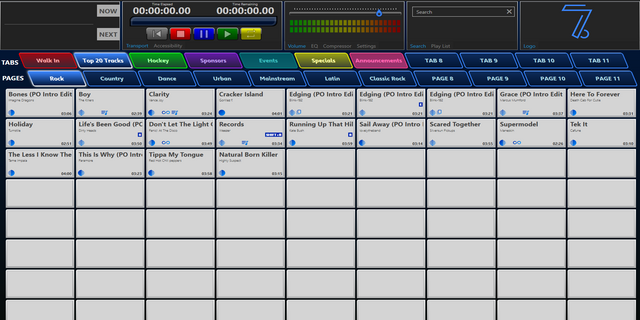
Control Node:Cue from your Stream Deck for live-event audio playback and show control. Launch cues, trigger pads, operate playlists and control live auxiliary input. Dynamic key feedback shows target names, playback states, Timecode and synchronization status.
Version 2.1 includes 13 actions: Go, Stop, Pause / Resume, Next, Back, Mute Bus, Fade Out, Stop All, ALT, Timecode, Sync Status, Monitor and Return Playhead to Start. Grouped transport actions let you choose the source and, where supported, the selected item or a specific ID.
Monitor adds PFL Go, PFL Pause / Resume, Stop All PFL, Bus Monitoring and AFL / PFL switching. Use Hold or Next Go Only to preview Cue, Pad, Playlist and AUX playback. Return Playhead to Start returns to Trim In or the file start. Timecode includes Arm / Disarm, monitoring and Capture Trigger.
Version 2.1 requires Node:Cue 1.1.1 or later, Windows 10 or later and Stream Deck 6.9 or later, on the same computer. The plugin does not play audio independently or install Node:Cue.
V2.0 action IDs and saved settings are preserved. When upgrading from V1, replace removed actions in existing profiles.
Free to download and use. Get Node:Cue at https://nodecue.app.
Node:Cue Stream Deck Plugin 2.1
This update adds new Stream Deck commands for the features introduced in Node:Cue 1.1.1.
- Adds Monitor controls: PFL Go, PFL Pause/Resume, Stop All PFL, Bus Monitoring and AFL/PFL switching.
- PFL Go works with Cue, Pad, Playlist and AUX GO actions. Hold is the default; Next Go Only applies to the next accepted GO. ALT and PFL remain mutually exclusive.
- Adds Return Playhead to Start, using the current Node:Cue audio editor context.
- Updated command artwork, Timecode and Sync feedback, and PFL active/armed feedback.
- Adds Monitor to Mute Bus and All views to Pause/Resume, with feedback for private preview playback.
Designed for Node:Cue 1.1.1. Installing the plugin does not update the application.
Windows 10 or later; Stream Deck 6.9 or later.
Version 2.1
Oct 7, 2026
Details
Type
Audio
OS
Windows
Compatibility
Stream Deck 6.9 or later
Size
2.38 MB
Version
2.1
Language
English
Support
Profiles
No
Dial support
No
Neo Infobar support
No
Additional links
You might also like