Creative Tools
Notehead Keys
by GRAMSHIFT
Overview
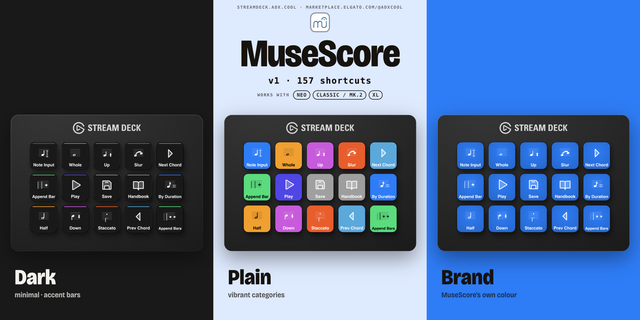
MuseScore Studio shortcuts for Stream Deck on Windows: 167 keys for its default shortcuts on a Stream Deck MK.2 (15 keys). No symbol keys of the main keyboard, so it is made for Japanese and US layouts (key tests on a Japanese layout). Each key was sent to the real MuseScore Studio 4.7 and 4.6.
10 pages
Note Input for music notation: notes A-G, rest, 64th to longa, dot
Pitch & Chords: octave, sharp, flat, add A-G
Intervals: unison to 10th, above and below
Articulations: staccato, slur, tie, grace note, bends
Tuplets & Voices: duplet to nonuplet, voices 1-4
Text: tempo, dynamics, lyrics, chord symbols
Measures: add, insert, breaks, locks
Edit: undo, swap, paste half/double, repeat
Navigate: notes, measures, pages
View, Play & File: play, zoom, panels, save
Details
Keep MuseScore in front and select notes first.
Sends letters, digits, F-keys, navigation keys and numpad + - . / (same key codes on JP and US).
Numpad keys tested with NumLock on and off; no physical numpad needed.
Keys that remove or close: Delete, Cut, Delete Measures, Close.
Bends work on a guitar staff.
Requirements
Windows, Stream Deck app 7.6 (import checked)
MuseScore Studio with its default shortcuts
Not included: symbol-key shortcuts (natural, hairpins)
Idea or bug? Use the Support link. Every message is read.
MuseScore is a registered trademark of MuseScore BVBA. Not affiliated with or endorsed by MuseScore or Muse Group.
New: macOS profiles for Stream Deck MK.2, XL, Neo and +, with the same pages, keys and dials as on Windows. Command takes the place of Ctrl and Option the place of Alt, as MuseScore Studio reads its shortcuts on a Mac. There are two sets, for US and Japanese (JIS) keyboards; README.txt says which one to use.
Where MuseScore Studio's Mac shortcuts differ, the Mac keys follow them: Redo is Command+Shift+Z, Paste Half and Paste Double are Control+Shift+Q and Control+Shift+W, Insert Measure is Shift+I, Insert Measures is Option+Shift+I, Pause & select is Option+Space and Full Screen is Control+Command+F.
The Windows profiles are unchanged.
Version 1.2
Nov 11, 2026
Details
Type
Creative Tools
Productivity
Device
Stream Deck +
Stream Deck MK
Stream Deck Neo
Stream Deck XL
OS
Windows
Compatibility
Stream Deck 6.4 or later
Size
19.81 MB
Version
1.2
Support
Dial support
Yes
AI Content
Yes
Icons
Yes
Additional links
You might also like