Productivity
Notion Deck Pro
by Kuberstar
Overview
Single-tap Notion, right on your desk.
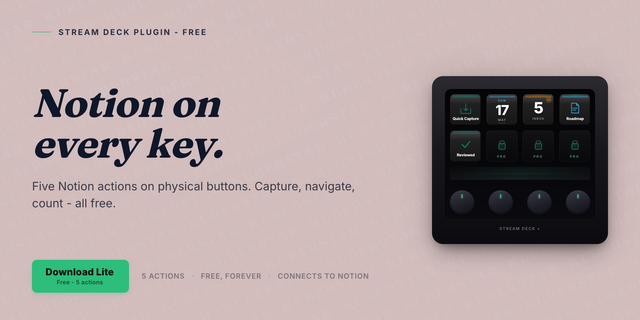
With the Notion Deck Pro plugin, capture, open, count, cycle, log, search, append, and focus across your Notion workspace directly from Stream Deck. Thirteen actions, live Inbox Count updates, unlimited Notion Deck keys.
Stop hunting for Cmd+J. Every Notion ritual you do all day now lives on a physical key or dial.
The differentiator: the Multi-DB Capture Grid. Map each key to a different Notion database - Inbox, Tasks, Notes, Ideas. One prompt per tap, one Return to commit.
Key actions include:
Quick Capture - tap, type, Return; a new row in any Notion database
Multi-DB Capture Grid - each key routes to a different database
Open Page - one-tap deeplink to a favorited Notion page
Daily Journal - opens or creates today's entry from your template
Inbox Count - live count of any view, threshold colors on key or dial
Status Cycle, Quick Done, Habit Log, Counter, Toggle Checkbox
Append to Page - a prompt, appended to a pinned page
Search & Open - search Notion, pick, open via notion://
Pomodoro - focus timer with an optional Notion session log
Six actions run on Stream Deck + dials.
Requirements: Stream Deck 6.9 or later. macOS 10.15 or Windows 10 or later. A free Notion account. Notion API calls go directly to Notion; OAuth sign-in and webhooks route through the Kuberstar proxy at notion-deck.kuberstar.com, which stores no workspace content. No telemetry.
Fixed
Fixed a packaging fault that could stop the plugin from starting on some computers. The keys showed their icons but never loaded any Notion data, and Stream Deck eventually reported the plugin as unstable and disabled it. Installing this version restores normal behaviour.
Version 0.4.1
Sep 8, 2026
Details
Type
Productivity
OS
Mac
Windows
Compatibility
Stream Deck 6.9 or later
Size
347.85 KB
Version
0.4.1
Language
Chinese
French
German
Japanese
Korean
Spanish
Support
Profiles
No
Dial support
Yes
You might also like