Audio
Now Playing
by MyDeckLab
Overview
Now Playing
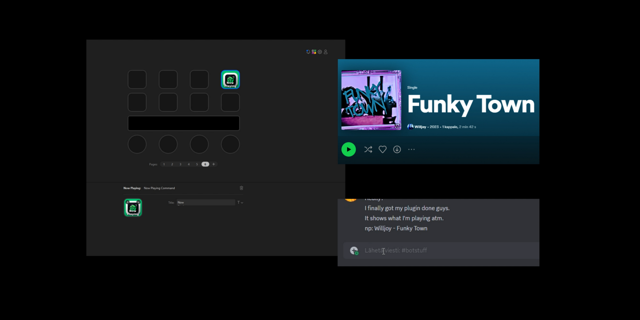
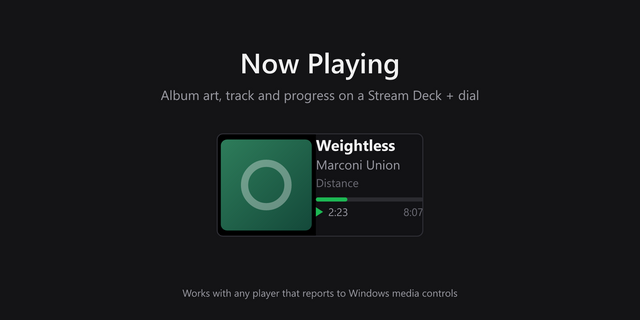
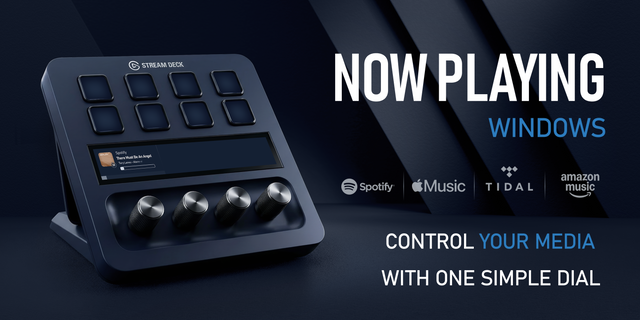
The track Windows is already playing, on a Stream Deck + dial. Album art, title, and time stay on the touchscreen. Press, turn, and tap to control it. No extra player app.
Now Playing reads the same media session Windows uses for its own volume flyout. If Windows can see the song, the dial can show it and control it.
On the dial
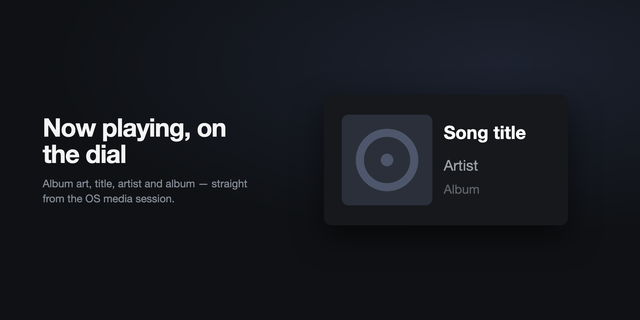
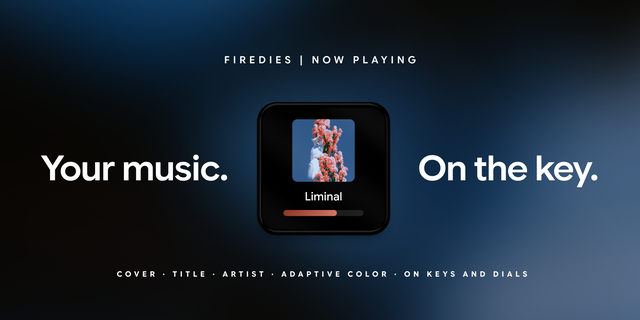
Album art from the player, shown beside the track.
Title, artist, and album. When there is no artist, the app name is shown instead.
Elapsed time, total time, and a progress bar that follows playback.
Paused, Stopped, and Changing when the session is not simply playing.
Nothing playing when Windows has no active media.
While you change the level, the screen switches to a volume percent and a level meter. Muted playback shows a muted state.
The dial
Touch the screen to move between views. Each turn does what the current view is for. Volume and seek can be switched off, so the touch cycle only includes the views you keep.
Push — Play / Pause. Starts or pauses whatever Windows is playing.
Rotate on the song — Previous / Next. Turn back for the previous track, forward for the next.
Touch — Volume. Turn to raise or lower the level. Push to mute or unmute.
Touch again — Seek. Turn to move inside the current track.
Touch again — back to the song.
Volume step is 1–15% per turn. The default is 3%.
Seek is either by time or by step.
Time jumps 1–30 seconds per turn. The default is 5 seconds.
Step splits the track into 2–40 equal parts. The default is 10. One turn moves one part.
Auto-return brings the dial back to the song after you stop using volume or seek. The wait is 1–30 seconds. The default is 3. Turn auto-return off if you want the dial to stay on volume or seek.
Progress bar
Auto (artwork). The bar color is taken from the cover.
Neon purple.
Solid color. Pick any color. The default is #C084FC.
Players
No companion app. Named sessions include Spotify, Chrome, Edge, Firefox, Brave, Opera, TIDAL, Deezer, Apple Music, VLC, foobar2000, AIMP, Discord, and Media Player. Any other player Windows exposes is shown by its own name.
Requirements
Windows 10 or later.
Stream Deck 7.1 or later.
A Stream Deck + dial. This action is encoder-only. It is not a keypad button and it is not available in multi-actions.
Languages
English is the default. Dial text and the settings panel also ship in Turkish, German, Spanish, French, Japanese, Korean, Simplified Chinese, Traditional Chinese, Portuguese, Italian, Dutch, Polish, Russian, and Arabic. If Stream Deck is set to one of its own languages, that language is used. When Stream Deck stays on English, the dial and settings follow Windows, so a Turkish PC still gets Turkish.
1.0.0
First release of Now Playing for Stream Deck +.
The dial shows the track Windows is playing: album art, title, artist or album, elapsed and total time, and a progress bar. Paused, Stopped, Changing, and Nothing playing appear on screen. While you change the level, the screen shows a volume percent and a level meter, including mute.
Push plays or pauses.
Rotate on the song goes to the previous or next track.
Touch cycles through the song, volume, and seek. Volume and seek can be turned off.
In volume, each turn changes the level by 1–15% (default 3%). Push mutes.
Seek jumps 1–30 seconds (default 5) or splits the track into 2–40 equal parts (default 10).
Auto-return goes back to the song after 1–30 seconds (default 3).
The progress bar can follow the artwork, stay neon purple, or use any solid color. The default solid color is #C084FC.
It uses the Windows media session. No extra app. Named players include Spotify, Chrome, Edge, Firefox, Brave, Opera, TIDAL, Deezer, Apple Music, VLC, foobar2000, AIMP, Discord, and Media Player. Any other player Windows exposes is shown by its own name.
Requires Windows 10 or later, Stream Deck 7.1 or later, and a Stream Deck + dial. The action is encoder-only.
English is the default. Dial text and settings also include Turkish, German, Spanish, French, Japanese, Korean, Simplified Chinese, Traditional Chinese, Portuguese, Italian, Dutch, Polish, Russian, and Arabic.
Version 1
Sep 30, 2026
Details
Type
Audio
Music
Productivity
Video
OS
Windows
Compatibility
Stream Deck 7.1 or later
Size
96.75 KB
Version
1
Language
Chinese
French
German
Japanese
Korean
Spanish
Support
Neo Infobar support
No
Profiles
No
Dial support
Yes
You might also like


-thumbnail-optimized-a74b6d6f-1886-4379-9f95-d19441860884.png)
-app-icon-optimized-7171bf4e-2e32-4875-b94d-30578d9bb4df.png)