Streaming

OBS Source Transformation

Overview

Take full control of your OBS sources directly from your Stream Deck. OBS Source Transformation connects to OBS Studio via WebSocket and lets you adjust any source's position, size, rotation, and crop in real time — perfect for live camera repositioning, dynamic scene layouts, smooth zoom effects, and instant framing changes. Configure each button with a specific action: nudge a value by a fixed amount, set it directly, or toggle between two states on every press. Requires OBS Studio 30+ with WebSocket server enabled.

https://www.ileavemaybe.com/transform.php

Version 1.0.1.0

Added

Added Multi Transform action to apply multiple plugin transform actions with a single OBS batch request.

Added support for Source Visibility with:

Toggle mode

Set mode with a visibility checkbox

Added paired transform properties:

Position X & Y

Scale X & Y

Added dedicated quick actions for simpler setup:

Move Source

Crop Source

Zoom Source

Note

The Move Source, Crop Source, and Zoom Source actions were added for convenience and easier setup. Their functionality is also available through the more flexible Transform Source action.

Improved

Improved Stream Deck button titles for clearer action labels and better readability.

Improved OBS WebSocket connection handling and reconnect behavior.

Fixed

Fixed Toggle A/B behavior.

Media

Updated Multiaction Banner for the Plugins own Multi Transform Action

Version 1.0.1

May 22, 2026

Details

Type

Streaming

OS

Mac

Windows

Compatibility

Stream Deck 6.9 or later

Size

337.4 KB

Version

1.0.1

Language

English

Support

Profiles

No

Dial support

No

Additional links

You might also like

  • Multi OBS Controller
    Multi OBS Controller app icon

    Multi OBS Controller

    by the_ca11

    ∙

    Streaming

    Control one or multiple OBS Studio instances at the same time. Easily keep them synchronized or manage them individually...

    Free

  • OBS Tools
    OBS Tools app icon

    OBS Tools

    by BarRaider

    ∙

    Video

    Advanced OBS commands and tools to use on your Elgato Stream Deck. Features include: Instant Replay (on stream), Dropped...

    Free

  • OBS Studio

    OBS Studio

    by Aetheon

    ∙

    Creative Tools

    Take control of the studio. An icon pack inspired by OBS Studio and it's themes, crafted by Aetheon. Featuring 830 icons...

    $5.00

  • OBS Studio
    OBS Studio app icon

    OBS Studio

    by Elgato

    ∙

    Video

    Pro production at your fingertips. With the OBS Studio plugin, go live or record directly from Stream Deck. Stop wasting...

    Free

  • OBS Browser Events
    OBS Browser Events app icon

    OBS Browser Events

    by Luxterful

    ∙

    Utilities

    Trigger custom events with JSON payloads in your OBS browser sources — one key press, zero polling, no extra server. Con...

    Free

  • OBS Studio Profile Pack

    OBS Studio Profile Pack

    by Aetheon

    ∙

    Creative Tools

    Take control of the studio. A profile pack built for streamers and content creators using OBS Studio, crafted by Aetheon...

    $8.50

  • OBSKUR Remote
    OBSKUR Remote app icon

    OBSKUR Remote

    by OBSKUR

    ∙

    Streaming

    Take full control of OBSKUR during your broadcast using OBSKUR Remote...

    Free

  • Stream Viewers
    Stream Viewers app icon

    Stream Viewers

    by mrcrow_gg

    ∙

    Streaming

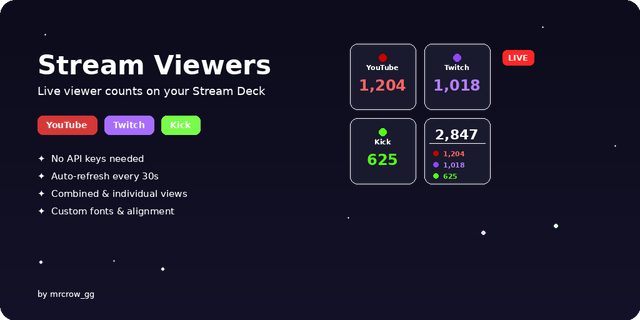
    Check your stream live view counter on your Stream Deck. You can see yours (or someone else's) live view counter on Twit...

    Free