Business
OneNote Deckmate Suite
by Magoo
Overview
SPOOKY31 for 31% off
OneNote Optimized!
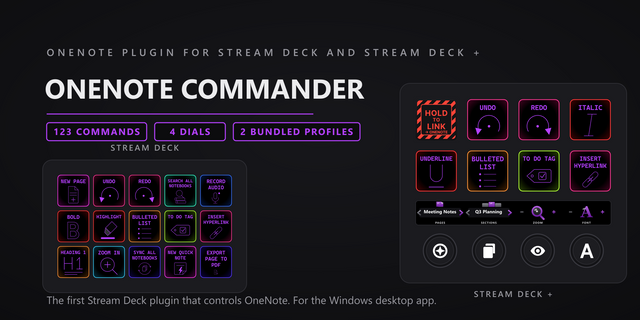
OneNote Deckmate Profile puts 21 frequently used Microsoft OneNote keyboard shortcuts on a Stream Deck for Windows. Built for Microsoft 365 desktop OneNote users, it speeds up navigation, search, note editing, formatting, tags, and page management from a tested 15-key Stream Deck MK.2. Keep OneNote focused and use dedicated keys for common commands instead of remembering every shortcut.
Features
Five organized pages: Home, Navigation, Editing, Formatting and Tags, and Page Tools.
OneNote actions for new pages, quick notes, notebooks, sections, page navigation, search, undo and redo, copy and paste, paste text only, bold, tags, move or copy page, and print.
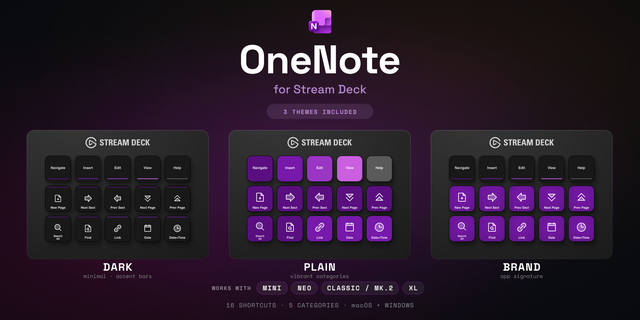
Windows keyboard shortcuts mapped to clear, custom icons with titles hidden on the keys.
Seven frequently used commands are duplicated on Home / Quick Access for faster reach.
Requirements
Windows 11 and Microsoft 365 desktop OneNote. OneNote must be the focused window when a key is pressed.
Stream Deck software 7.4.1 (22720) or 7.6.0 and a Stream Deck MK.2 15-key device.
US QWERTY keyboard layout. Contextual commands depend on the active notebook, section, page, cursor, selection, or clipboard.
OneNote Deckmate Profile is an intentionally focused first release. Additional shortcuts, workflows, device support, and productivity features may be added in future updates as the profile grows
Product changes
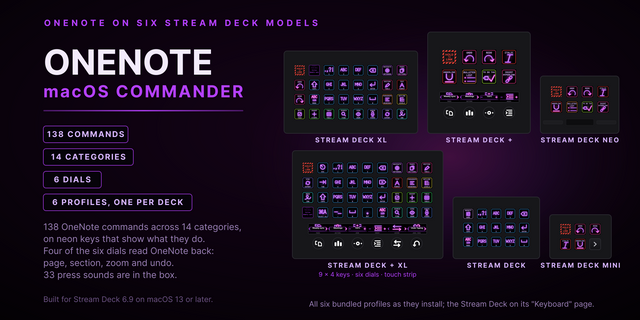
- Included 81 approved OneNote keyboard actions across Home and nine category pages.
- Organized actions into Essentials, Editing, Format, Styles, Insert, Tables, Tags + Outline, Pages, and Notebook + Search.
- Included separate macOS and Windows profiles for the Elgato Stream Deck MK.2 15-key device.
- Included Main, Brand, and Accent icon sets in separate folders.
Compatibility
- Elgato Stream Deck MK.2 15-key device
- Microsoft OneNote on macOS or Windows
- Matching Stream Deck profile supplied for each operating system
Version 2
Oct 23, 2026
You might also like