Artistic
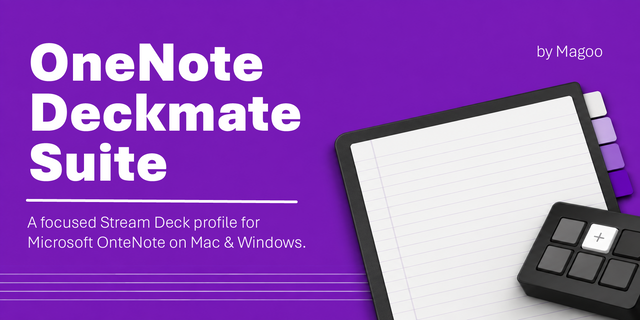
OneNote macOS Commander
Overview
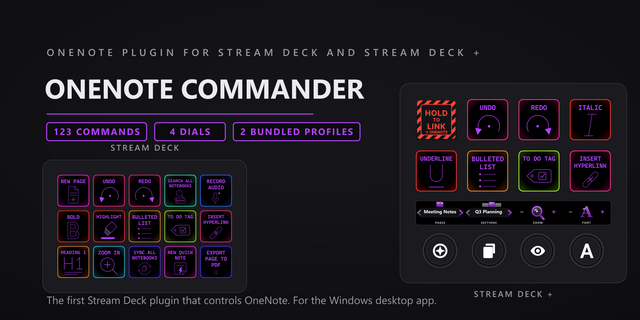
Control Microsoft OneNote 16.113.3 from your Stream Deck: 138 commands on 14 category keys. Six Stream Deck + dials: page, section, zoom, indent, history, undo redo.
SETUP
Click OK when macOS asks to let Elgato Stream Deck control System Events. Accessibility has no prompt: add Elgato Stream Deck under System Settings, Privacy & Security, Accessibility, then quit and reopen the Stream Deck app. Keys fire with OneNote in front, as Mac chords.
EVERY KEY SAYS WHAT IT DOES
112 of the 138 commands send a Mac shortcut, click OneNote's menu item, or press a control in its window. The other 26 have no equivalent in OneNote for Mac, among them New Quick Note, Mark Page Unread, four tags and the outline level keys. They keep their key and artwork, and a press flashes "Not in OneNote for Mac" and does nothing else.
THE CATEGORY HUB
The Home page is a door per category, from Navigation to Draw. Each door opens that category's page, commands pre-placed with its own artwork, and Home brings you back. On the Stream Deck (15 keys), Draw, Keyboard, To-Do and Search Results doors sit on a second hub page with Status and nine everyday keys. The Stream Deck XL and Stream Deck + XL hubs also hold the keypad and OneNote Status.
DRAW
Ten tools from OneNote's Tools > Draw menu: Pen, Marker, Highlighter, Lasso Select, Insert Space, Text Mode and the Stroke, Small, Medium and Large Erasers. Color 1-4 and Line Weight work on the Draw tab.
T9 KEYPAD
Type into OneNote phone style: tap a number key again within 0.9 seconds to step through its letters, Shift for capitals, Mode for digits, with Backspace and Enter. It has a Keyboard page on the Stream Deck (15 keys) and sits on the Stream Deck XL and Stream Deck + XL hubs. Each press chirps; one switch turns that off.
SIX DIALS
Page and Section step through pages and sections, press for a new one, and the strip names where you are. Zoom, Indent, History and Undo Redo turn both ways; the Undo Redo strip shows what the next undo takes back.
JUMP AND STATUS
Jump to Page opens a notebook, section or page from a pasted OneNote link, or one captured with a click from the open page. OneNote Status shows the notebook, section and page on the key face, live, or the current page name big.
EASY LINK, BUILT IN
Nothing else to install. Hold the Easy Link key about a second with OneNote in front and the deck binds it to this plugin's profile, which switches in whenever OneNote takes focus and hands your previous profile back when you leave. A short press does nothing, so a stray tap never relinks.
SIX READY-MADE PROFILES
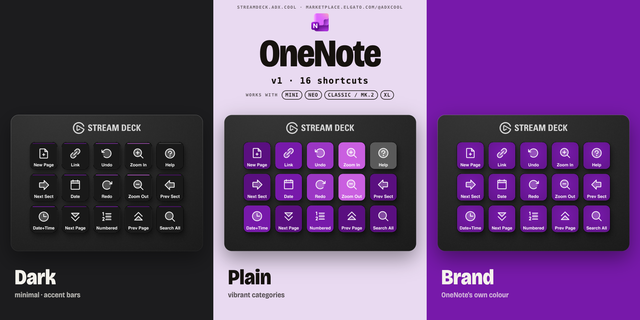
- OneNote macOS Commander 2, Stream Deck (19 pages): two hubs, a page per category, a Keyboard page.
- OneNote macOS Commander 2 Plus, Stream Deck + (1 page), 4 dials: page, section, zoom, indent.
- OneNote macOS Commander 2 Plus XL, Stream Deck + XL (7 pages): a hub with the full keypad, all 6 dials on every page.
- OneNote macOS Commander 2 XL, Stream Deck XL (8 pages): a hub with the compact keypad.
- OneNote macOS Commander 2 Mini, Stream Deck Mini (2 pages), a starter set.
- OneNote macOS Commander 2 Neo, Stream Deck Neo (1 page), the same set.
Easy Link sits top left on all six.
UPDATING FROM 1.0
The 2.0 layouts arrive as new "OneNote macOS Commander 2" profiles on your first Easy Link switch or hub door press after the update. The plugin does not delete or change your 1.0 profiles.
WHAT'S INCLUDED
- 14 category actions covering 138 commands: pick the command and the key wears its artwork. Multi Action ready.
- Search Notes, Search Result, To-Do Dashboard and To-Do Item have no route in OneNote for Mac and say so on press. Only the Stream Deck profile seats them, on its To-Do Dashboard and Search Results pages.
- Press feedback ships with 33 bundled sounds, silent by default on command keys. Your own WAVs in Documents/Pathfinder Sounds appear in the same picker.
Requires the Stream Deck app 6.9 or newer. Built for Microsoft OneNote 16.113.3 on macOS 13 or later.
OneNote macOS Commander 2.0.0.1 keeps the deck following OneNote without wearing on your Mac.
Easy Link, the command keys, the dials and OneNote Status now use helpers that stay running, not a new process each time, so long sessions no longer pile up system connections.
Easy Link is now a key action only. If you put Easy Link on a dial, move it to a key.
Also new: pick a command by its key face in the key settings; a profile switch the Stream Deck app refuses no longer stops the plugin; the Open Category hint no longer points to a Back key; the Easy Link key's label is now ONENOTE, and its fail sound is shorter.
Unchanged from 2.0.0.0. 138 OneNote commands on 14 category keys. 26 commands with no OneNote for Mac equivalent keep their key and say "Not in OneNote for Mac" when pressed.
T9 keypad: type into OneNote phone style, from a Keyboard page on the Stream Deck (15 keys) or the hub of the Stream Deck XL and Stream Deck + XL, which now open on a hub page with a door per category and OneNote Status.
Updating from 1.0: the bundled profiles are now "OneNote macOS Commander 2", "2 Plus", "2 Plus XL", "2 XL", "2 Mini" and "2 Neo". They arrive on your first Easy Link switch or hub door press after the update. The plugin does not delete or change your 1.0 profiles.
Press feedback ships with 33 bundled sounds, silent by default except the keypad's chirps.
Requires the Stream Deck app 6.9 or newer. Built for Microsoft OneNote 16.113.3 on macOS 13 or later.
Version 2.0.0.1
Nov 6, 2026
Details
Type
Artistic
Business
Development
Monitoring
OS
Mac
Compatibility
Stream Deck 6.9 or later
Size
6.25 MB
Version
2.0.0.1
Language
English
Support
Neo Infobar support
No
Profiles
Yes
Dial support
Yes
You might also like