Gaming
OrbitDeck
by Sim Dev
Overview
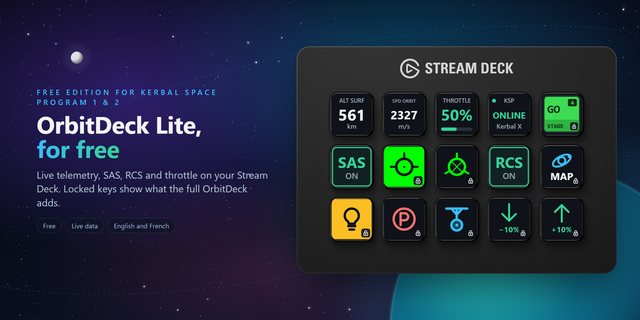
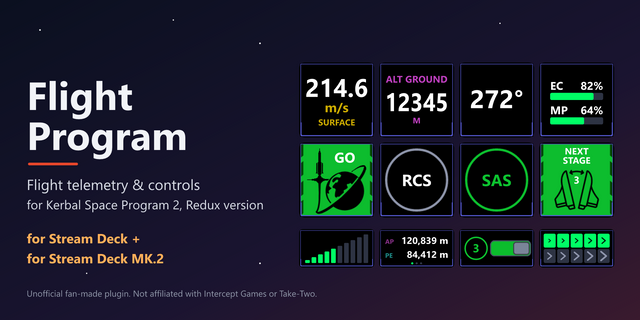
OrbitDeck puts your Kerbal Space Program flight on your Stream Deck. Live telemetry and real flight controls for KSP 1 and KSP 2, with the state of each key updated as you fly.
Telemetry
Altitude above the ground or above sea level (one press switches).
Speed: surface, orbit or target (one press cycles the navball speed mode).
Throttle level and connection status.
Controls
SAS and RCS switches that follow the game, even if you change them on the keyboard.
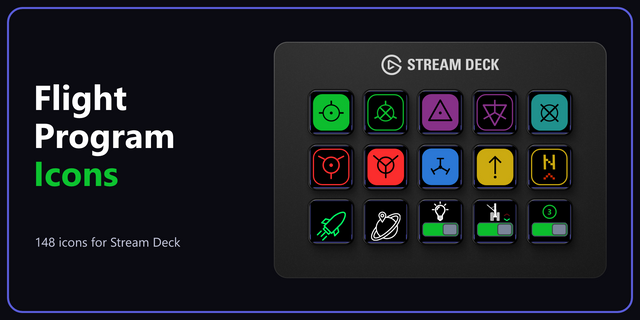
All ten SAS modes: stability, prograde, retrograde, normal, anti-normal, radial, anti-radial, target, anti-target and manoeuvre. Modes the game cannot use right now grey out on their own.
Stage with an optional "press twice" confirmation.
Throttle: preset keys (0, 25, 50, 75 and 100 %) and +/- steps of 5, 10 or 25 %.
Lights, brakes, landing gear and a ship / map view switch.
Time warp
The current time speed, with a press to go back to 1×.
Faster and slower steps, pause, and a key that sets the speed you choose.
The key says why the game refuses a step: atmosphere, altitude, thrust.
Manoeuvres
Time to the next node and time to ignition: the key turns orange, then red, then GO when it is time to fire.
Delta-V needed against delta-V available, burn time and progress, and the orbit after the node.
Warp to the manoeuvre: one key warps to just before the burn. The game slows down by itself and stops a margin you set before ignition. Pressing again cancels.
Stream Deck + dials
Four dials with live readouts on the touch strip. Turn to adjust, push to act, tap the strip for a shortcut.
Throttle: turn to adjust (one click is one step, from 1 to 25 %), push to set the value you choose, tap the gauge to jump to a value.
Time warp: turn to change the time speed, push to go back to 1×, tap to pause. The strip shows every step and where the game stops you.
SAS mode: turn to pick a mode (only the modes the game allows), push to activate it. The strip shows the navball markers.
Utilities: SAS, lights, landing gear, brakes and RCS in one row. Turn to select, push to switch, or tap one.
The strip always shows the game's real state: a value you asked for appears as a target until the game confirms it.
Ready to use
Ready-made profiles for the 15-key Stream Deck, the Stream Deck XL and the Stream Deck + (four dials and eight keys) are offered when you install the plugin. On a Stream Deck + XL, drag the four dial actions from the OrbitDeck category onto the dials.
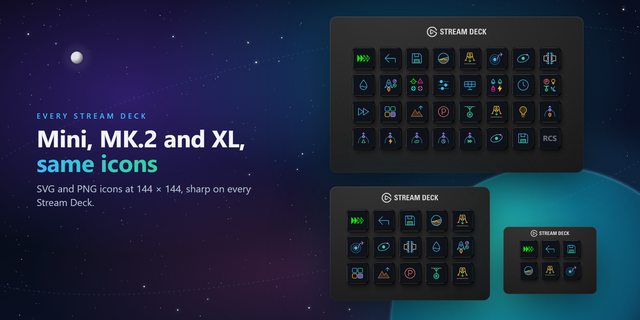
Keys adapt to Stream Deck Mini, MK.2, XL, + and + XL layouts.
English and French interface.
100 % local: nothing leaves your computer.
What you need
Kerbal Space Program 1 (1.12.5) or Kerbal Space Program 2 with the Redux mod loader.
The free, open source OrbitDeck Bridge mod, installed in the game (GitHub: teddyzeus/orbitdeck-bridge). Time warp and manoeuvre keys need version 0.5.0 or later.
Windows 10 or 11, Stream Deck software 7.1 or later. The dials need a Stream Deck + or + XL; every other action works on any Stream Deck.
Want to try first?
OrbitDeck Lite is the free edition, with live telemetry, time and manoeuvre readouts, SAS, RCS and throttle at 0 and 100 %. If you use both plugins, each keeps its own mod port setting: enter your port again in OrbitDeck if it is not the default (18765).
OrbitDeck 1.1: time warp, manoeuvres and Stream Deck + dials.
New time warp keys: current time speed, faster, slower, pause and set speed. The key tells you why the game refuses a step (atmosphere, altitude, thrust).
New manoeuvre keys: time to the next node, time to ignition (orange, red, then GO), delta-V, burn time and the orbit after the node.
New "warp to the manoeuvre" key: warps to just before the burn, slowing down by itself, with a margin you set. Press again to cancel.
Stream Deck + and + XL: four dials with live readouts on the touch strip: throttle, time warp, SAS mode and utilities (SAS, lights, landing gear, brakes, RCS). Turn, push or tap; the strip shows the game's real state.
Ready-made profiles for the Stream Deck XL and the Stream Deck + (four dials, eight keys) are now offered at install, next to the 15-key one.
New icons for time, manoeuvres and landing gear. Brakes are now red, lights yellow and throttle green.
The new keys, and the time warp dial, need the OrbitDeck Bridge mod 0.5.0 or later. The other keys still work with earlier versions.
Version 1.1
Nov 9, 2026
Details
Type
Gaming
OS
Windows
Compatibility
Stream Deck 7.1 or later
Size
516.5 KB
Version
1.1
Language
English
French
Support
Neo Infobar support
No
Profiles
Yes
Dial support
Yes
Additional links
You might also like