Monitoring
OrcaSlicer Hotkeys
Overview
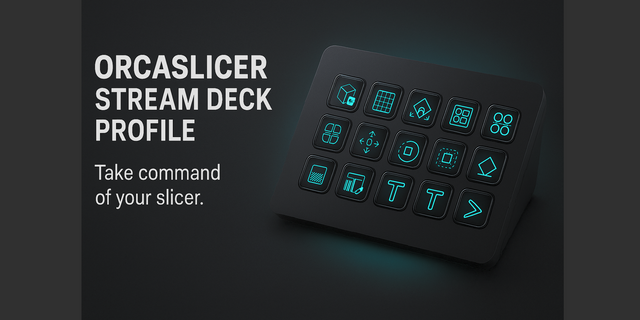
Put OrcaSlicer's Prepare toolbar on the touch strip of your Stream Deck + or Stream Deck + XL: tap Move, Cut, Support Painting or Brim Ears and the tool opens. OrcaSlicer Hotkeys runs OrcaSlicer 2.4.2 on Windows and macOS with six dials, five toolbar strips and 77 commands on real keys, with a ready-made profile for six Stream Deck models. Hold the Easy Link key once and the deck follows the slicer.
FIRST RUN
When Stream Deck offers to install the OrcaSlicer Hotkeys profile for your deck, click Install. Keep OrcaSlicer in front when you press a key: the plugin types into the active window and never steals focus.
On a Mac, enable Stream Deck in Privacy & Security > Accessibility and allow System Events when asked. Ctrl is sent as Command, Alt as Option.
Coming from version 2? Stream Deck never replaces a profile it already installed: delete your old OrcaSlicer Hotkeys profile, and Stream Deck offers the new one the next time Easy Link brings OrcaSlicer up.
THE TOOLBAR ON THE TOUCH STRIP
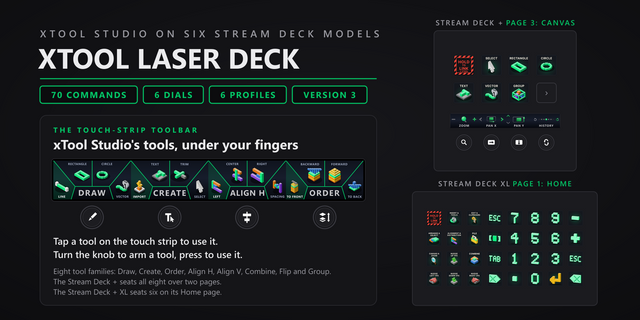
Five strips carry the Prepare toolbar, grouped the way OrcaSlicer groups it:
- Plate: Import Geometry, Auto-Orient, Arrange All
- Shape: Move, Rotate, Scale, Place Face on Bed
- Shape 2: Cut, Mesh Boolean
- Paint: Support Painting, Seam Painting, Fuzzy Skin, Color Painting
- Mark: Text Emboss, Measure, Assemble, Brim Ears
Tap a tool's wedge to open it (the wedge lights up), or turn the knob to arm a tool without sending anything and press to open it.
SIX DIALS
- Zoom: turn to zoom, press for the iso view. Tap the strip to zoom out, switch Prepare and Preview, or zoom in.
- Layer Scrub: turn through preview layers, press for one layer mode. A fast spin jumps 5 layers.
- Undo / Redo: turn to step through history, press to save the project.
- G-code Step: turn through the g-code, press to toggle the g-code window. A fast spin jumps 5.
- Camera Orbit: turn to orbit or tilt the 3D view, press to switch between the two.
- Move Part: turn to move the selected part along X or Y, press to switch axis, press and turn for 1 mm steps.
On Windows, on the Prepare tab the layer and g-code dials move the selected part instead, and the strip face shows which job the dial is doing.
EASY LINK, BUILT IN
Hold the Easy Link key about a second while OrcaSlicer is in front and the deck binds the slicer to this plugin's profile. The profile comes up whenever OrcaSlicer takes focus, and your previous profile returns when you leave. A short press does nothing.
READY-MADE LAYOUTS FOR SIX DECKS
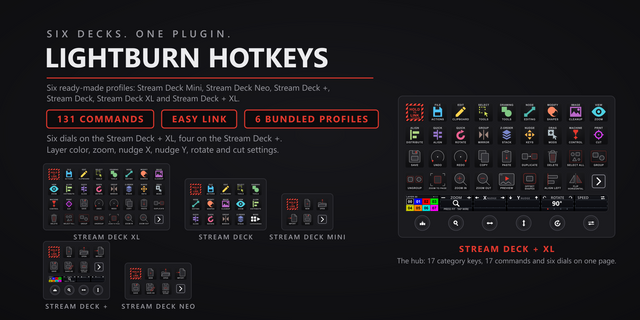
- Stream Deck + XL: a hub with all 13 categories, a 20-key number pad for typing values, and all five toolbar strips beside Camera Orbit. Every category page carries the six dials.
- Stream Deck +: three pages. Toolbar (four strips), OrcaSlicer (zoom, layers, undo, g-code) and Camera (orbit, move, zoom, layers), each with keys.
- Stream Deck and Stream Deck XL: a category hub plus one page per category.
- Stream Deck Mini and Stream Deck Neo: starter keys.
Every profile puts Easy Link top-left. Shape 2 sits on the Stream Deck + XL hub; on a Stream Deck +, add it to any knob from the action list.
HOW THE KEYS WORK
Drop a category action onto any key and pick the command by its 3D key art; each of the 77 commands wears its own. Press it and the shortcut lands like a physical key press.
YOUR SHORTCUTS, NOT OURS
Every key ships with OrcaSlicer's default shortcut and is remappable: type a combination in the property inspector, or click Capture and press it once. Custom hotkeys work in Multi Actions.
PER-KEY SOUNDS
33 sounds ship in the box. Pick one per key, or leave it silent. Pairs with our free Sound Sampler (Windows): your own recordings appear in the Key Sound picker.
ALREADY USING SMART PROFILES?
Easy Link takes one long press on the app instead of a settings trip, and hands priority back to your smart profiles when you leave.
Windows 10 or later, or macOS 13 or later. Requires the Stream Deck app 6.9 or newer, and works with OrcaSlicer 2.4.2.
OrcaSlicer Hotkeys 3.1.1. Still 77 commands, six dials, five toolbar strips and six bundled profiles; this release changes how keys are set up and how Easy Link behaves, on Windows and macOS.
Pick by face: in a command key's settings, the command list is now a grid of the key art itself, so you choose a command by what the key will show.
Fixed: a custom hotkey captured with an arrow key or a numpad operator (+, -, *, / or .) never fired. Capture now stores those keys in a form the plugin can send. A hotkey captured that way before this update keeps its old value, so capture it again.
Easy Link: the linked key now shows the app's own icon above its name when one can be read, and the Easy Link settings list each linked app with the face it wears on the deck. A failed link plays a new, shorter chime. Easy Link is now a key action only and can no longer sit on a dial; if you put it on one, move it to a key. The bundled profiles always had it on a key.
Fixed: if the Stream Deck app refused a profile switch from the Open Category or Back key, the plugin could stop. The refusal is now caught and logged. The Open Category settings now name the decks it works on and point you to the Home key.
Helper processes now start in your temp folder, so they no longer hold the plugin's folder open while the Stream Deck app installs an update.
Works with OrcaSlicer 2.4.2 on Windows 10 or later and macOS 13 or later.
Version 3.1.1
Oct 13, 2026
Details
Type
Monitoring
Productivity
Utilities
OS
Mac
Windows
Compatibility
Stream Deck 6.9 or later
Size
4.65 MB
Version
3.1.1
Language
English
Support
Neo Infobar support
No
Dial support
Yes
Profiles
Yes
Additional links
You might also like