Business
Outlook (New) Shortcut Profile + Icon Pack
by Adx.cool
Overview
The complete Outlook (New) keyboard shortcut pack for Stream Deck.
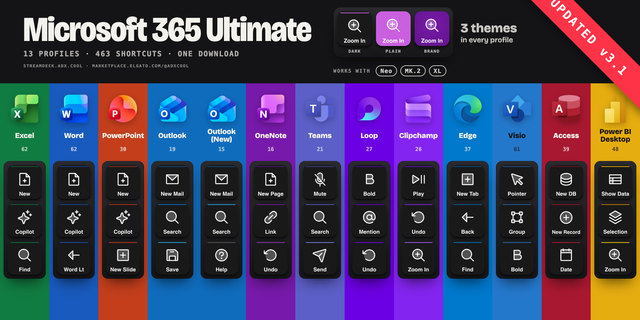
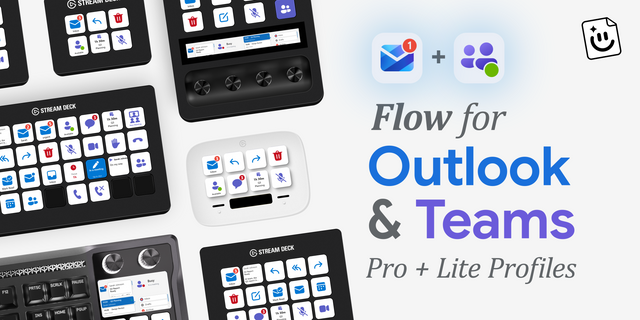
14 shortcuts across 3 categories — organized, scored by importance, and ready to install on Stream Deck Mini, Neo, Classic / MK.2, XL. Stop memorizing key combos. One tap, one action.
What's included:
• Mail (9): New Message, Send, Reply, Reply All, Forward, and 4 more • Views & Search (4): Search, Mail View, Calendar View, People View • Help (1): Outlook Shortcuts (Microsoft)
Features: • For the NEW Outlook on Windows (olk.exe) — if you are still on the classic client, buy the Outlook Classic profile instead • Works on macOS and Windows — every key mapped for both, not a Windows profile with a Mac footnote • Curated for the work: the mail triage loop — reply, forward, archive, flag and switch views • Verified against Microsoft's own shortcut tables, not guessed
Install: double-click any .streamDeckProfile to import. The App binding is pre-filled to Outlook (New) — auto-activates on focus. If it didn't pre-fill, set it manually under Stream Deck → Preferences → Profiles → App.
Also included: the 42-icon Outlook (New) icon pack (14 icons in 3 finishes), as a .streamDeckIconPack you can install with a double-click. Every key in this profile, available to drop on any action you like.
Try it first: press the keys of this profile in your browser, no install — https://streamdeck.adx.cool/try/microsoft-outlook-new/
Learn more about Outlook (New): https://www.microsoft.com/microsoft-365/outlook
v1.1 — 2026-10-27 — A Copilot key • Draft with Copilot — Alt+I on Windows • On the Mac — Control-L • Inside your email — Copilot writes the draft • Microsoft's own docs — Copilot in Outlook page
Version 1.1
Nov 11, 2026
Details
Type
Business
Productivity
Utilities
Device
Stream Deck Mini
Stream Deck MK
Stream Deck Neo
Stream Deck XL
OS
macOS
Windows
Compatibility
Stream Deck 6.4 or later
Size
1.8 MB
Version
1.1
Support
Icons
Yes
Additional links
You might also like