Monitoring
Overhead
Overview
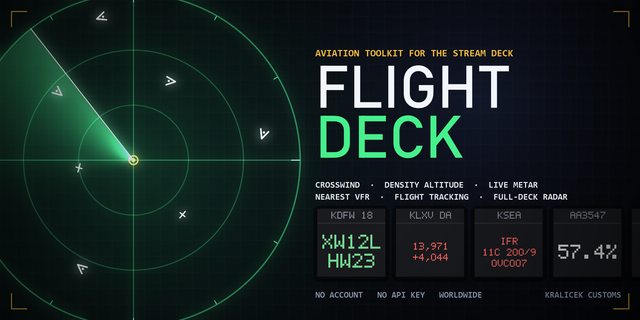
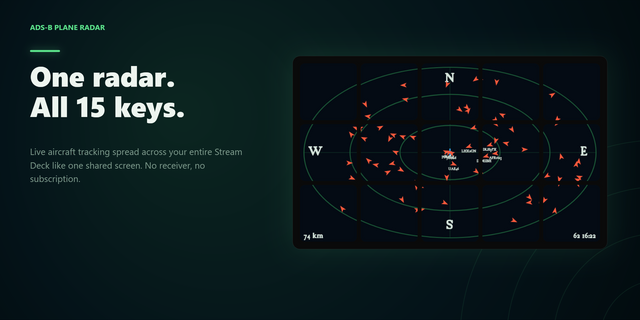
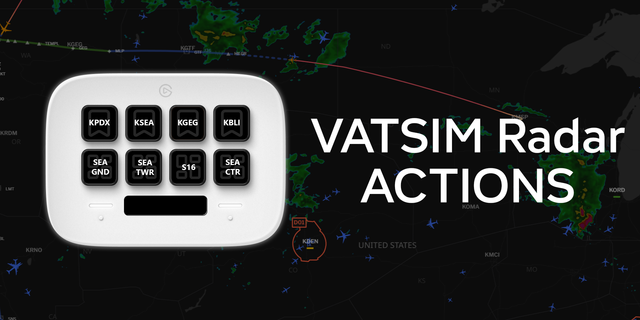
Overhead turns a block of your Stream Deck into a radar scope showing the aircraft that are actually in the sky — right now, over any airport in the world, or over you.
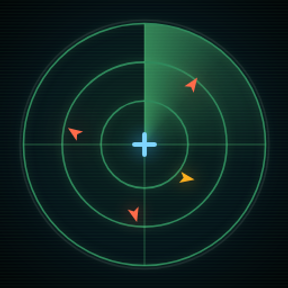
It is not a picture of a radar. It is one continuous scope stretched across the keys you give it, with the bezels acting as part of the instrument rather than chopping it into tiles — rings, bearing marks, coastlines, borders, cities and airfields, and a sweep passing over the lot.
POINT IT SOMEWHERE — Type an airport code or a city name and the scope moves there; 3,270 airfields are built in, from Heathrow to the strip down the road. Or press one button and it centres on you, worked out from your network address. Or type coordinates, if you know exactly where you want to look.
A SCOPE PER PAGE — Point one page at your home field and the next at somewhere busy. Each keeps its own place, range and size, switching pages re-points the scope, and going back puts that page's traffic straight back. Only the page on screen ever fetches, so any number of them costs the feeds no more than one.
FOLLOW IT — The details block is also a button. Press that key and the scope anchors to the aircraft: the map slides underneath while it flies, and only that one is tracked, which is lighter on the feed than watching an area. It is held in the middle of the key beside the readout, not the middle of the scope — on a two-by-two that point is where four keys meet, and nothing can be drawn there.
SIZED FOR A KEY — A key is about two centimetres across, and type that looks right on a monitor is unreadable on the hardware. Lettering and aircraft are drawn large, with a size setting to go further. Turning it up labels fewer aircraft on purpose: there is only room for fewer, and overlapping callsigns hide the traffic as surely as no labels at all.
EVERYTHING IS DRAWN AS ITSELF — At six pixels, shape says more than any label. Airliners and heavies are swept chevrons, light aircraft straight-winged crosses, gliders a single long span, and a helicopter is a rotor disc that actually turns rather than pointing along a track it may not have.
IT KEEPS MOVING BETWEEN POLLS — The feeds are free services run on donations, so Overhead asks once every eight seconds and alternates between two of them, which keeps both inside their allowance and means one going quiet costs the picture nothing. In between, every aircraft is carried forward on its own track, speed and rate of climb, and eased onto each new fix rather than snapped to it. The picture stays fluent at twelve frames a second while the network is barely touched, and a contact that misses a poll coasts instead of blinking out.
CONFLICT — Two aircraft above 5,000ft predicted to come within five miles and a thousand feet inside the next ninety seconds are both ringed in red. There is a floor because traffic on approach is meant to be close, and an alert that is always on is not an alert.
LEAVE IT RUNNING — Switch on unattended mode and it picks out an aircraft every few seconds on its own, looks up where it is going, and shows you. Good on a spare deck.
The range steps from ten miles to a hundred and fifty, and the level band opens up as you zoom in: at long range you are watching the en-route flow, and at short range you are watching the circuit.
Positions come from adsb.fi and adsb.lol, the latter under ODbL 1.0, asked in turn. Routes come from adsbdb, queried live for the aircraft you tapped and never written to disk. Coastlines and places are Natural Earth, airfields OurAirports — both public domain, and both baked in, so the chart works with no network at all.
No account, no sign-in, no analytics. The only thing that leaves your machine is a request for the patch of sky you are pointed at.
Needs an internet connection. Works on any Stream Deck with keys, on macOS and Windows, with the Stream Deck app 7.1 or newer. Two by two is what it is drawn for; more is better.
Per-Page Scope Configurations
Independent Page Settings: Each page now retains its own place, range, size, and sweep parameters. Switching pages automatically re-points the scope to that page's specific settings.
Instant Traffic Returns: Moving between pages restores traffic immediately. Contacts age accurately based on time away and automatically clear after 10 minutes. Switching pages instantly triggers a fresh feed poll.
Bandwidth Friendly: Only the active on-screen scope fetches live data, regardless of how many pages are configured.
Smooth Migration: Settings now attach directly to page keys. Existing locations carry over on first launch, while 1.2 settings remain intact if you ever roll back.
Fixes & Tracking Improvements
Proper Re-pointing: Fixed an issue where switching pages updated the top label without shifting the rings, chart, range, or aircraft.
Persistent Aircraft on Zoom: Changing range no longer counts as moving, keeping visible aircraft on screen.
Target Release: Re-pointing automatically releases followed aircraft so new pages don't stay anchored to off-screen targets.
Layout & Error Handling
Irregular Key Layouts: Non-rectangular key blocks (such as L-shapes) now read settings from active keys rather than empty bounding-box corners.
Graceful Chart Errors: Unreadable chart files now drop city/airfield labels instead of failing to draw the chart entirely.
Your settings are kept.
Version 1.3.1
Sep 22, 2026
Details
Type
Monitoring
Utilities
OS
Mac
Windows
Compatibility
Stream Deck 7.1 or later
Size
1.19 MB
Version
1.3.1
Language
English
Support
Profiles
No
Dial support
No
You might also like