Artistic
Paint.NET Studio Deck
Overview
Paint.NET Studio Deck writes its dials through Paint.NET's own accessibility surface and reads them back, so a Stream Deck + dial moves the brush size or primary color the app actually holds. 71 commands in 9 categories run on every Stream Deck.
EASY LINK, BUILT IN
Nothing else to install. Hold the Easy Link key about a second while Paint.NET is in front: the deck binds it to this plugin's profile, switches in whenever Paint.NET takes focus, and hands back when you leave. If you clicked Cancel when Stream Deck offered to install profiles, your deck's profile arrives on the first press.
WHAT YOU GET
- 9 remappable category actions covering 71 commands, measured from Paint.NET's own menus. Every key re-points from the property inspector, where you pick the command by its key art, and works in a Multi Action.
- Exact tool selection on 19 tool keys, each face showing a live indicator when its tool is active. These and the commands run on every Stream Deck.
- Six dials and the touch screen tool bar. Both need encoders: four dials seat on the Stream Deck +, all six plus the tool bar on the Stream Deck + XL.
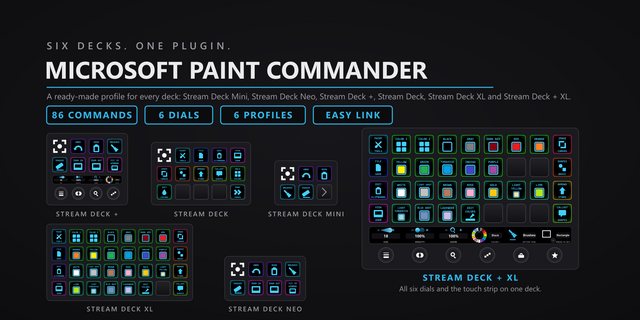
- Six bundled profiles, one per device.
- Per key sounds: 33 in the box, plus your own via the free Sound Sampler plugin.
- Custom hotkey capture on the 52 keys that send a shortcut, so a remapped Paint.NET keymap still lands. The 19 tool keys select their tool directly and ignore a custom hotkey.
A PROFILE FOR EVERY STREAM DECK
- 15-key Stream Deck: a color coded category hub, one page per category, Home on every page.
- Stream Deck +: four of the six dials pre-placed, plus a starter key set. Four is every encoder it has.
- Stream Deck + XL: the tool bar hub. All 19 tools across the six screens, nine category jump keys and a 20 key number pad on the keys, one page per category behind it, six dials on every page.
- Stream Deck Mini, 32-key Stream Deck XL and Stream Deck Neo: a profile each, keys only.
EXACT TOOL SELECTION
Paint.NET binds one letter to a family of tools and treats a press as a cycle step: S walks Rectangle Select, Lasso Select, Ellipse Select, Magic Wand. A plugin that sends the letter steps the family from wherever it sits. The 19 tool keys select the tool through Paint.NET's accessibility interface, measured 19 of 19. The key holding the live tool wears an accent ring composited onto its face at runtime. Both need Paint.NET's Tools panel open. With it hidden, five of the 19 keys alert rather than guess; the rest fall back to the keyboard shortcut.
TRUTHFUL FACES
The screens show what Paint.NET itself reports: which tool is selected, brush size in pixels, the app's own zoom, the exact hex of the primary color, and whether undo, redo and layer moves are available. The tool NAMES are the plugin's own: Paint.NET puts no text on its tool buttons, so it threads a measured letter to index map onto the documented order. A value it cannot read blanks the face. It never guesses.
SIX DIALS
- Brush Size: one pixel per click, written into Paint.NET and read back. Press to reset to 3.
- Canvas Zoom: steps the app's own zoom ladder. Press to fit, tap for actual size, long press to zoom to selection.
- Undo and Redo: clockwise redoes, counter clockwise undoes, one step per click.
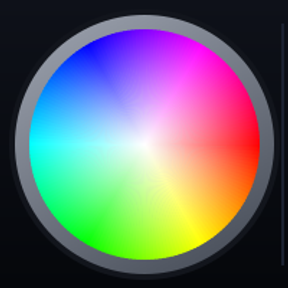
- Primary Color: 6 degrees of hue per click, or intensity from the white center to the rim. Press to switch modes, tap to swap primary and secondary.
- Layer Navigation: moves the selection up and down the stack. Press for Layer Properties.
- Tool Cycle: steps the 14 directly selectable tools in strip order. Press to return to Paintbrush.
REQUIREMENTS
- Windows 10 or 11
- Paint.NET 5.1.12, the classic desktop edition from getpaint.net
- Stream Deck app 6.9 or newer
SUPPORT
Questions or a stuck key: https://pathfinderprototyping.com/support#paint-net
Paint.NET Studio Deck is local only. No account, no subscription, no telemetry, and nothing leaves your machine. Made in America.
Paint.NET Studio Deck 1.0.1.0. Still 71 commands, six dials and six bundled profiles, for Paint.NET 5.1.12.
Pick by face: a command key's settings now show the command list as a grid of the key art.
Fixed: a custom hotkey captured with an arrow key or a numpad operator (+, -, *, / or .) never fired. Capture now stores those keys in a form the plugin can send; capture any such hotkey set before this update again. The 19 tool keys still select their tool directly and ignore a custom hotkey.
Easy Link: the linked key now shows the app's icon above its name when one can be read, and its settings show each link's face. A failed link plays a shorter chime. Easy Link is now a key action only; if you put it on a dial, move it to a key. The bundled profiles always had it on a key.
Easy Link on several decks: the Stream Deck app installs one new profile at a time, so linking several decks at once could leave all but one on its old profile. Each extra deck now comes up about 12 seconds after the one before, once per deck (and once more after this update).
Fixed: a key pressed while the keystroke helper restarted after a slow start could fail with the alert mark. A refused profile switch from Open Category or Back no longer stops the plugin. Helper processes now start in your temp folder, so they cannot hold the plugin's folder open during an update. The Open Category settings now name Home and the decks it works on. The shared Pathfinder keystroke engine is refreshed.
Version 1.0.1
Oct 13, 2026
Details
Type
Artistic
Development
Utilities
OS
Windows
Compatibility
Stream Deck 6.9 or later
Size
3.37 MB
Version
1.0.1
Language
English
Support
Neo Infobar support
No
Dial support
Yes
Profiles
Yes
You might also like