Productivity
PandaBreak
Overview
PandaBreak is a pomodoro plugin for Stream Deck that makes you earn your breaks. Instead of a fixed break when a bell goes off, you bank one minute of break for every five minutes worked, and spend it whenever you want. Four keys share one clock, and only one mode ever runs, so it does not matter which key you press.
INCLUDES FOUR ACTIONS
Work Time: the whole cycle: work done plus the break spent on it, with a sub-line splitting it back out (32:30 + 1:30). Tap to start or pause. Hold to reset the session.
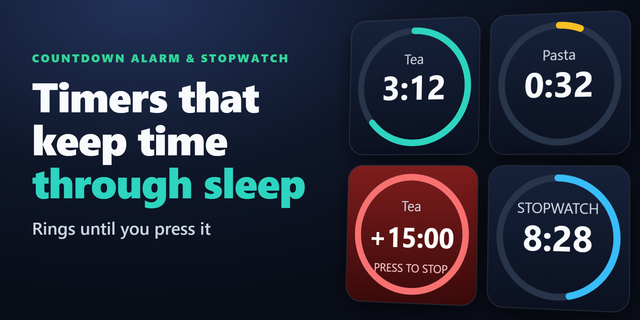
Pomodoro: a 25:00 countdown that is allowed to overrun. Past zero it turns amber and counts up instead of stopping you mid-flow. Tap to start or pause, hold to begin a fresh countdown.
Break Budget: the break you have earned and not yet spent. Tap to spend it: the pomodoro holds where it is while the budget drains in real time. Tap again to resume work. Stop early and you keep the rest. Overdraw it and the number turns red.
Advanced Break: lunch, a meeting, the school run. Freezes every timer and tracks its own time separately: nothing accrues, nothing drains, and it never enters the cycle total. Rename the key to suit.
HOW THE NUMBERS WORK
Break accrues continuously rather than in lumps at the end. A full 25-minute pomodoro banks 5:00; stopping at twelve minutes banks 2:24.
Overtime still earns break, because it is still work.
Starting a break freezes the pomodoro exactly where it was. Ending one puts you straight back to work.
Every value is settled from system clock timestamps rather than counted ticks, so a busy machine, a sleeping laptop or a plugin restart never drifts your session.
The session persists across Stream Deck restarts.
SETTINGS
Select any PandaBreak key in the Stream Deck app to open its inspector:
Pomodoro length: default 25 minutes, anything from 1 to 180.
Work per break minute: default 5, so five minutes of work buys one minute of break.
Break overdraft: whether the budget may go negative, or the break stops at zero.
Auto-reset after: hours of inactivity before a forgotten session starts fresh. Default 8.
Tile label: the text on the Advanced Break key: LUNCH, MEETING, whatever that key is for.
SETUP
Place all four actions on the same page or folder. They share one session, so any key controls it and each shows a different view of the same clock.
PRIVACY
No account, no sign-in, no network requests, no analytics. Your session lives in Stream Deck's own settings on your machine and nowhere else.
REQUIREMENTS
Stream Deck app 7.1 or newer
macOS 12 or newer, or Windows 10 or newer
Best use: Four free keys on any Stream Deck with keys; Neo, MK.2, XL, Mini, +, Studio, Mobile
Four keys that share one clock: work, the pomodoro, the break you have earned, and a key that takes you out of the system entirely for lunch.
What's in this release
Work Time. Start and pause your session. Shows the whole cycle — work done plus the break spent on it — with the split on the second line. Hold to reset.
Pomodoro. A 25:00 countdown that is allowed to overrun. Past zero it turns amber and keeps counting instead of cutting you off. Hold to start a fresh one.
Break Budget. Break time accrues continuously while you work, one minute for every five worked, so it is always in proportion to the work actually done rather than handed out in lumps. Press to spend it, press again to go back to work.
Advanced Break. Lunch, meeting, or errand. Freezes every timer.
Settings
Pomodoro length, from 1 to 180 minutes.
How many minutes of work earn one minute of break.
Whether the break budget may be overdrawn or simply stops at zero.
How many idle hours before a forgotten session starts fresh.
Details
Every number is measured from the system clock rather than counted in ticks, so no drift in your session.
Your session survives quitting Stream Deck; long absence pauses it instead of billing you for time the plugin was not running.
No account, no sign-in, no network requests, no analytics. The session lives in Stream Deck's own settings on your machine.
Works on any Stream Deck with keys.
Version 1
Aug 18, 2026
You might also like