Gaming
PE Tactical // Assault Systems
by PilotErsatz
Overview
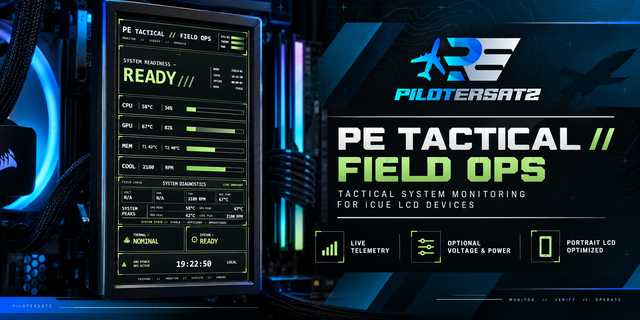
PE Tactical // Assault Systems transforms your compatible CORSAIR iCUE LCD into a tactical, military-FPS-inspired PC telemetry display built for fast, at-a-glance system awareness.
Designed around the look and feel of a modern combat systems interface, Assault Systems combines live hardware telemetry with a bold black-and-red HUD aesthetic that feels at home in a gaming or mil-sim setup without copying the interface of any specific game.
The display is centered around a large GPU performance gauge, supported by CPU, memory, cooling, and overall system-status information. The result is a monitor that is visually distinctive while still keeping the data that matters easy to read during everyday use or long gaming sessions.
Key features include:
Live CPU telemetry — monitor processor load and temperature using user-selectable iCUE sensors.
Live GPU telemetry — view GPU load and temperature through a large tactical-style primary gauge.
Memory thermal monitoring — assign up to two DIMM temperature sensors and automatically track the hottest available memory reading.
Optional System RAM Load — systems that expose a compatible RAM-load sensor through iCUE can display live memory utilization and history. If your system does not expose one, the field remains cleanly marked as N/A.
Cooling telemetry — monitor CPU fan, GPU fan, and AIO pump speeds when compatible sensors are available.
System Status — quickly see whether configured telemetry is operating normally or requires attention.
Configurable sensor assignments — choose the sensors that match your hardware rather than relying on fixed CPU, GPU, memory, or cooling configurations.
Session uptime and local time — useful system information remains visible without distracting from the main telemetry.
Portrait-optimized tactical layout — designed specifically for a clean, readable vertical LCD presentation.
No companion software required — Assault Systems runs entirely as an iCUE widget.
Assault Systems is designed to work across different PC configurations. Not every system exposes the same sensors through iCUE, so optional fields can be left unassigned without creating false warnings or breaking the overall display. This allows the widget to adapt to different CPU, GPU, memory, and cooling hardware while keeping the interface clean and functional.
Whether your setup is built around military shooters, tactical sims, or you simply want something more aggressive than a traditional hardware monitor, Assault Systems brings a distinctive combat-HUD identity to your system telemetry.
Feedback is welcome. If you encounter a compatibility issue, have feedback about your hardware configuration, or have an idea for a future update or feature, use the support link on this Marketplace page to contact PilotErsatz Technologies. Real-world feedback helps guide future improvements and compatibility updates to Assault Systems.
v1.0.1 — Responsive LCD Compatibility Update
- Added automatic layouts for 5-inch portrait, 5-inch landscape, XENEON EDGE landscape, and XENEON EDGE portrait display classes.
- XENEON EDGE landscape physically validated in iCUE with live sensor telemetry.
- 5-inch portrait physically validated in iCUE.
- Improved XENEON landscape CPU/MEM instrument scale and moved secondary readings below the dials for faster glanceability.
- Enlarged XENEON landscape Thermal Control labels, RPM values, and meter bars.
- Corrected XENEON portrait GPU callout clipping by shifting the hero composition left and pulling the callout inward.
- Improved iCUE settings guidance using group descriptions and added the product/version string as footer information.
- Preserved existing telemetry, sensor validation, optional RAM Load behavior, and 5-inch portrait presentation.
Version 1.0.1
Sep 28, 2026
You might also like