Utilities
Pi-hole Controller
by Marktastic
Overview
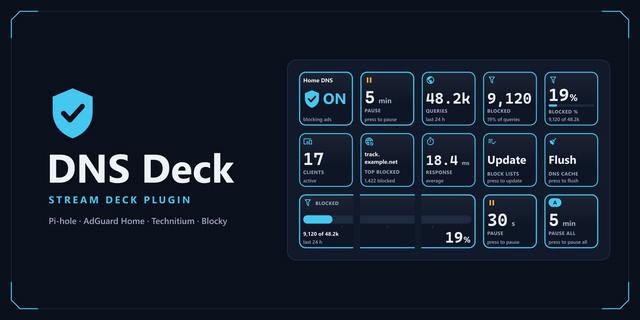
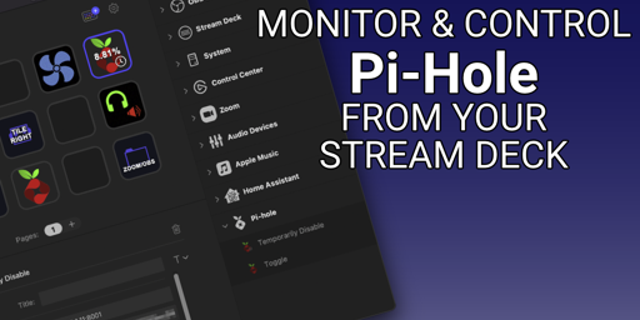
Pi-hole Controller brings your Pi-hole dashboard to your Stream Deck. Stop opening a browser just to pause blocking or check your stats — do it with a button press.
Control blocking instantly
Enable or disable Pi-hole DNS blocking with a single key. Need a temporary pause? Use the Timed Disable button — set a duration, press it, and a live countdown shows exactly how long until protection resumes.
Status at a glance
The Status Indicator button shows your Pi-hole's current state in color: green when blocking is active, red when disabled, and yellow when the device can't be reached.
Version tracking
The Version button shows your current Pi-hole version and highlights when an update is available — no need to log into the admin UI to check.
Open Pi-hole UI
One button to open your Pi-hole admin interface directly in your browser.
Live stats, always visible
Add as many Stats Display buttons as you want, each showing a different metric updated in real time:
Total Queries
Queries Blocked
Percentage Blocked
Domains on Blocklist
Queries per Minute
System Load (1 / 5 / 15 min)
Memory Usage
Active Clients / Total Clients
Each metric has its own color-coded icon so you can identify buttons at a glance.
Whitespace (leading/trailing spaces) in the Host and App Password fields is now automatically trimmed — prevents 401 errors caused by accidental copy-paste spaces
http:// or https:// prefix and any trailing path (e.g. /admin) in the Host field are now automatically stripped — pasting a full URL just works
Updated App Password hint in property inspector to clarify: copy without spaces, leave blank if Pi-hole has no password
Version 1.0.6
May 29, 2026
Details
Type
Utilities
OS
Mac
Windows
Compatibility
Stream Deck 6.9 or later
Size
388.73 KB
Version
1.0.6
Language
English
Support
Profiles
No
Dial support
No
You might also like

-thumbnail-optimized-46dfbc11-3d8e-471b-87f8-2f305eeb425d.png)
-app-icon-optimized-d8b023ad-6199-4500-8944-c80b4e07c84e.png)