Creative Tools
Premiere Fastlane (Galleon 100 SD)
by FlowKits
Overview
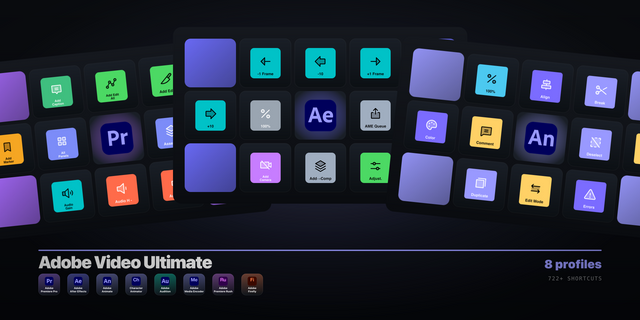
🎬 Premiere Pro profile for Galleon 100 SD: the complete profile for editors who'd rather create than memorize shortcuts.
Every second hunting Premiere's menus is a second you're not cutting, grading, or mixing. Adobe Premiere Fastlane for the Galleon puts your toolkit on 12 keys and lets the four dials do the scrubbing, zooming, and page-hopping.
✅ 9 pages in a dial-driven rotation, including a dedicated Multicam page. Every key and dial mapped.
✅ Four LCDs controlled by 2 dials per page: a Navigate wheel that jumps to any page, JOG for frame scrubbing, ZOOM for the timeline, plus a page-specific fourth control.
✅ Save pinned on every page (double-press for Save As), with Add Edit and ripple trims anchoring most pages.
✅ Hero macros built in: Cut + Ripple, plus one-tap Paste Grade so you never touch Ctrl+Alt+V and its checkboxes again.
✅ Built and tested for Adobe Premiere, with a FlowKits keyboard (.kys) preset that unlocks 55 commands Premiere ships unbound.
--
🎛️ Two Dials, 4 LCDs Do the Driving
The same three dial screens stay put on every page, so your hands never relearn them:
Navigate: rotate through all 9 pages, each tinted to its category color, press to jump. No key spent on navigation.
JOG: rotate to step frame by frame, press to play and pause.
ZOOM: rotate to zoom the timeline, press to zoom to fit.
The fourth dial changes with the page: track height, clip nudge, slip, marker jump, clip volume, layer select, and a play-speed shuttle.
--
🤖 Built for Premiere v26
Premiere v26 shipped a wave of AI tools without shortcuts. Our keyboard preset binds them, and we put each on a key: Generative Extend, Object Mask, Enhance Speech, Audio Remix, Auto Reframe, and the normally-unbound Quick Export.
--
📦 What's Inside
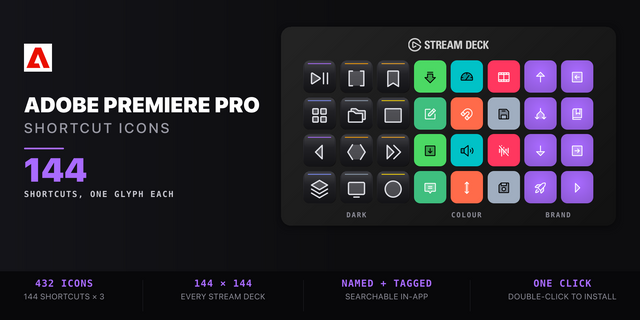
9 pages: Home, Edit, Trim, Playback, Audio, Color, Graphics, Export & AI, and Multicam. Color-coded categories, editable labels in any language, Windows and Mac compatible with correct modifiers automatically, and FlowKits keyboard presets for QWERTY, QWERTZ, and AZERTY.
--
🚀 Quick Install
Extract the .zip.
Load the FlowKits keyboard preset (.kys) for your layout.
Double-click the .streamDeckProfile to import, then open Premiere.
--
🎯 Perfect For
YouTubers cutting daily uploads, wedding and event editors on deadlines, filmmakers grading features, podcasters mixing dialog. Anyone who'd rather edit than hunt for shortcuts.
--
📥 Included: Adobe Premiere Fastlane profile for Stream Deck Galleon (.streamDeckProfile), FlowKits keyboard presets (Windows and Mac, QWERTY/QWERTZ/AZERTY), the complete icon library, and a setup guide.
--
This Stream Deck profile is an independent creation, not affiliated with or endorsed by Adobe Inc. Adobe, Adobe Premiere, and the Premiere logo are trademarks of Adobe Inc., used solely to identify compatibility.
Initial Premiere Pro release for Galleon 100 SD
Version 1.1
Jul 16, 2026
Details
Type
Creative Tools
Device
GALLEON 100 SD
OS
macOS
Windows
Compatibility
Stream Deck 7.1 or later
Size
5.87 MB
Version
1.1
Support
Icons
Yes
Dial support
Yes
Additional links
You might also like
-thumbnail-optimized-a04f72e9-d759-401c-807c-47bab097f321.png)
-thumbnail-optimized-370736eb-6c6b-4fbf-abef-399d0026f9ea.png)