Productivity
Printer Switcher for Windows
by GRAMSHIFT
Overview
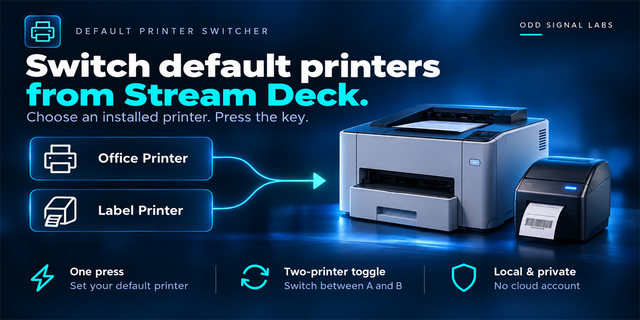
Switch the Windows default printer from your Stream Deck with one key: home, office or PDF. A second key shows the print queue: how many jobs are waiting, and whether the printer has an error or is paused. Press it to open the Windows print queue window, or hold it to cancel every job. The keys show the current state reported by Windows.
Features
Default Printer: one press makes your chosen printer the default, or switches between two printers
Shows the current default printer, with a green border when it is the one you chose
Local, PDF and shared network printers (\server\printer)
Print Queue: the number of waiting jobs, for one printer or for the default printer
Printers that are paused, offline or have an error are flagged on the key
Press: open the print queue window. Hold 1 second: cancel every job, including the one printing now (can be turned off)
Follows changes made in Windows Settings or by other apps
If Windows refuses a change, the key says so
English and Japanese
Privacy
Runs on your PC. No account, no telemetry; nothing is sent to us or to any online service.
Requirements and limits
Windows 10 or later, Stream Deck app 6.9 or later
If "Let Windows manage my default printer" is on, Windows may change the default again; the key shows this, and the plugin never changes that setting
Cancelling deletes other users' jobs only when Windows allows it
Printers managed by your organization may refuse changes
Idea or bug? Use the Support link. Every message is read.
First release with two actions. Default Printer makes the printer you chose the Windows default printer, or switches between two printers. Print Queue shows the jobs waiting, opens the print queue window on a press and cancels every job on a hold. English and Japanese.
Version 1
Oct 6, 2026
Details
Type
Productivity
Utilities
OS
Windows
Compatibility
Stream Deck 6.9 or later
Size
790.11 KB
Version
1
Language
English
Japanese
Support
Profiles
No
Neo Infobar support
No
Dial support
No
Additional links
You might also like